PowerPoint template · Reports
Succession planning and talent review deck template
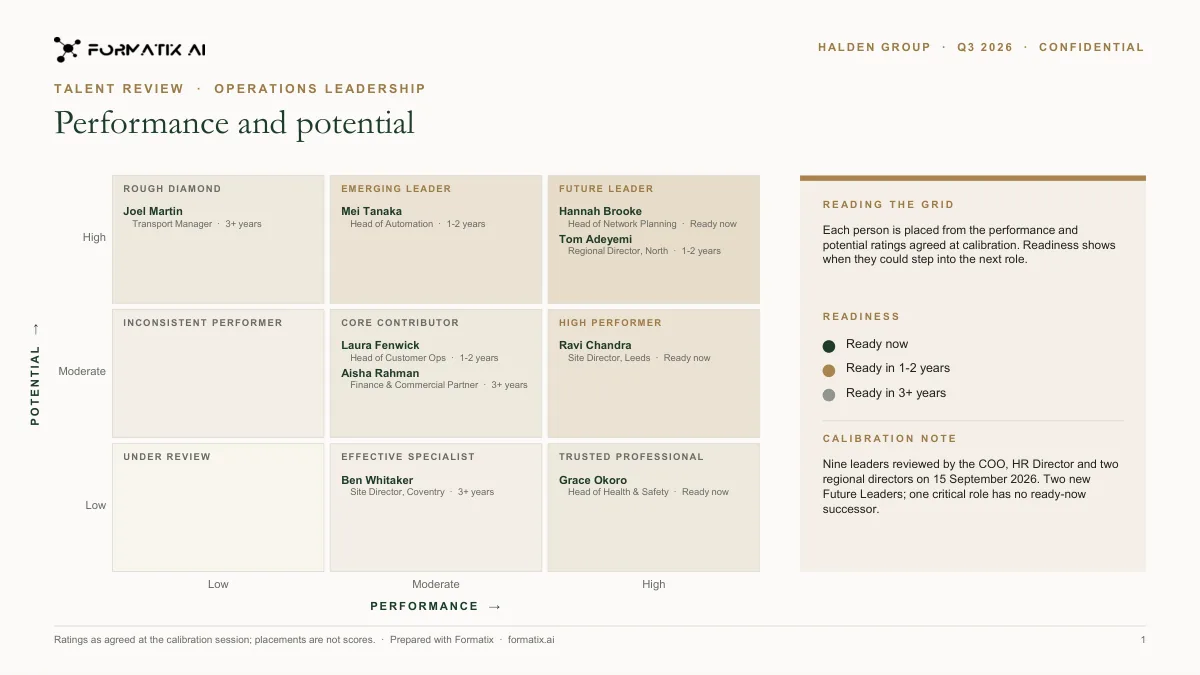
A talent review deck presents a leadership population to a board or executive committee: a 9-box grid placing people by performance and potential, a succession slate for each critical role with ready-now, ready-in-one-to-two-years and longer-term successors, and a profile of each successor. The placements and readiness ratings come from the calibration meeting; the deck lays them out. This PowerPoint template holds the grid, the slates and the profiles in the company's brand, and Formatix fills the profiles from CVs or HR records.
Talent reviews are decided in a calibration meeting and then rebuilt into slides by someone in HR the week after. The grid, the slates and the profiles are the same shape every cycle; only the placements change. This template keeps the shape so the deck is a fill, not a rebuild.
10 free credits, no card needed. One credit fills one document.
What's in the template
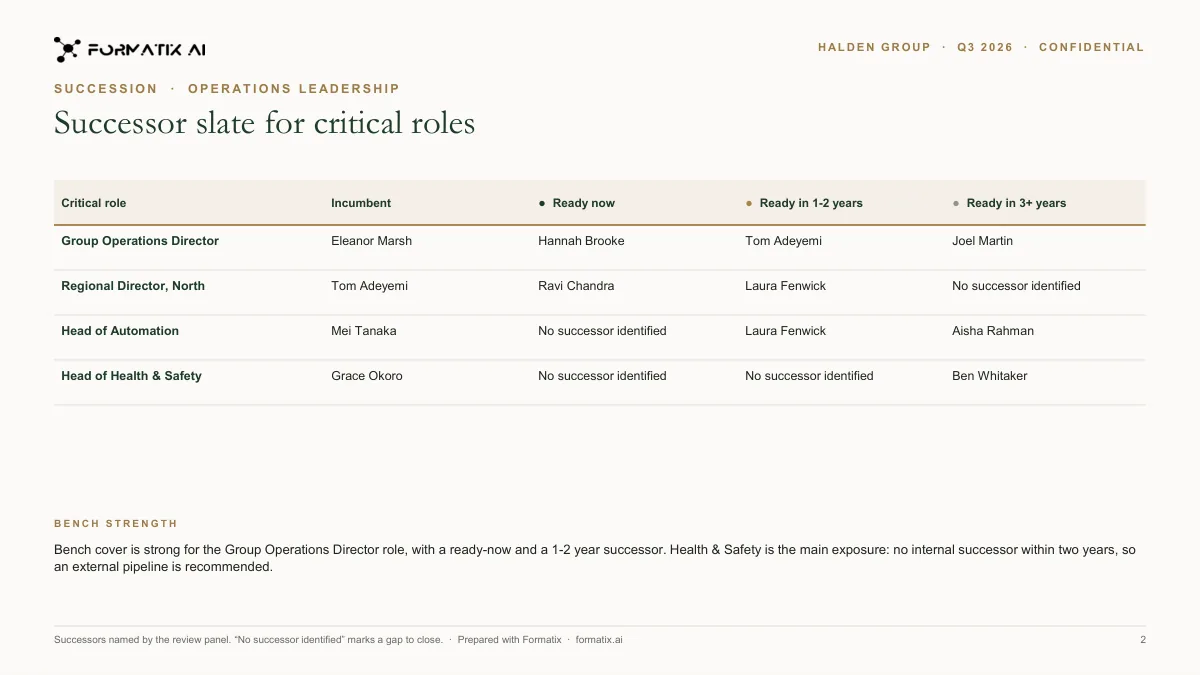
A talent-review deck with a 9-box grid of performance and potential, and a successor slate for each critical role.
- 9-box grid of performance and potential
- Readiness shown for each person on the grid
- Calibration note
- Successor slate for each critical role: ready now, in 1-2 years, in 3+ years
- Bench strength summary with the gaps
What it's for: CHROs and talent teams preparing a talent review or nominations committee.
PowerPointDelivered as an editable PowerPoint file, or saved as PDF.
Who uses it
CHROs and heads of talent
The board or ExCo talent review pack, produced once a year or once a quarter in the same format.
HR business partners
Divisional reviews that roll up into the group pack without reformatting.
Search firms with succession practices
Client succession reviews delivered in the client's brand, not the firm's.
Every slide of the example
The example is in Formatix branding with a fictional candidate. When you pick this template, it is rebuilt with your logo, colours and fonts before you use it.
How you use it
- 1
Pick the template
Open Formatix, choose this template in Studio, and give us your website. We pull your logo, colours and fonts and rebuild the template in your brand. You see a sample before you use it.
- 2
Drop a CV or your notes
Upload the candidate's CV, in any layout or language. For reports that carry your ratings or notes, add them alongside the CV. One credit fills one document.
- 3
Check and send
The filled document appears beside the original for checking. Edit anything in place, then download the Word, PowerPoint or Excel file, or save it as PDF.
Not a download. This is not a file to download. Formatix builds the template in your brand, with your logo, colours and fonts taken from your website, and fills it from a CV or from the notes you supply. What you keep is the finished document: an editable Word, PowerPoint or Excel file you can send as it is or change in Office.
Ask for changes in plain words, such as "move the photo to the right" or "add a Languages section", and the template is updated with the rest of its formatting kept. If you already have a document you send clients, upload that instead and Formatix turns it into a template. How Studio builds templates
Questions about this template
- What is in a talent review deck?
- A summary of the population reviewed; a 9-box grid of performance against potential; a succession slate per critical role with readiness; a profile slide per successor with career, strengths, development areas and the actions agreed; and a risks slide for roles with no ready successor. This template has each of those slides.
- Who decides the 9-box placements?
- The calibration meeting. Formatix places people on the grid where you tell it to; it never rates or ranks anyone.
- Can the profiles be filled from HR data?
- Yes, from CVs, internal profiles or a spreadsheet export. Each successor's career and education are extracted and laid into the profile slide; strengths, development areas and readiness are entered by the reviewer.
- Is the output editable?
- Yes. It is a normal PowerPoint file. Move people on the grid, reword a development plan or add a slide in PowerPoint before the meeting.
- Is this a download?
- No. The deck is built in your brand inside Formatix and filled from your inputs; what you download is the finished PowerPoint file.
Related templates and pages
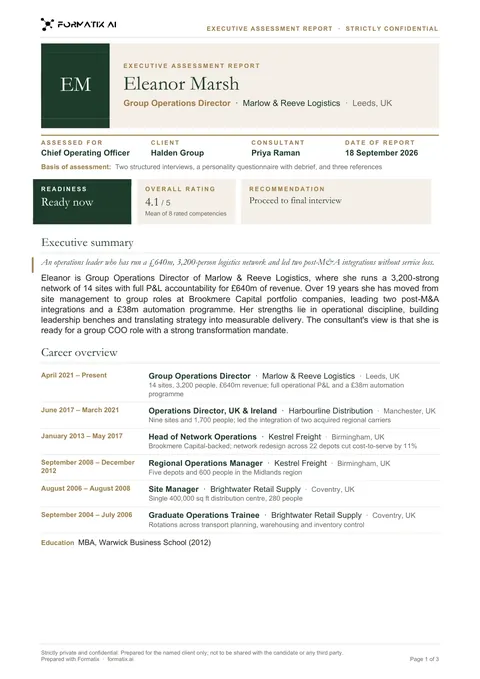 WordExecutive assessment reportA multi-page report on a finalist: executive summary, competency ratings drawn as bars from your scores, career overview and the consultant's view.
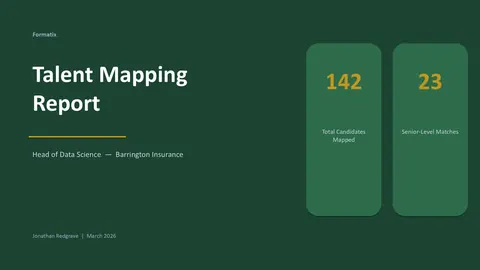 PowerPointTalent mapping reportA talent mapping report with market overview, a company-by-company candidate map and recommendations.
Use the succession and talent review in your brand
Give us your website, and the template is rebuilt with your logo, colours and fonts. Your first ten documents are free, with no card and no expiry.