Templates · Build your own
Turn the document you already send into your template
Upload the candidate profile, shortlist deck, report or tracker you already send clients, as Word, PowerPoint, Excel or PDF. Formatix turns it into a template, keeping your layout, fonts and logo as they are; only the candidate details become fields filled from each CV. It takes a few minutes, and we email you a sample to check. You can also have AI build templates in your brand from your website, or start from the library.
No credit card. Your 10 free credits are valid for 14 days.
Three ways to get a template
You can use all three, in the same account.
- 1
From your own document
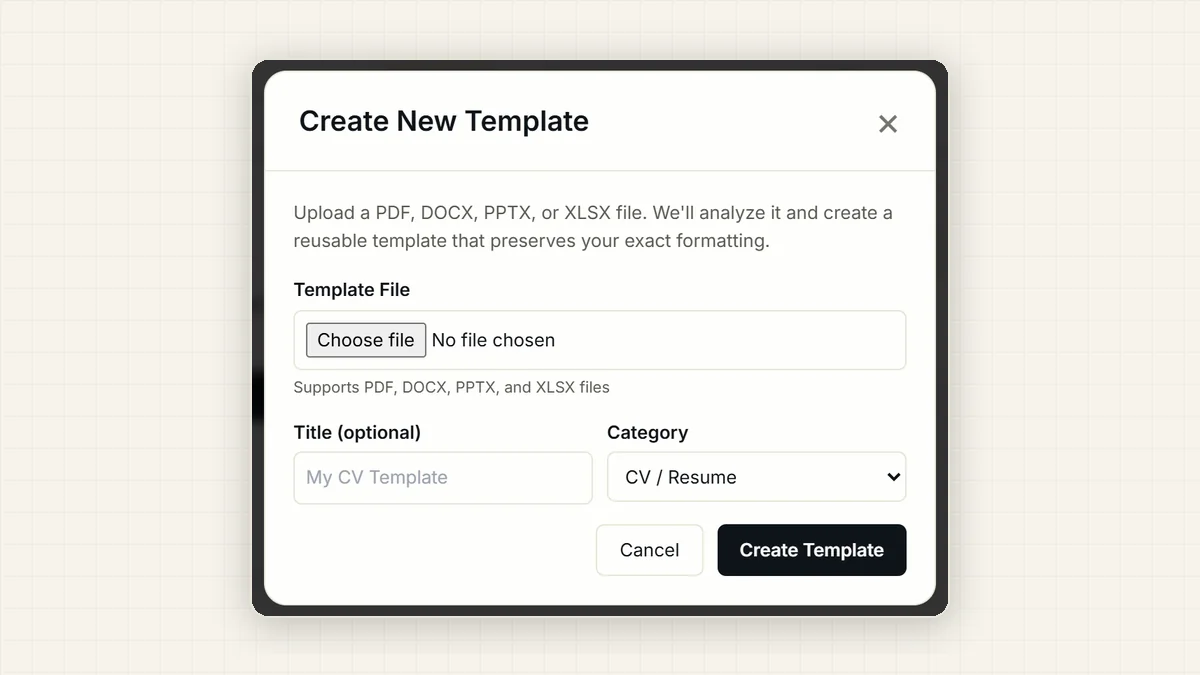
Press Create New Template on your Home page and upload the Word, PowerPoint, Excel or PDF document you already send clients: a candidate profile, a shortlist deck, an assessment report, a client tracker. Give it a name and a type, then press Create Template. Formatix studies your document and builds the template, keeping your layout, fonts and logo exactly as they are. It takes a few minutes, and we email you a sample when it is ready.
Watch: create a template from your own document - 2
Built by AI in your brand, from your website
No document yet? Give Formatix your firm's website. It reads your logo, colours and fonts, and makes an executive profile, a shortlist deck and a candidate tracker, all in your brand. Check what it found on the Brand page, then press Confirm this brand.
Brand Hub - 3
A library template, in your brand
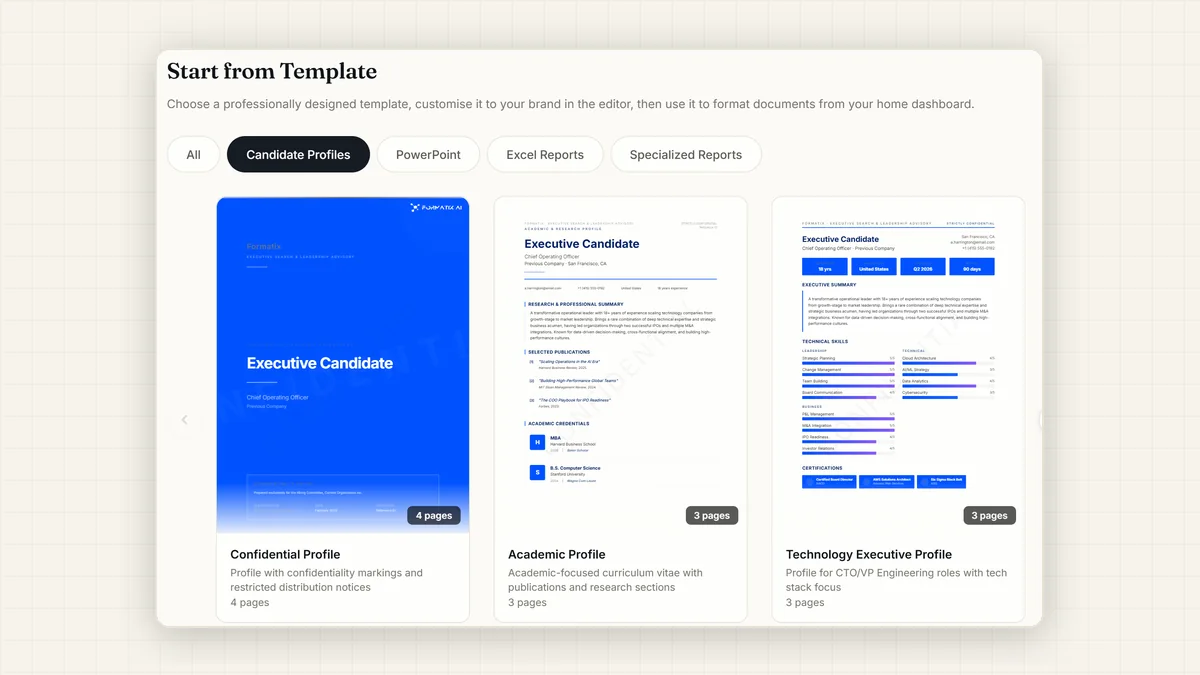
Pick from the Template Library: ready-made documents for executive search, from position specifications to shortlist decks, each one built in your brand. Open one to see a full sample, ask the Studio Agent for any change in plain words, then press Save template.
Browse the template library
See how it works
Create a template from your own document
Upload the Word, PowerPoint, Excel or PDF document you already use: a candidate profile, a shortlist deck, a report. We turn it into a template.
Executive search templates, in your brand
Candidate profiles, shortlists, trackers and reports, ready to use.
What you control yourself
There is no waiting for a vendor's team to build your templates.
The extraction prompt
You can read and edit the extraction prompt, the rules for what goes into each field.
Changes in plain words
Reply to the sample email with what you would like ("keep the dates on one line", "the summary should be in italics") and a new sample is sent, until you approve the template. Library templates change the same way: ask the Studio Agent, such as "move the photo to the right" or "add a Languages section", and the rest of the formatting is kept.
Standing rules
Set rules once, in plain sentences ("show salaries as ranges", "never include nationality or date of birth", "dates as Mar 2026"). They apply to every template build and every document filled for your account.
As many templates as you need
Up to 200 per account, built from your own Word, PowerPoint or Excel files or in Studio.
Edits to each document
Each formatted document opens beside the original CV for checking. Edit the file in place, or ask the copy editor to change wording, then download it.
Word, PowerPoint, Excel and PDF
Your templates fill as the files your clients already use.
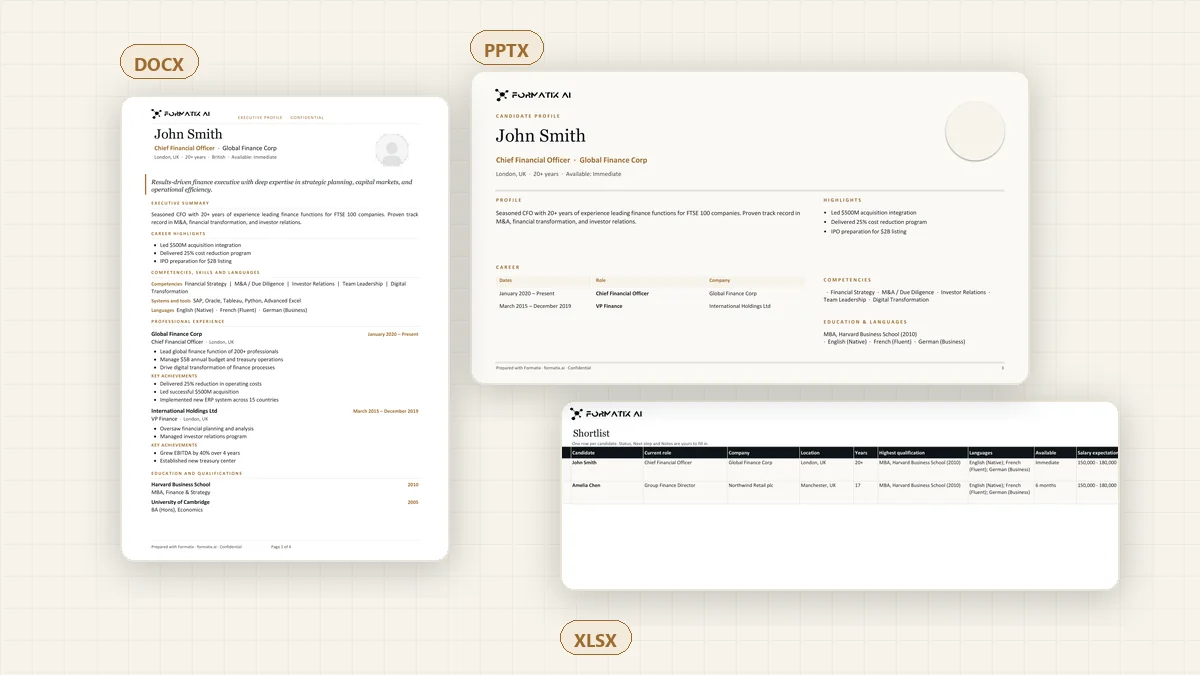
Word
Candidate profiles, blind profiles, assessment reports, position specifications, scorecards, references and submittals, as editable .docx files.
PowerPoint
Shortlist decks, candidate presentations and bios, kickoff briefings, talent maps, progress reports and client proposals in your slide master, as editable .pptx files.
Excel
Candidate trackers, longlists, scorecard matrices and compensation workbooks, as .xlsx workbooks with their totals calculated live.
PDF
Any Word or PowerPoint result saved as a PDF when the document should not be edited.
Build templates from ChatGPT, Claude or Perplexity
Format CVs, build templates and make shortlist decks from inside ChatGPT, Claude (claude.ai, Claude Desktop and Claude Code) and Perplexity through the Formatix MCP server. Upload your firm's document in the assistant and it becomes a template; ask for a change in plain words, or read and update a template's extraction prompt.
In Claude, Formatix checks every tag of a Word, PowerPoint or Excel template before saving it, and saves nothing if a tag would not fill. Templates Formatix set up for your firm are never changed from Claude: open them in Formatix and click Edit to work on your own copy.
Microsoft 365 (an Outlook add-in and a Copilot agent) is in early access on request.
Checked before you use it
A sample to review
When your template is ready, we email you a sample filled from the same document. Check it, send corrections in plain words, and approve it when it is right.
A template is checked before it is marked ready
Every build is checked for placeholders outside their loops, for a render test on a real CV, and for fonts or colours that your document never used. A template that fails its checks is never marked ready.
Quality check on every document
Every filled document is checked before it is shown: placeholder tags left unfilled, placeholder-like text, sections that rendered empty, blank lines left by loops, and fonts or colours that do not appear in your template. The result is shown with the document and in the review email.
Once it is built, your template is used wherever you format CVs: on the platform, from ChatGPT, Claude and Perplexity, through the native JobAdder, Salesforce, HubSpot and Ezekia connectors, and from any other ATS or CRM by email ([email protected]), with no integration needed. See all integrations
Questions about building your own template
- Can I use my own Word template as a CV template?
- Yes. Upload the document you already send clients (Word, PowerPoint, Excel or PDF). Formatix turns it into a template with the same fonts, colours, spacing and layout, emails you a sample, and applies any corrections you send back until you approve it.
- Can I use the format my client sends me?
- Yes. Formatix converts CVs into your own template or into the client's mandated format, such as a client resume template or a framework or tender form. Upload the client's Word, PowerPoint or Excel template, or a sample document, and Formatix builds the template and fills it from each CV, one at a time or in bulk.
- What happens to my original file?
- Its fonts, colours, spacing and layout are kept exactly; only the candidate-specific text becomes a placeholder. Templates Formatix set up for your firm are never changed by your edits: you click Edit and work on your own copy. When you change a Word, PowerPoint or Excel template you built yourself from Claude, every earlier version is kept, and you can restore one in Formatix.
- How many templates can I have?
- As many as you need, up to 200 per account. Build them from your own Word, PowerPoint or Excel files, or in Studio.
- Can I change what goes into each field?
- Yes. You can read and edit the extraction prompt, the rules for what goes into each field. Standing rules set once for your account, such as "show salaries as ranges" or "never include nationality or date of birth", apply to every template build and every document filled.
- Can I build a template from ChatGPT or Claude?
- Yes. Through the Formatix MCP server you can build templates, format CVs and make shortlist decks from inside ChatGPT, Claude (claude.ai, Claude Desktop and Claude Code) and Perplexity. Upload your firm's document in the assistant and it becomes a template.
Turn your document into a template
Start free with 10 credits, no card needed, or book a demo and we will show you a template built from your own document.