Excel template · Trackers and spreadsheets
Market map and longlist template for executive search
A market map is the research document at the start of a retained search: the target organisations, the relevant people in each, and where each person stands, from identified to approached to interested to on the longlist. This Excel template holds the map by organisation on one sheet and the longlist on another, with status columns the research team updates and the consultant reviews with the client. Formatix builds it in the firm's brand and fills candidate rows from CVs or LinkedIn exports.
The map is what the client is paying for in the first weeks. Shown well, it demonstrates the coverage of the market; shown as a raw spreadsheet, it looks like admin. This template gives it a consistent structure and the firm's look without the researcher spending time on formatting.
10 free credits, no card needed. One credit fills one document.
What's in the template
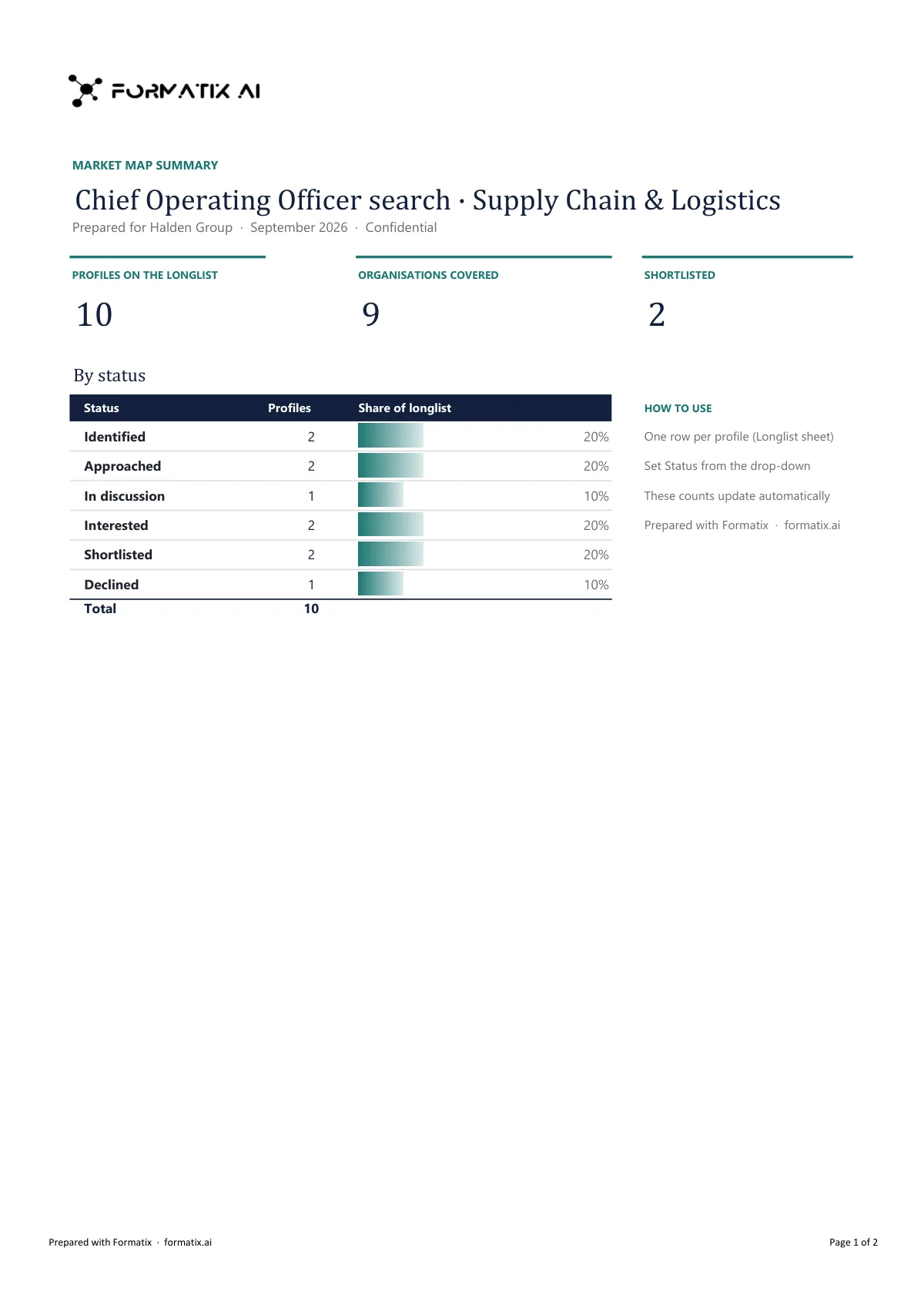
A workbook that maps the market for a search: target organisations, the people in each and where they stand in the process.
- Summary sheet: profiles on the longlist, organisations covered, shortlisted
- Counts by status that update as the longlist changes
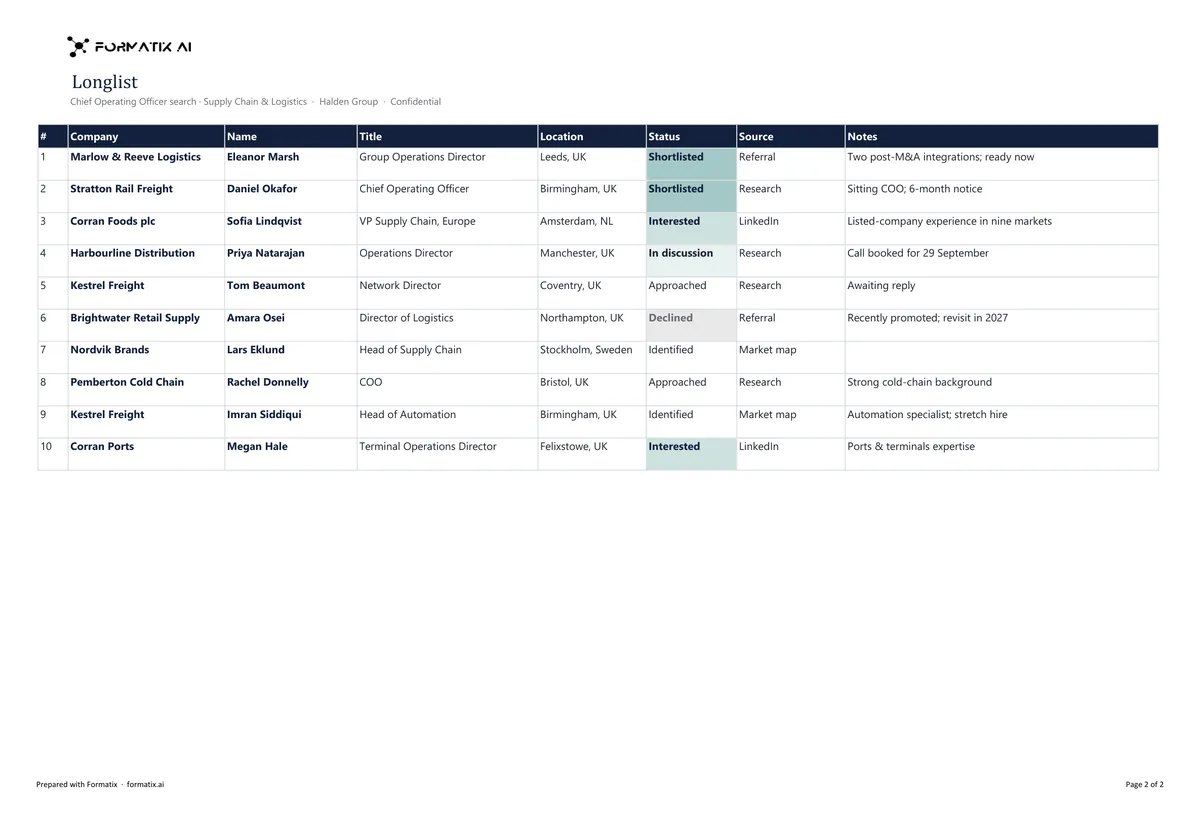
- Longlist sheet, one row per profile
- Company, name, title, location, status, source and notes
- Status chosen from a drop-down
What it's for: Sharing search coverage and the longlist with a client early in a search.
ExcelDelivered as an Excel workbook you can edit and share.
Who uses it
Executive search research teams
The working map of a search, organised by target company, updated through the assignment.
Consultants reporting to a client
The map and the longlist as the first formal update, in the firm's brand.
In-house talent intelligence teams
Mapping a function or a competitor set for succession or pipeline work.
Every page of the example
The example is in Formatix branding with a fictional candidate. When you pick this template, it is rebuilt with your logo, colours and fonts before you use it.
How you use it
- 1
Pick the template
Open Formatix, choose this template in Studio, and give us your website. We pull your logo, colours and fonts and rebuild the template in your brand. You see a sample before you use it.
- 2
Drop a CV or your notes
Upload the candidate's CV, in any layout or language. For reports that carry your ratings or notes, add them alongside the CV. One credit fills one document.
- 3
Check and send
The filled document appears beside the original for checking. Edit anything in place, then download the Word, PowerPoint or Excel file, or save it as PDF.
Not a download. This is not a file to download. Formatix builds the template in your brand, with your logo, colours and fonts taken from your website, and fills it from a CV or from the notes you supply. What you keep is the finished document: an editable Word, PowerPoint or Excel file you can send as it is or change in Office.
Ask for changes in plain words, such as "move the photo to the right" or "add a Languages section", and the template is updated with the rest of its formatting kept. If you already have a document you send clients, upload that instead and Formatix turns it into a template. How Studio builds templates
Questions about this template
- What is the difference between a market map and a longlist?
- The market map is organised by organisation: which companies were targeted and who is relevant in each. The longlist is organised by person: everyone identified as a possible candidate, with status and the consultant's initial view. This workbook has a sheet for each.
- What columns are on the map?
- Organisation, sector, size, relevance to the brief, the people identified with title and location, approach status and a comments column. Columns can be adjusted when the template is built.
- Can candidate rows be filled from CVs?
- Yes. Upload CVs or LinkedIn PDF exports as a batch and the longlist rows are filled from them. Organisation rows are entered by the research team.
- Is this a download?
- No. The workbook is built in your brand inside Formatix; what you download is the finished Excel file to work in and share.
- Does Formatix find the candidates?
- No. Formatix lays out the research in the firm's template; the sourcing and the judgement are the firm's.
Related templates and pages
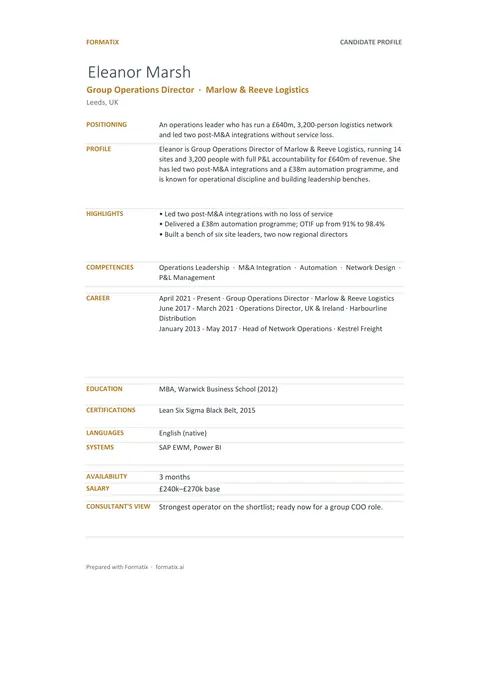 ExcelCandidate trackerAn Excel workbook with a shortlist sheet, one row per candidate, and a profile sheet for each candidate, ready to filter and share.
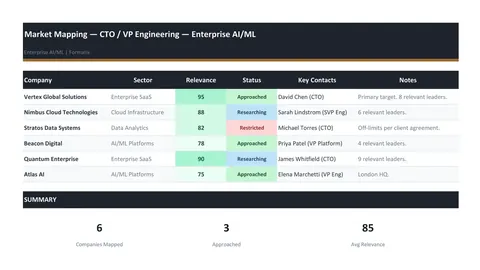 ExcelMarket mapping workbookA market mapping workbook of target companies with relevance scores, approach status, key contacts and sector analysis.
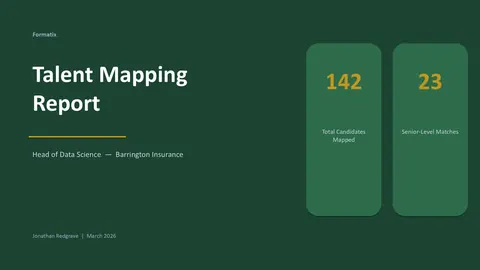 PowerPointTalent mapping reportA talent mapping report with market overview, a company-by-company candidate map and recommendations.
Use the longlist and market map in your brand
Give us your website, and the template is rebuilt with your logo, colours and fonts. Your first ten documents are free, with no card and no expiry.