Solutions
For executive search firms
Formatix AI produces the documents a retained search sends a client, in your firm's own template: candidate profiles and blind CVs, assessment and board reports, shortlist decks, longlists and trackers, in Word, PowerPoint, Excel or PDF. It builds them from CVs, interview notes and assessment results, and connects natively to Ezekia, Salesforce, HubSpot and JobAdder.
No credit card. Your first ten CVs are free, and the trial credits are valid for 14 days.
The documents take longer than the search
A search produces a pile of paperwork: a profile for every candidate, a shortlist deck, a longlist, progress reports and, for the final few, a full assessment. The CVs arrive in every layout and language, the notes sit in the consultant's head or the CRM, and the client expects it all in your house style.
Researchers and consultants end up copying and pasting into templates late at night, and the documents still come out slightly different every time.
How it works
- 1
Set up your templates once
Upload the profile, report or deck your firm already sends, or pick one from the library. Formatix builds a template that keeps your layout, fonts and logo, and sends you a filled sample to check.
- 2
Send in the CVs and notes
Upload one candidate or a whole shortlist, email CVs to [email protected], let new CVs come in from Ezekia, Salesforce, HubSpot or JobAdder, or work from inside ChatGPT or Claude.
- 3
Check and send
Each document opens beside the original CV so you can check and edit it, then download it in Word, PowerPoint, Excel or PDF.
The consultant's judgement stays the consultant's. Formatix lays out what the CV and your notes say and leaves anything missing blank.
Templates to start from
Each one is rebuilt in your brand. Or upload your own format, or the one your client sends you, and Formatix builds the template from it.
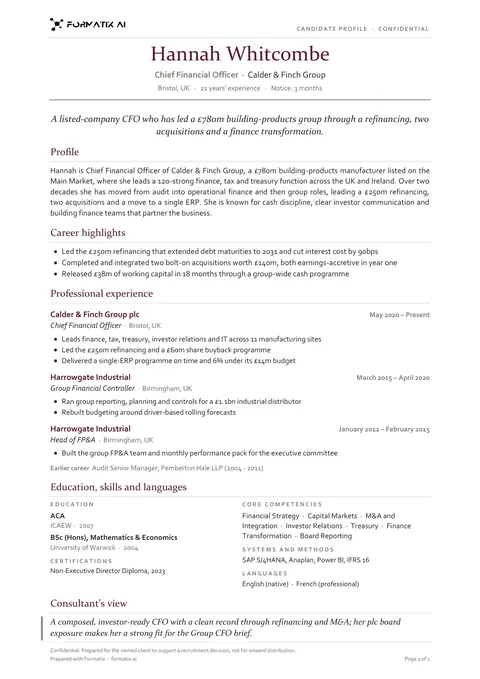 WordCandidate profile (classic)A traditional one-page candidate profile with a clear career history, laid out the way clients expect to read a CV from an agency.
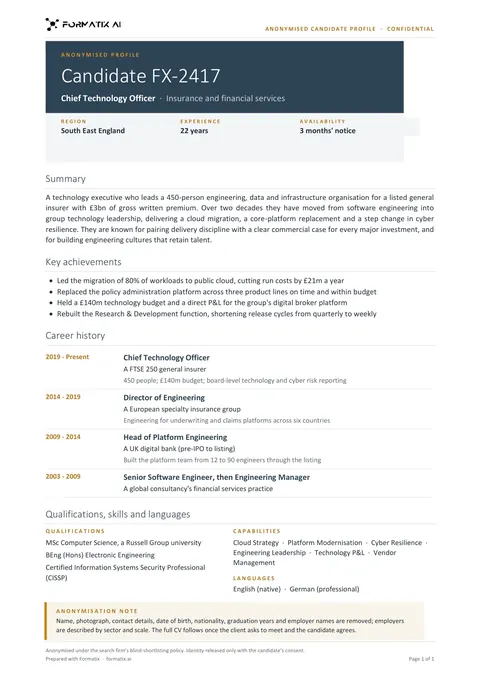 WordBlind profileAn anonymised profile that shows experience and fit without the candidate's name, contact details or photo.
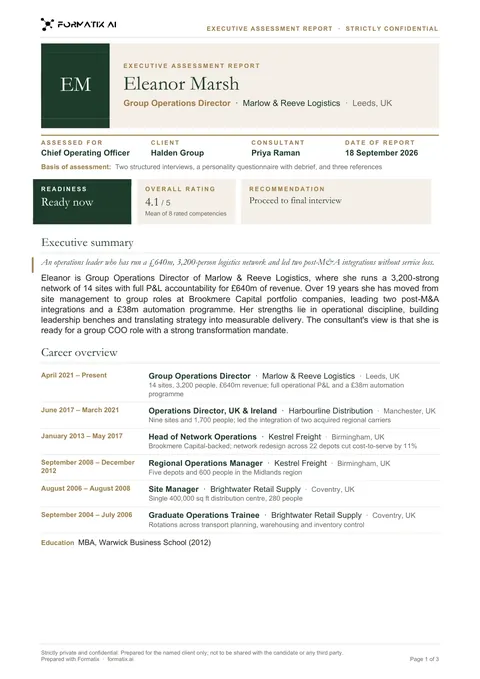 WordExecutive assessment reportA multi-page report on a finalist: executive summary, competency ratings drawn as bars from your scores, career overview and the consultant's view.
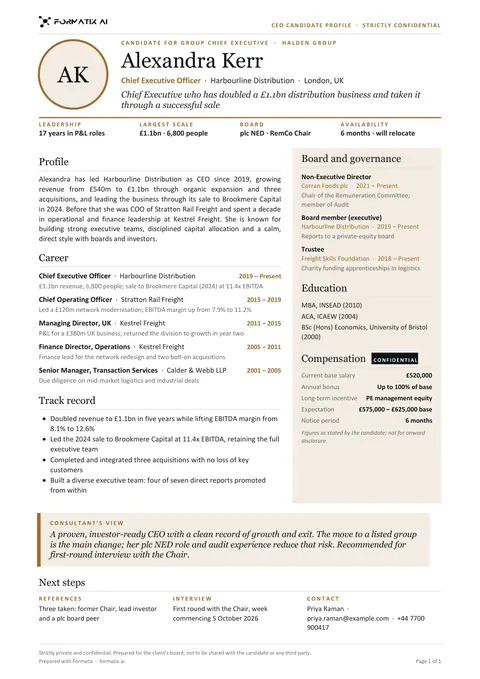 WordCEO candidate profileA one-page profile for board-level candidates: leadership record, board and governance roles, track record and compensation, readable in a minute.
 WordPosition specificationThe candidate-facing brief for a retained search: the organisation, the opportunity, the role and the person, with terms, process and contacts only where the brief states them.
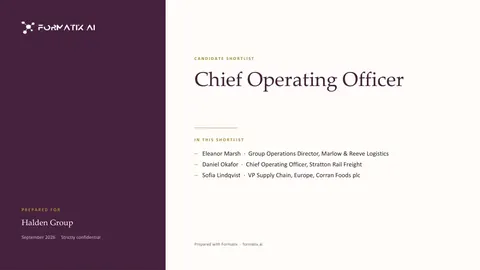 PowerPointShortlist deckA PowerPoint deck that opens with the shortlist, then shows the candidates side by side with fit against the brief.
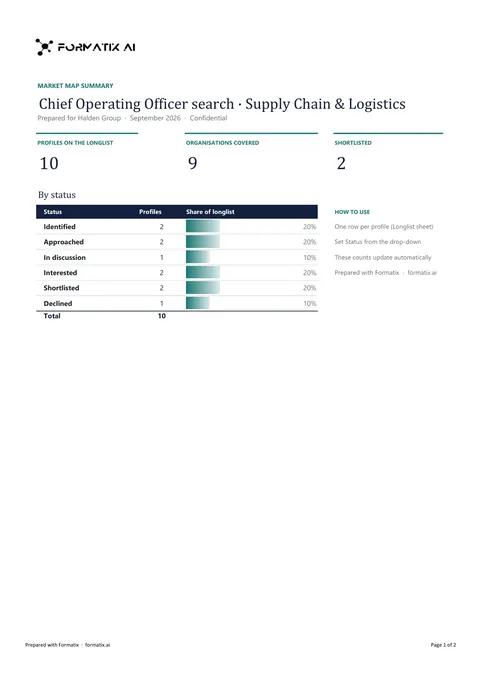 ExcelLonglist and market mapA workbook that maps the market for a search: target organisations, the people in each and where they stand in the process.
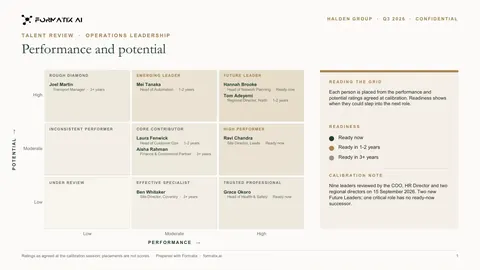 PowerPointSuccession and talent reviewA talent-review deck with a 9-box grid of performance and potential, and a successor slate for each critical role.
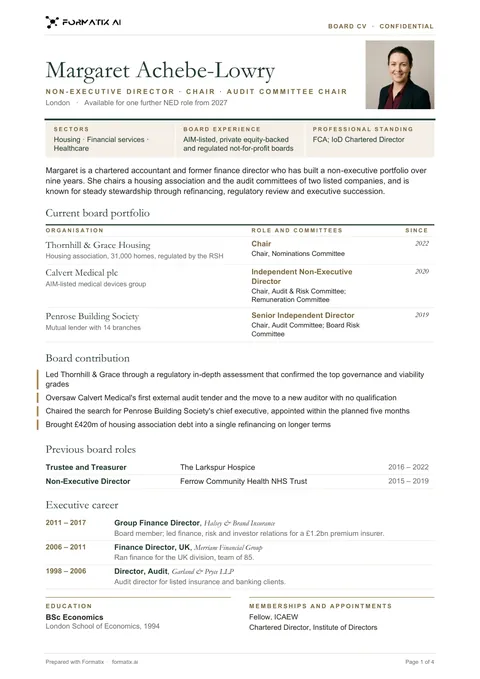 WordBoard and NED CVA board CV for non-executive directors, chairs and trustees: the board roles beside the photo or initials, three board credentials (sectors, board experience, professional standing, as stated), the current board portfolio with committees and start dates, board contribution, previous board roles, the executive career condensed to one line of scope per role, education and memberships.
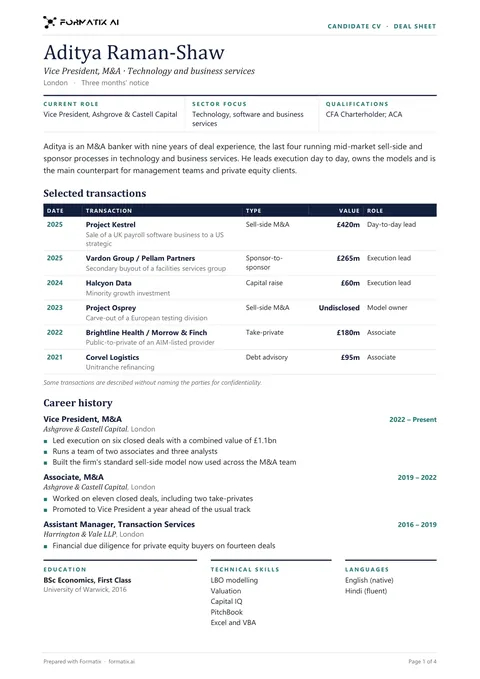 WordDeal sheet CVA CV with a deal sheet for investment banking, private equity, corporate finance and corporate law: current role, sector focus and qualifications in a ruled row, the profile, selected transactions in a table (date, transaction, type, value as stated, role) with the header repeated on every page, the career with achievements, then education, technical skills and languages. Confidential deals keep the CV's own code names.
Frequently asked questions
- Can Formatix use the profile template we already send clients?
- Yes. Upload a finished profile, report or deck and Formatix builds a reusable template from it that keeps your layout, fonts and logo. You check a filled sample before using it.
- Does Formatix write the assessment for us?
- No. The consultant owns the assessment. Formatix lays out what the CV, your interview notes and any assessment results contain, in your template, and leaves anything missing blank.
- Can we send blind profiles for confidential searches?
- Yes. A Blind CV option on every upload removes names, email addresses, phone numbers, postal addresses, LinkedIn URLs and photos, and firms can also have their own blind templates. Check each document before sending, as with any automated redaction.
- Does it work with Ezekia?
- Yes. Ezekia is a native connector, set up by your firm with its own Ezekia API token: new CVs on people records are formatted in your template and saved back to the person. JobAdder, Salesforce and HubSpot connectors are also included on every plan, including the free trial.
Related pages
- Executive search documentsEverything a search produces, in one place.
- Assessment reportsFrom CV, interview notes and assessment results.
- Board and CEO reportsIncluding blind profiles for confidential searches.
- Shortlist decksOne slide per candidate, with a matching tracker.
- Succession planning reportsTalent reviews and 9-box packs.
- Psychometric report integrationAssessment results laid out in your report.
- Best CV formatting software for executive searchA buyer's guide to the options.
- Blind CVs and anonymised candidate profiles
- Executive assessment report software
- Board and CEO candidate reports
- Succession planning reports and 9-box grids
- Shortlist decks and candidate trackers
- Longlists and market maps
- Case study: a global executive search firm
- CV formatting with Ezekia
Try it on your next shortlist
Upload a profile your firm already sends and a few CVs, and see them in your own template.
No credit card. Your first ten CVs are free, and the trial credits are valid for 14 days.