Excel template · Trackers and spreadsheets
Candidate tracker template in Excel
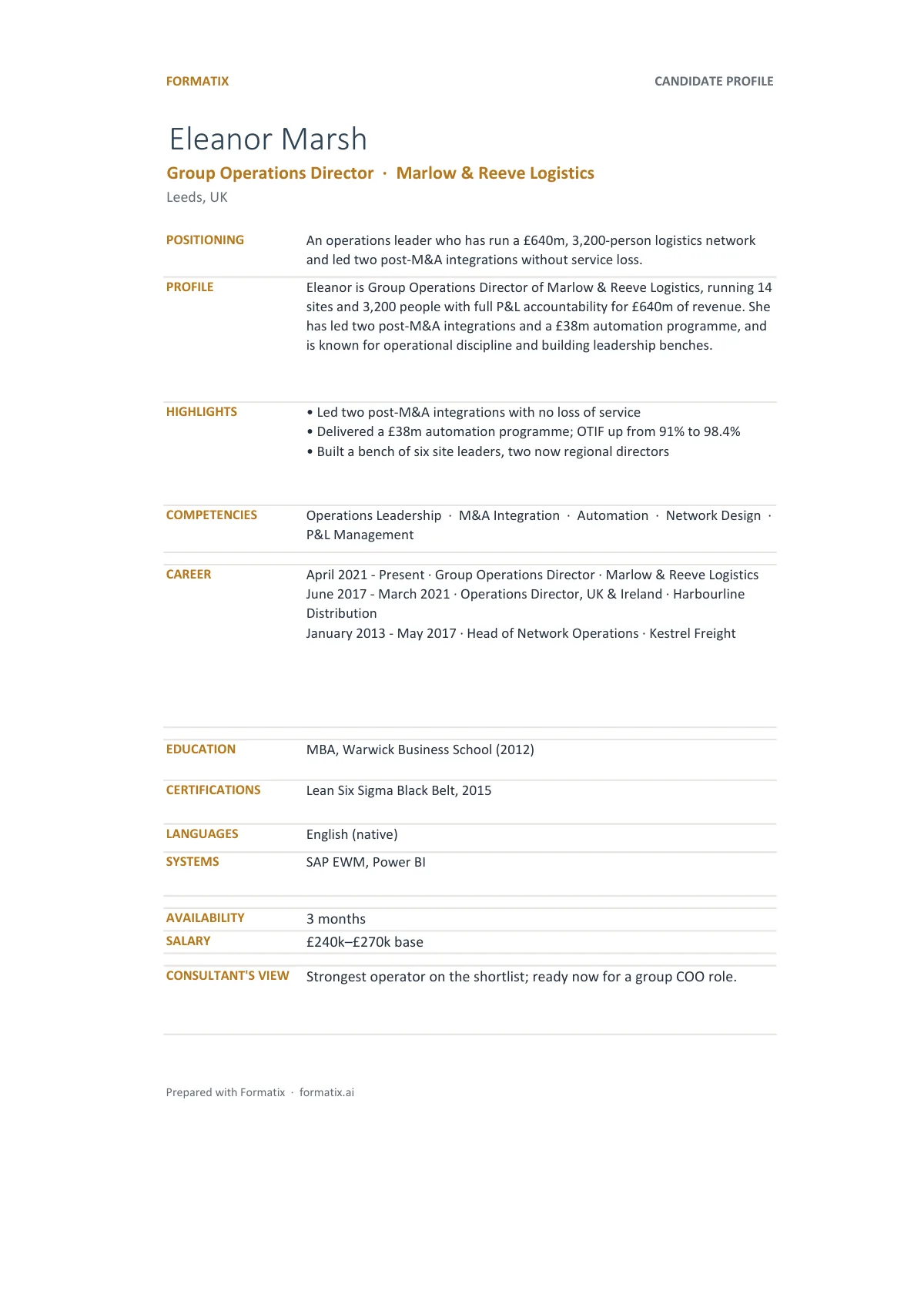
A candidate tracker is the Excel workbook a recruiter or search consultant keeps and shares with a client: one row per candidate with current role, location, key facts, status and comments on a shortlist sheet, and, in this template, a profile sheet per candidate with the fuller career detail. Formatix fills it from a batch of CVs, so the rows are typed once, by the software, and the tracker matches the shortlist deck built from the same batch.
Every search has a spreadsheet. The trouble is that it is typed by hand from the CVs, so it drifts from the profiles and the deck. This tracker is filled from the CVs directly, in your brand, with the profile sheets behind the summary so the client can go one level deeper without another document.
10 free credits, no card needed. One credit fills one document.
What's in the template
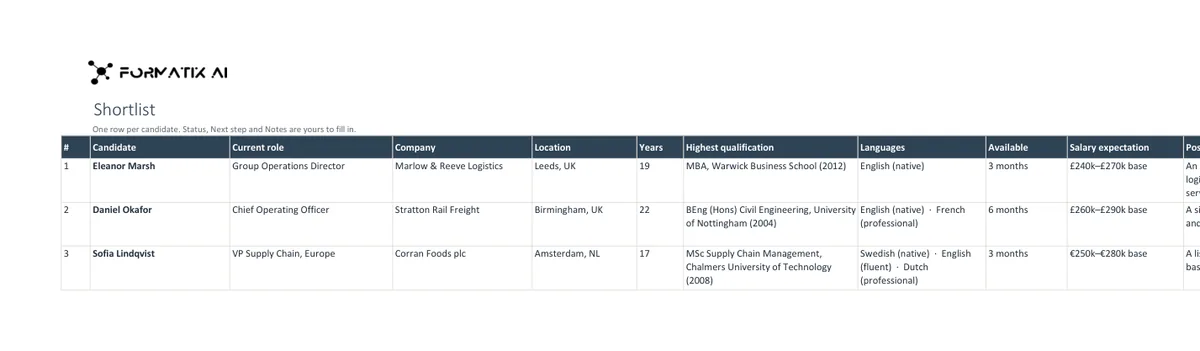
An Excel workbook with a shortlist sheet, one row per candidate, and a profile sheet for each candidate, ready to filter and share.
- Shortlist sheet, one row per candidate
- Current role, company, location and years of experience
- Qualifications, languages, availability and salary expectation
- Positioning line, plus status, next step and notes to fill in
- A profile sheet for each candidate
What it's for: Keeping a client up to date on where every candidate stands.
ExcelDelivered as an Excel workbook you can edit and share.
Who uses it
Search consultants sharing progress with a client
A weekly tracker the client can open in Excel, with the shortlist on the first sheet.
Agencies running multi-hire campaigns
One workbook per role or campaign, with every candidate in the same columns.
Research teams
A first pass of the longlist into a structured sheet before the consultants work it.
Every page of the example
The example is in Formatix branding with a fictional candidate. When you pick this template, it is rebuilt with your logo, colours and fonts before you use it.
How you use it
- 1
Pick the template
Open Formatix, choose this template in Studio, and give us your website. We pull your logo, colours and fonts and rebuild the template in your brand. You see a sample before you use it.
- 2
Drop a CV or your notes
Upload the candidate's CV, in any layout or language. For reports that carry your ratings or notes, add them alongside the CV. One credit fills one document.
- 3
Check and send
The filled document appears beside the original for checking. Edit anything in place, then download the Word, PowerPoint or Excel file, or save it as PDF.
Not a download. This is not a file to download. Formatix builds the template in your brand, with your logo, colours and fonts taken from your website, and fills it from a CV or from the notes you supply. What you keep is the finished document: an editable Word, PowerPoint or Excel file you can send as it is or change in Office.
Ask for changes in plain words, such as "move the photo to the right" or "add a Languages section", and the template is updated with the rest of its formatting kept. If you already have a document you send clients, upload that instead and Formatix turns it into a template. How Studio builds templates
Questions about this template
- What columns does the shortlist sheet have?
- Candidate, current title and employer, location, years of experience, key skills or sector, notice period or availability, status in the process, and a comments column for the consultant. Columns can be renamed or added when the template is built.
- Is there a sheet per candidate?
- Yes. Each candidate has a profile sheet with the career history, education and skills laid out, linked from the shortlist row.
- Can it be filled from CVs automatically?
- Yes. Upload the CVs as a batch and Formatix fills one row per candidate and one profile sheet each, in a single workbook.
- Does it match the shortlist deck?
- Yes, when both are filled from the same batch. The PowerPoint shortlist deck template uses the same extraction, so names, titles and facts agree.
- Is this a download?
- No. The workbook is built in your brand inside Formatix and filled from CVs; what you download is the finished Excel file, which you can edit and share like any spreadsheet.
Related templates and pages
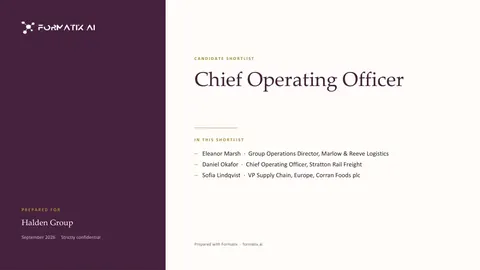 PowerPointShortlist deck (PowerPoint)A PowerPoint deck that opens with the shortlist, then shows the candidates side by side with fit against the brief.
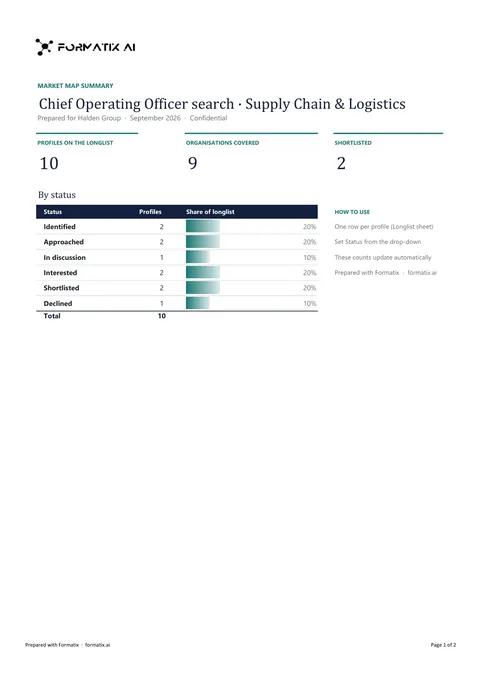 ExcelLonglist and market mapA workbook that maps the market for a search: target organisations, the people in each and where they stand in the process.
Use the candidate tracker in your brand
Give us your website, and the template is rebuilt with your logo, colours and fonts. Your first ten documents are free, with no card and no expiry.