PowerPoint template · Reports
Talent mapping presentation template
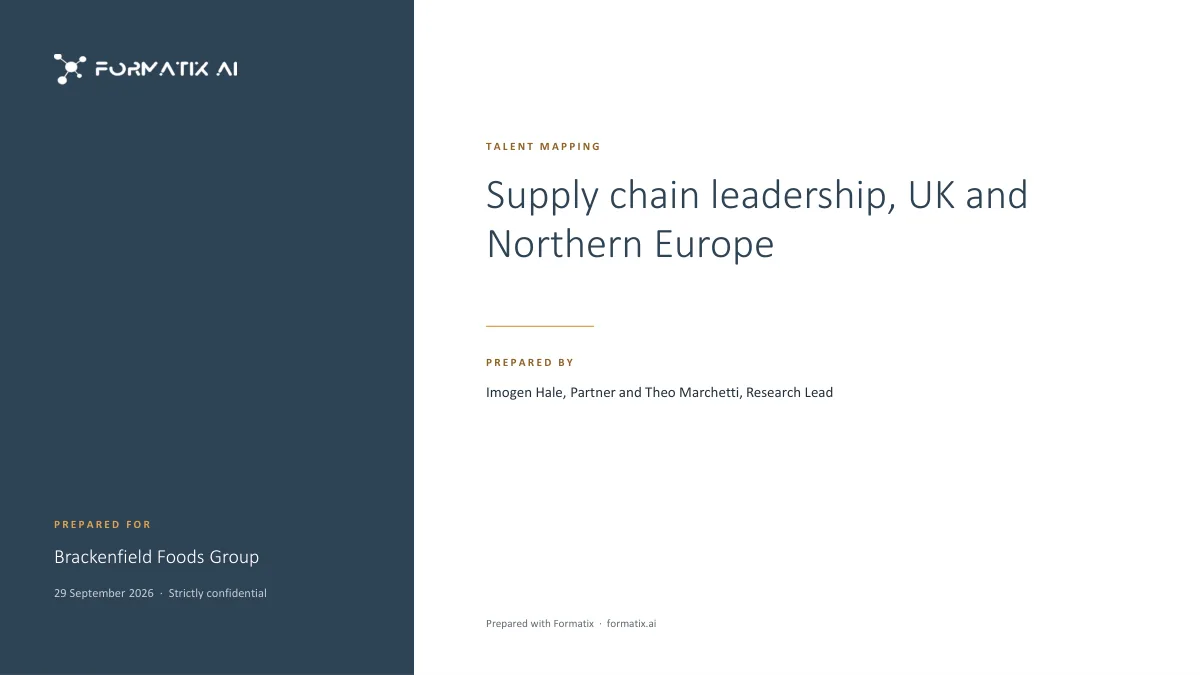
A talent mapping study shows a client where the leadership talent for a function sits in a market: how many organisations and executives were mapped, how the talent is spread across segments, who stands out and what it means for a search or a succession plan. This PowerPoint template presents it in the firm's brand: a cover with the scope of the study; the market at a glance, with up to four headline figures, a summary and what the map shows; the market map, with target organisations grouped by segment and counted; the talent pool, with notable executives and their status, or codes when names are withheld; and observations and recommendations. Formatix fills it from the research notes and the map or longlist export.
A talent map is often sold as a piece of work in its own right, and it is judged on how clearly it shows the market. A spreadsheet of names does not do that. This deck turns the research into the four views a client can act on, with every figure taken from the research itself.
10 free credits, no card needed. One credit fills one document.
An editable file with neutral branding and a fictional example candidate, to fill in by hand. Formatix fills it automatically from a CV.
Diese Seite auf Deutsch · Cette page en français · Esta página en español · Deze pagina in het Nederlands · Den här sidan på svenska · Denne side på dansk · Denne siden på norsk · Questa pagina in italiano · Esta página em português
What's in the template
A talent-mapping presentation: the market overview, a map of target organisations by segment, the talent pool identified, and observations and recommendations.
- Cover with the scope of the study, the client and who prepared it
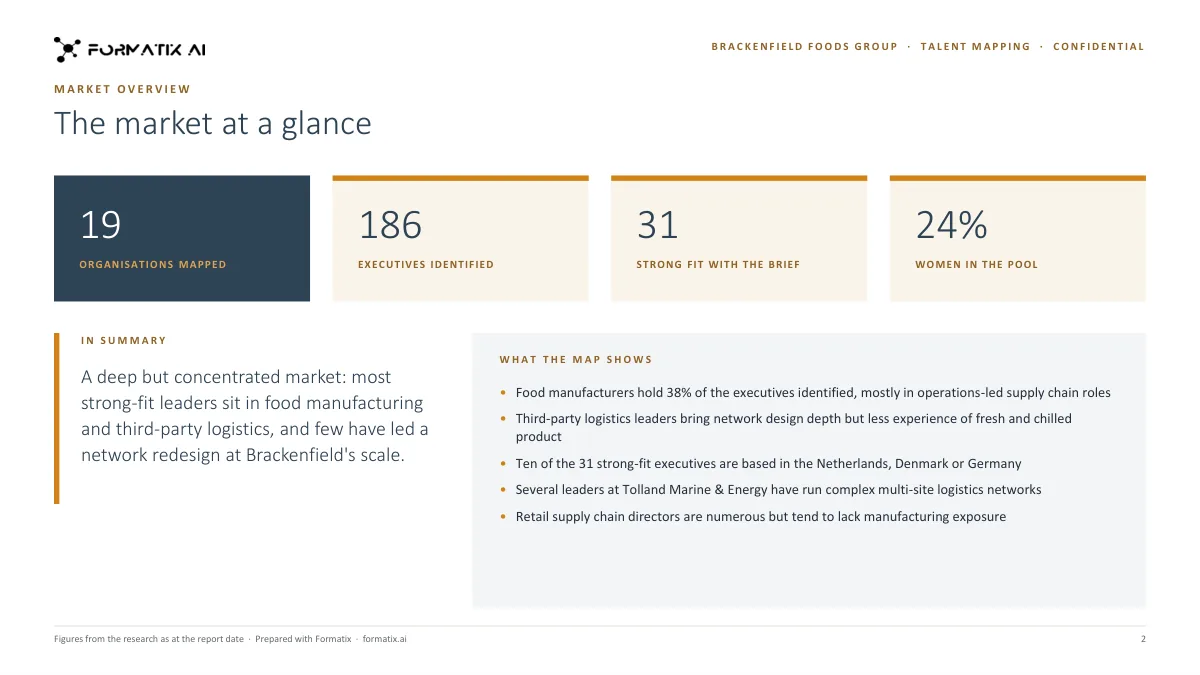
- Market overview: headline figures, a summary and what the map shows
- Market map: target organisations grouped by segment, with counts
- Talent pool: notable executives with title, organisation, location and status, or codes when names are withheld
- Observations and recommendations
What it's for: Presenting a talent-mapping or market-mapping study to a client as a deck.
PowerPointDelivered as an editable PowerPoint file, or saved as PDF.
Who uses it
Executive search research teams
Talent mapping studies sold to clients, and the market picture at the start of a search.
In-house talent intelligence teams
Mapping a function or a competitor set for succession and pipeline planning.
Consultants pitching for a mandate
A view of the market that shows the firm's coverage before the search is agreed.
How to run and present a talent map
A talent map answers three questions for a client: where the people they need are, how many of them there are, and what that means for the search or the succession plan.
1. Agree the scope
Fix the function, the level, the geography and the target organisations with the client before the research starts. Write the scope on the cover slide, so every figure in the deck is read against it.
2. Build the map
- List the target organisations and group them into segments (by sector, size, ownership or region).
- Record, for each organisation, the executives in scope: title, location and status (for example approached, interested, not interested, not approached).
- Keep the research in a spreadsheet or a longlist export; the deck is filled from it, so the numbers agree.
3. Present it
| Slide | What it shows |
|---|---|
| Cover | The scope of the study, the client and who prepared it. |
| Market at a glance | Up to four headline figures (organisations mapped, executives identified, and so on), a summary and what the map shows. |
| Market map | The target organisations grouped by segment, with counts. |
| Talent pool | Notable executives with title, organisation, location and status, or codes when names are withheld. |
| Observations and recommendations | What the market means for the client and what to do next. |
Withholding names
Many talent maps are shared before any approach is made. The talent pool slide can show codes instead of names, with the title, organisation and status still visible, so the client sees the shape of the market without the list.
Every slide of the example
The example is in Formatix branding with fictional content. When you pick this template, it is rebuilt with your logo, colours and fonts before you use it.
How you use it
- 1
Pick the template
Open Formatix, choose this template in Studio, and give us your website. We pull your logo, colours and fonts and rebuild the template in your brand. You see a sample before you use it.
- 2
Drop your research
Upload the research notes, the market map or longlist export and the researcher's observations. One credit fills one document.
- 3
Check and send
The filled document appears beside the original for checking. Edit anything in place, then download the Word, PowerPoint or Excel file, or save it as PDF.
Download or automate? The free download is a plain file you fill in by hand. In Formatix the template is rebuilt in your brand, with your logo, colours and fonts taken from your website, and filled from a CV or your notes in about a minute. What you keep is the finished document: an editable Word, PowerPoint or Excel file.
Ask for changes in plain words, such as "move the photo to the right" or "add a Languages section", and the template is updated with the rest of its formatting kept. If you already have a document you send clients, upload that instead and Formatix turns it into a template. How Studio builds templates
Questions about this template
- What is in a talent mapping presentation?
- A cover with the scope, the client and who prepared the study; the market overview, with headline figures such as organisations mapped and executives identified, a summary and what the map shows; the market map by segment, with the number of relevant executives in each segment and organisation; the talent pool, one row per notable executive with title, organisation, location and status; and observations and recommendations.
- Where do the figures come from?
- From your research. Each figure is either stated in the notes or counted from the rows of the map or export you supply; nothing is estimated or rounded up, and a segment without a figure is shown without one.
- Can executives' names be withheld?
- Yes. When your notes say names must be anonymised, or use codes such as "Executive A", the talent pool uses the codes. Contact details, salaries and personal details are never printed.
- How is it different from the longlist and market map?
- The longlist and market map is the working Excel file, one row per person, that the research team updates through a search. The talent mapping template is the presentation of the study to the client. Many firms keep the workbook and present the deck.
- Can I download this template?
- Yes. A free, editable PowerPoint version with neutral branding and fictional example content is on this page, to fill in by hand. To have it rebuilt in your brand and filled automatically, use it in Formatix; what you keep is an editable PowerPoint file.
Related templates and pages
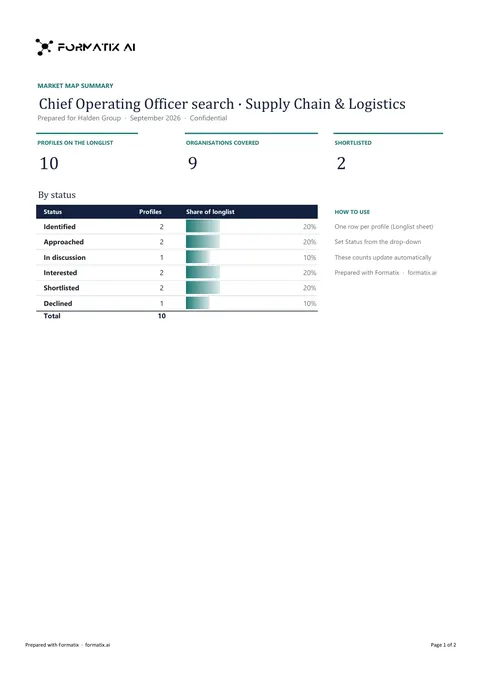 ExcelLonglist and market mapA workbook that maps the market for a search: target organisations, the people in each and where they stand in the process.
 PowerPointMarket intelligence briefA market intelligence brief for a client or a search: key findings, market trends, the competitive landscape, talent availability, compensation benchmarks and what it means for the search.
 PowerPointSearch kickoffThe kickoff briefing for a new retained search: the role and its context, the ideal candidate, the target market, the search strategy and timetable, and next steps.
Use the talent mapping in your brand
Give us your website, and the template is rebuilt with your logo, colours and fonts. Your first ten documents are free, with no card, valid for 14 days.
Formatix fills it from the CV for you: see our CV formatting software, or bulk CV formatting for a whole shortlist at once.