PowerPoint template · Reports
Search kickoff template for retained executive search
A search kickoff is the briefing a search firm presents to the client at the start of a retained search, to confirm what has been agreed: the role and why it is open, the ideal candidate, where the search will look and how it will run. This PowerPoint template has those slides in the firm's brand: a cover; the role, with its context, purpose, reporting line and key responsibilities; the ideal candidate profile, with must-haves and nice-to-haves for experience, competencies and personal qualities; the target market, with sectors, named target organisations and off-limits; and the search strategy and timetable, with next steps, owners and dates. Formatix fills it from the briefing notes and the role description.
Most search problems start with a brief that was never written down. A kickoff deck that goes back to the client within days of the briefing, in the same structure every time, turns the conversation into an agreed plan: the must-haves, the targets, the off-limits and the timetable.
10 free credits, no card needed. One credit fills one document.
An editable file with neutral branding and a fictional example candidate, to fill in by hand. Formatix fills it automatically from a CV.
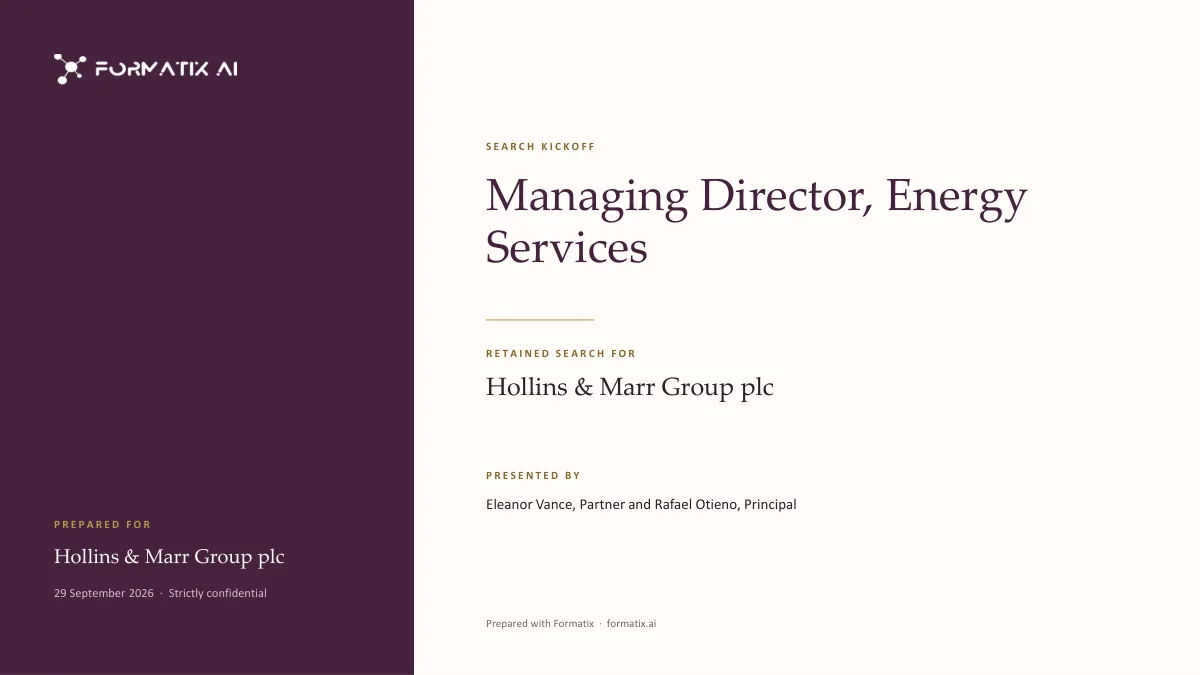
What's in the template
The kickoff briefing for a new retained search: the role and its context, the ideal candidate, the target market, the search strategy and timetable, and next steps.
- Cover with the role, the client, the date and who is presenting
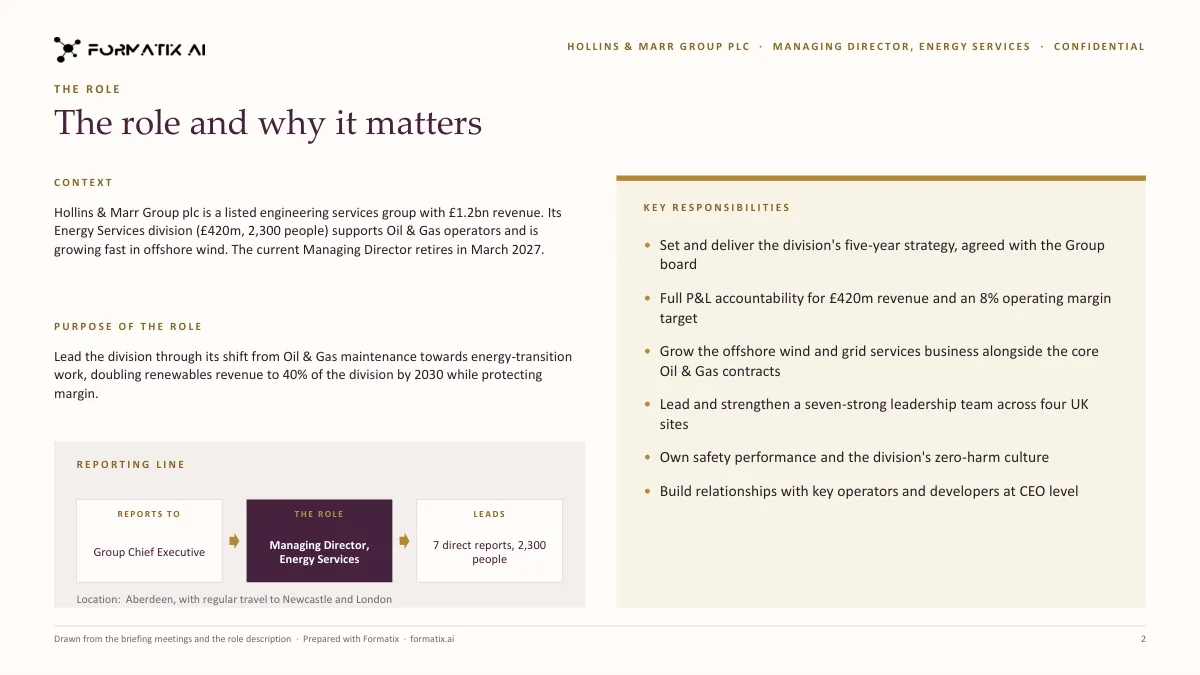
- The role: context, purpose, reporting line and key responsibilities
- Ideal candidate profile: must-haves and nice-to-haves for experience, competencies and personal qualities
- Target market: sectors, named target organisations and off-limits, only as your notes give them
- Search strategy and timetable in phases, and next steps with owners and dates
What it's for: Confirming the brief and the plan with the client at the start of a retained search.
PowerPointDelivered as an editable PowerPoint file, or saved as PDF.
Who uses it
Retained executive search firms
The briefing confirmed with the client in the first week of every mandate.
In-house executive search teams
A search plan agreed with the hiring executive before the research starts.
Research leads
The target market and strategy set out for the research team and the client at once.
Every slide of the example
The example is in Formatix branding with fictional content. When you pick this template, it is rebuilt with your logo, colours and fonts before you use it.
How you use it
- 1
Pick the template
Open Formatix, choose this template in Studio, and give us your website. We pull your logo, colours and fonts and rebuild the template in your brand. You see a sample before you use it.
- 2
Drop the briefing notes
Upload the briefing or intake notes, the role description and your notes on the target market and the plan, in any layout. One credit fills one document.
- 3
Check and send
The filled document appears beside the original for checking. Edit anything in place, then download the Word, PowerPoint or Excel file, or save it as PDF.
Download or automate? The free download is a plain file you fill in by hand. In Formatix the template is rebuilt in your brand, with your logo, colours and fonts taken from your website, and filled from a CV or your notes in about a minute. What you keep is the finished document: an editable Word, PowerPoint or Excel file.
Ask for changes in plain words, such as "move the photo to the right" or "add a Languages section", and the template is updated with the rest of its formatting kept. If you already have a document you send clients, upload that instead and Formatix turns it into a template. How Studio builds templates
Questions about this template
- What is in a search kickoff deck?
- A cover with the role, the client, the date and who is presenting; the role, with the organisation's situation, the purpose of the role, the reporting line and key responsibilities; the ideal candidate profile split into must-haves and nice-to-haves; the target market, with sectors, named target organisations and any off-limits; and the search strategy, the timetable in phases and the next steps with owners and dates.
- How are must-haves and nice-to-haves decided?
- From the wording of your notes. A requirement described as essential or required is a must-have; one described as desirable, preferred or a plus is a nice-to-have. When the notes do not say, it is treated as a must-have. Neither list is padded.
- Will it add target companies or a standard timetable?
- No. Only the sectors and organisations your notes name as targets appear, and off-limits only when the notes state them. Phases, weeks and dates come from your notes; a standard search timetable is never filled in. Empty parts are removed from the slides.
- What is it filled from?
- The briefing or intake-call notes, the role description or position specification, the client's own brief and your notes on the target market and plan. It is not filled from a CV, and no candidate is named.
- Is this a download?
- No. The deck is built in your brand inside Formatix and filled from your notes; what you download is the finished PowerPoint file or PDF.
Related templates and pages
 WordPosition specificationThe candidate-facing brief for a retained search: the organisation, the opportunity, the role and the person, with terms, process and contacts only where the brief states them.
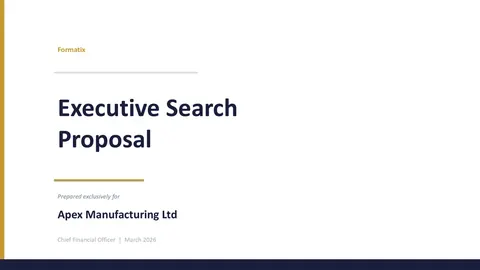 PowerPointClient proposalThe pitch for a retained mandate: your understanding of the brief, the approach and timetable, the team and relevant experience, and the terms.
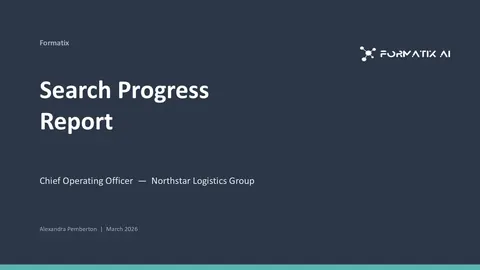 PowerPointSearch progress reportThe weekly client update on a live retained search: the funnel, a milestone timeline, the candidate pipeline, market feedback, risks and next steps.
Use the search kickoff in your brand
Give us your website, and the template is rebuilt with your logo, colours and fonts. Your first ten documents are free, with no card and no expiry.