Excel template · Trackers and spreadsheets
Candidate scorecard matrix template in Excel
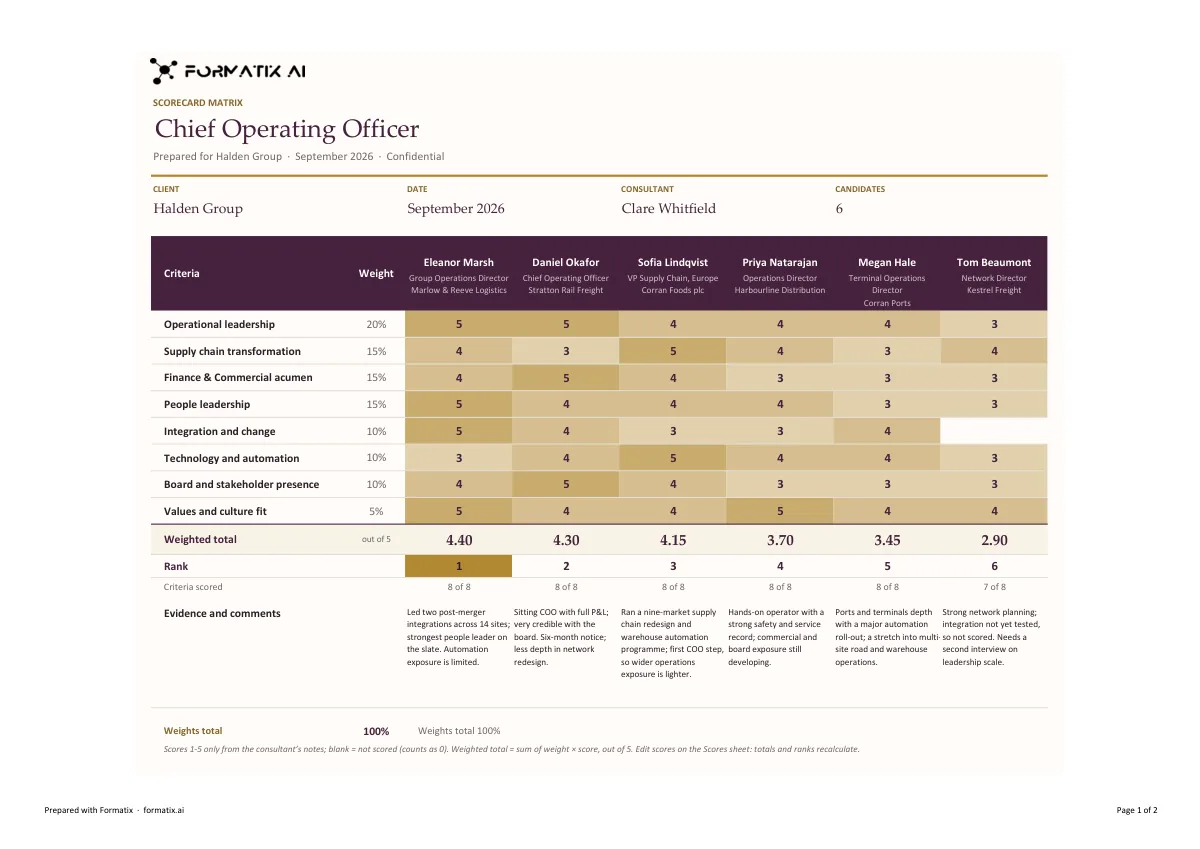
A scorecard matrix compares finalists on the same weighted criteria so the client's decision can be seen and defended: the criteria and their weights down the side, one column per candidate, a score for each, a weighted total and a rank. This Excel template has that matrix in the firm's brand, with up to eight criteria, the consultant's evidence and comments under each candidate, a check that the weights add up, and a second sheet with one row per candidate. The workbook calculates the weighted totals and the ranking itself. Formatix fills the candidates' details from their CVs and the criteria, weights and scores only from the consultant's notes.
A final decision often comes down to a table drawn on a whiteboard. Putting it in a workbook, with the weights agreed in advance and the scores backed by evidence, turns a debate into a record, and the formulas mean nobody adds up the totals by hand.
10 free credits, no card needed. One credit fills one document.
An editable file with neutral branding and a fictional example candidate, to fill in by hand. Formatix fills it automatically from a CV.
What's in the template
A weighted evaluation matrix in Excel: the criteria and their weights down the side, one column per candidate, scores from the consultant, live weighted totals and a ranking.
- Matrix sheet: up to eight criteria with their weights, one column per candidate
- Scores of 1 to 5 from the consultant's notes, never from the CV
- Weighted totals and a rank calculated in the workbook, with a check that the weights add up
- Evidence and comments for each candidate
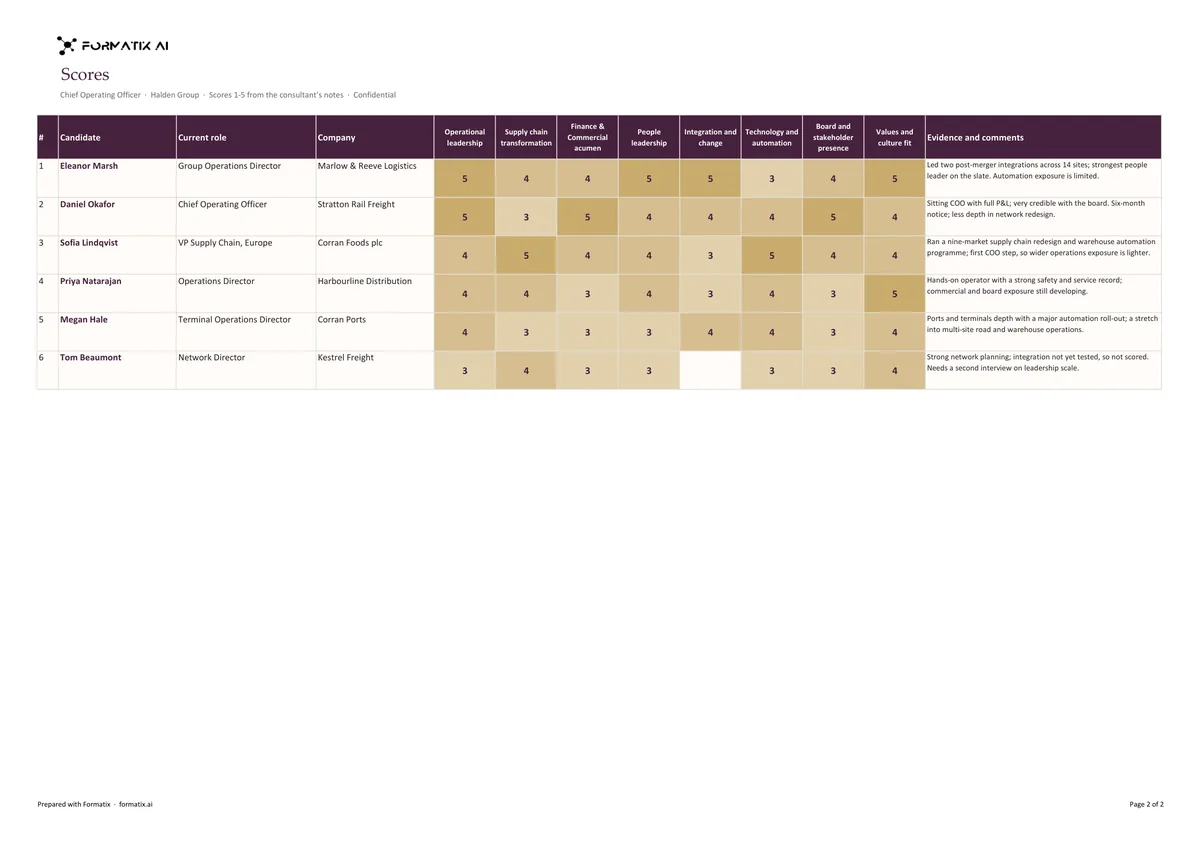
- A scores sheet with one row per candidate, current role and company
What it's for: Comparing finalists on the same weighted criteria before the client decides.
ExcelDelivered as an Excel workbook you can edit and share.
Who uses it
Executive search firms at the final stage
The comparison of finalists that goes to the client with the assessment reports.
Interview panels and hiring committees
Scores from the panel against criteria agreed before the interviews.
In-house recruiters
A documented, weighted decision for the candidate file and for audit.
Every page of the example
The example is in Formatix branding with fictional content. When you pick this template, it is rebuilt with your logo, colours and fonts before you use it.
How you use it
- 1
Pick the template
Open Formatix, choose this template in Studio, and give us your website. We pull your logo, colours and fonts and rebuild the template in your brand. You see a sample before you use it.
- 2
Drop the CVs and your scores
Upload the finalists' CVs with your notes: the criteria, their weights and each candidate's scores and comments. One credit fills one candidate's column.
- 3
Check and send
The filled document appears beside the original for checking. Edit anything in place, then download the Word, PowerPoint or Excel file, or save it as PDF.
Download or automate? The free download is a plain file you fill in by hand. In Formatix the template is rebuilt in your brand, with your logo, colours and fonts taken from your website, and filled from a CV or your notes in about a minute. What you keep is the finished document: an editable Word, PowerPoint or Excel file.
Ask for changes in plain words, such as "move the photo to the right" or "add a Languages section", and the template is updated with the rest of its formatting kept. If you already have a document you send clients, upload that instead and Formatix turns it into a template. How Studio builds templates
Questions about this template
- How does the scorecard matrix work?
- Up to eight criteria sit down the side with their weights as percentages. Each candidate has a column with a score of 1 to 5 against each criterion. The workbook multiplies the scores by the weights, adds up a weighted total out of 5, ranks the candidates and shows how many criteria were scored for each.
- Who gives the scores and weights?
- The consultant or the panel. Scores and weights are taken only from your notes; a score is never inferred from the CV, and a score on another scale, such as 8 out of 10, is left blank rather than converted. A criterion not scored for a candidate is blank.
- What if the weights do not add up to 100%?
- They are copied as your notes give them, and the workbook shows the weights total so the difference is visible. Formatix never shares out or rebalances weights.
- Can scores be changed in Excel?
- Yes. It is a normal workbook: change a score or a weight and the totals and ranking recalculate.
- Is this a download?
- No. The workbook is built in your brand inside Formatix and filled from the CVs and your scoring notes; what you download is the finished Excel file.
Related templates and pages
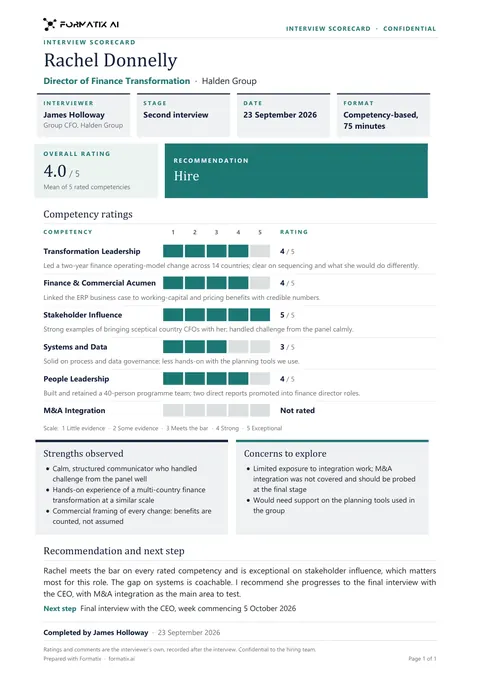 WordInterview scorecardA structured scorecard: ratings against each competency with evidence, strengths and concerns, and a clear recommendation.
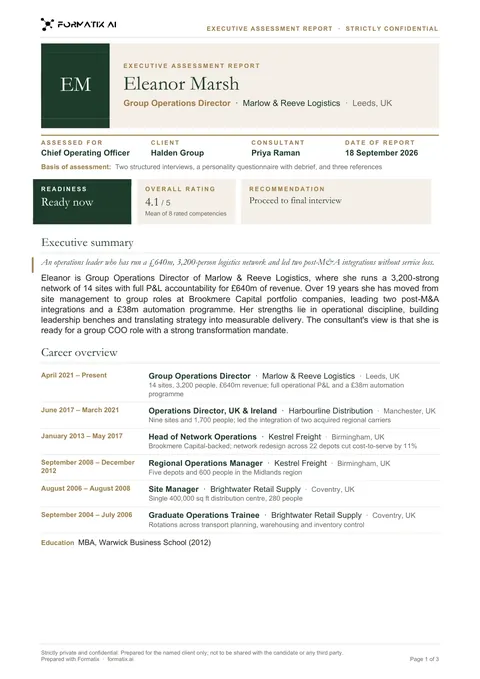 WordExecutive assessment reportA multi-page report on a finalist: executive summary, competency ratings drawn as bars from your scores, career overview and the consultant's view.
 PowerPointShortlist deckA PowerPoint deck that opens with the shortlist, then shows the candidates side by side with fit against the brief.
Use the scorecard matrix in your brand
Give us your website, and the template is rebuilt with your logo, colours and fonts. Your first ten documents are free, with no card and no expiry.