PowerPoint template · Decks and presentations
Executive search progress report template
A search progress report is the regular update a retained search firm sends a client: the numbers on the search so far, such as organisations mapped, people identified, approached and interested, a pipeline table of the candidates in play with their status, short profiles of the strongest, and next steps and dates. This PowerPoint template holds those sections in the firm's brand, and Formatix fills the candidate profiles from the CVs and the pipeline from the tracker.
Clients judge a search on its updates before they see a shortlist. A report that arrives every week or fortnight in the same format, with the same numbers and the candidates moving through the same table, shows the search is under control.
10 free credits, no card needed. One credit fills one document.
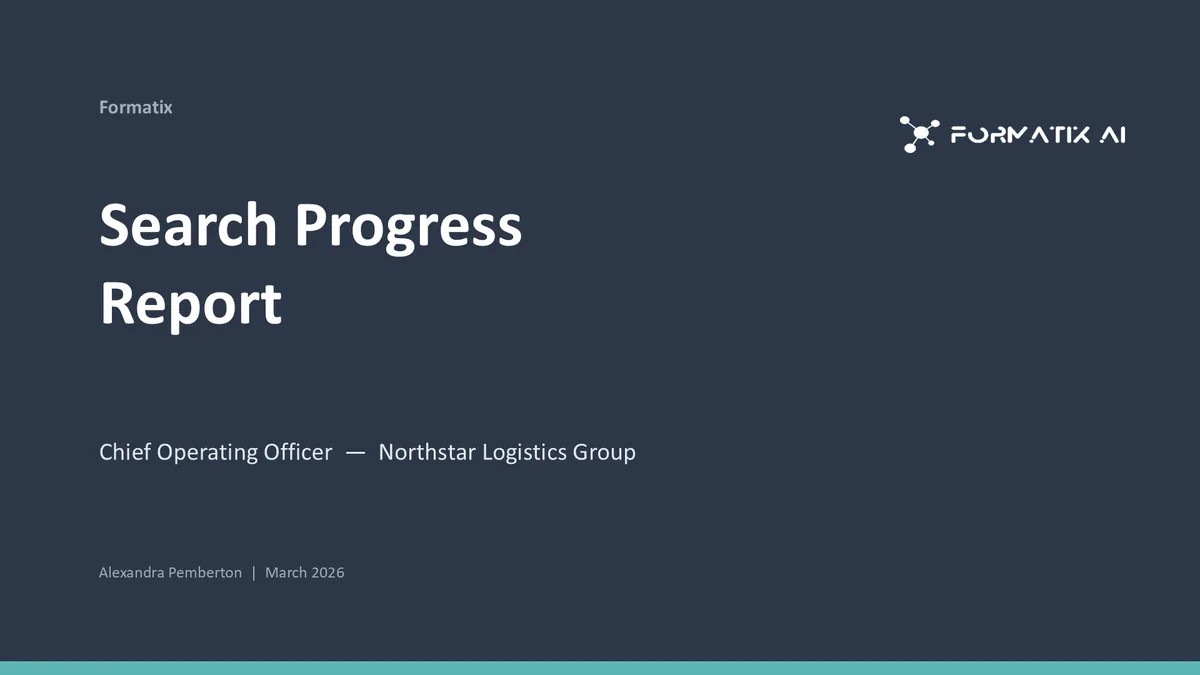
What's in the template
An executive search progress update with search metrics, a candidate pipeline table and detailed profiles.
PowerPointDelivered as an editable PowerPoint file, or saved as PDF.
Who uses it
Retained search firms
The weekly or fortnightly client update on an assignment.
Research and delivery teams
The internal progress review that becomes the client version without rework.
RPO and project recruitment providers
Status reporting on a campaign, in the provider's or the client's brand.
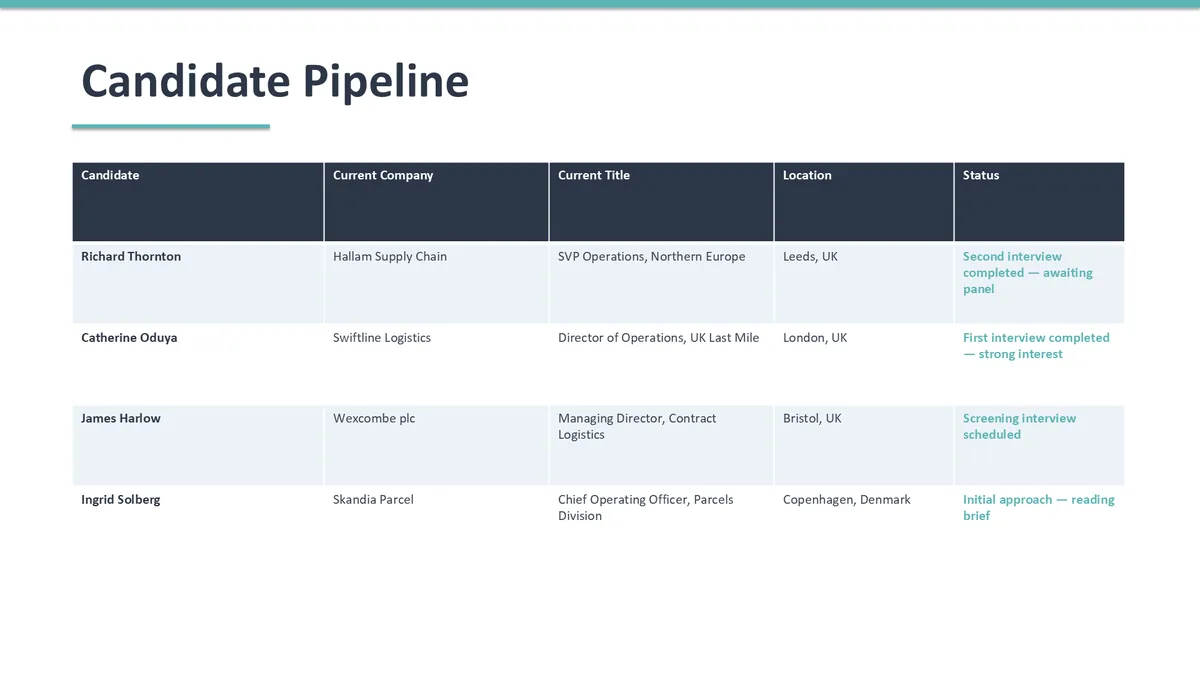
Every slide of the example
The example is in Formatix branding with a fictional candidate. When you pick this template, it is rebuilt with your logo, colours and fonts before you use it.
How you use it
- 1
Pick the template
Open Formatix, choose this template in Studio, and give us your website. We pull your logo, colours and fonts and rebuild the template in your brand. You see a sample before you use it.
- 2
Drop a CV or your notes
Upload the candidate's CV, in any layout or language. For reports that carry your ratings or notes, add them alongside the CV. One credit fills one document.
- 3
Check and send
The filled document appears beside the original for checking. Edit anything in place, then download the Word, PowerPoint or Excel file, or save it as PDF.
Not a download. This is not a file to download. Formatix builds the template in your brand, with your logo, colours and fonts taken from your website, and fills it from a CV or from the notes you supply. What you keep is the finished document: an editable Word, PowerPoint or Excel file you can send as it is or change in Office.
Ask for changes in plain words, such as "move the photo to the right" or "add a Languages section", and the template is updated with the rest of its formatting kept. If you already have a document you send clients, upload that instead and Formatix turns it into a template. How Studio builds templates
Questions about this template
- What is in a search progress report?
- A summary of the search status; search metrics such as organisations mapped, candidates identified, approached, interested and interviewed; a pipeline table with each candidate's stage; short profiles of the leading candidates; risks and issues; and next steps with dates. This template has each of those slides.
- Where do the metrics come from?
- From the tracker or the market map workbook, or entered by the consultant. Formatix places the numbers you supply.
- Can the same report be reused each week?
- Yes. Fill the template again with the updated tracker and CVs; the format stays the same and only the content moves.
- Is this a download?
- No. The deck is built in your brand inside Formatix and filled from your inputs; what you download is the finished PowerPoint file or PDF.
Related templates and pages
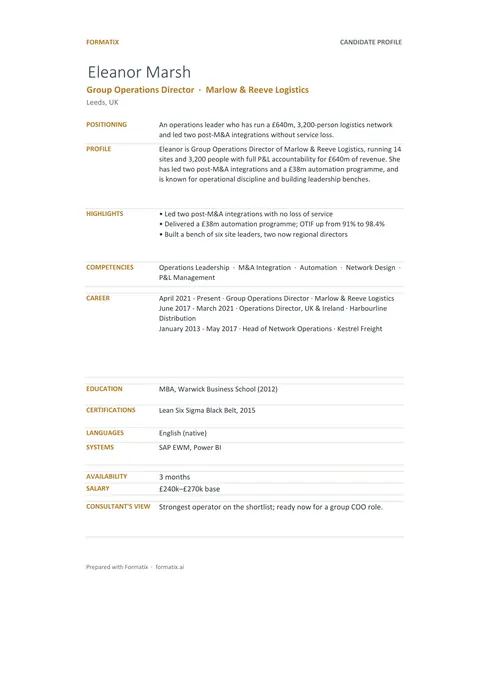 ExcelCandidate tracker (Excel)An Excel workbook with a shortlist sheet, one row per candidate, and a profile sheet for each candidate, ready to filter and share.
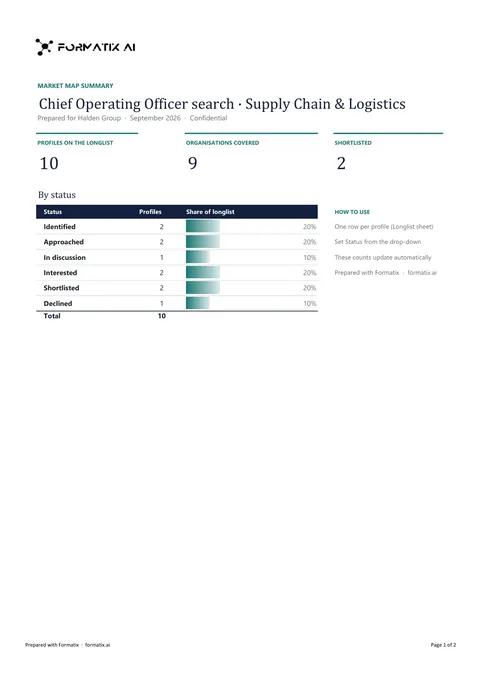 ExcelLonglist and market mapA workbook that maps the market for a search: target organisations, the people in each and where they stand in the process.
 PowerPointRetainer update deckA retained search update with candidates in play, activities, next steps, risks and mitigations.
Use the search progress report in your brand
Give us your website, and the template is rebuilt with your logo, colours and fonts. Your first ten documents are free, with no card and no expiry.