Excel template · Trackers and spreadsheets
Requirement vs candidate skills matrix template
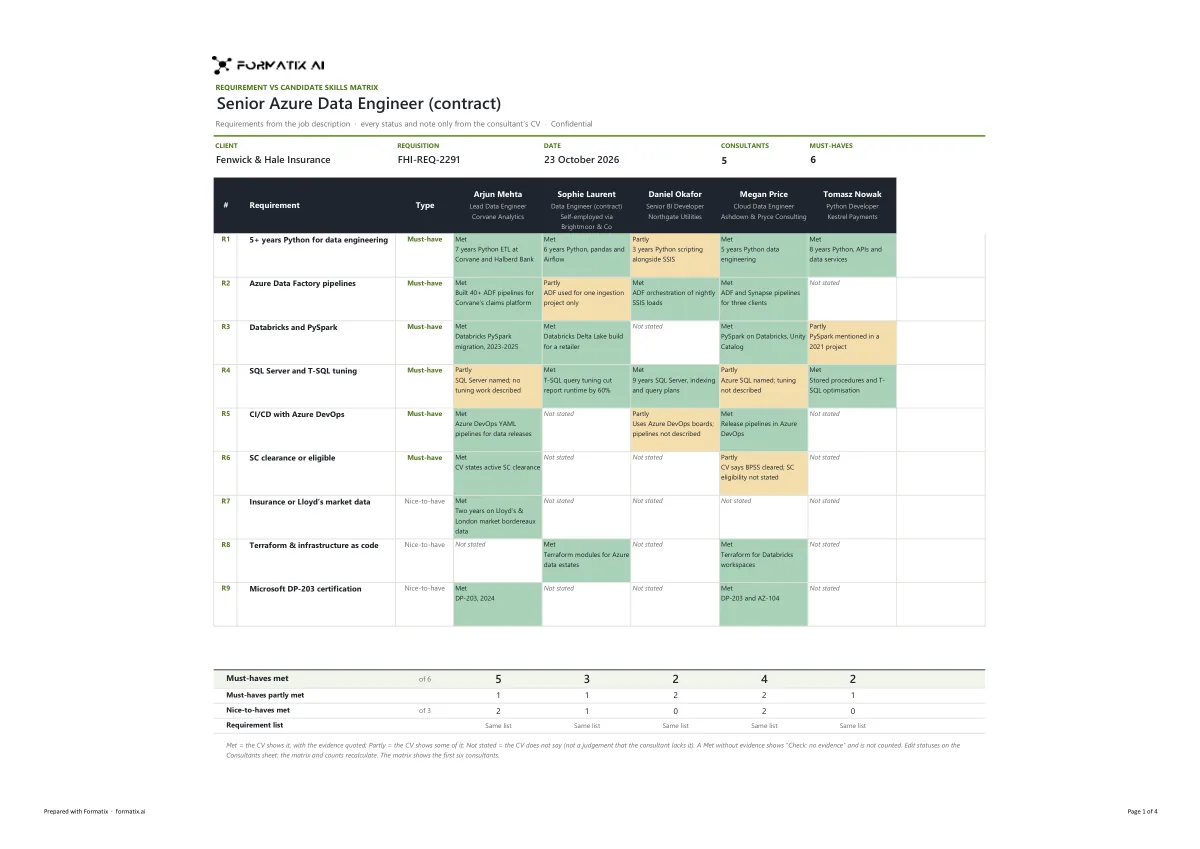
A requirement vs candidate skills matrix shows a client, at a glance, how each consultant on a shortlist meets the job description. This Excel template lists the client's requirements down the side, in the job description's own order and wording, each marked must-have or nice-to-have, with one column per consultant. Every cell is Met, Partly or Not stated with a short evidence note taken only from that consultant's CV, and live counts under the grid show the must-haves met, partly met and the nice-to-haves met for each consultant. A Met without evidence is flagged, never counted. Formatix fills it from each consultant's CV and the job description.
Clients compare a shortlist requirement by requirement. Building that grid by hand means reading every CV against every line of the job description. This template does the reading and shows its evidence: every Met quotes what the CV says, and "Not stated" means the CV does not say, never that the consultant lacks the skill.
10 free credits, no card needed. One credit fills one document.
Diese Seite auf Deutsch · Cette page en français · Esta página en español · Deze pagina in het Nederlands · Den här sidan på svenska · Denne side på dansk · Denne siden på norsk · Questa pagina in italiano · Esta página em português
What's in the template
A requirement vs candidate skills matrix in Excel for IT staffing submissions: the client's requirements from the job description down the side, marked must-have or nice-to-have, one column per consultant, each cell Met, Partly or Not stated with a short evidence note taken only from that consultant's CV, and live counts of must-haves met. A Met without evidence is flagged, never counted.
- Client, requisition and date
- Requirements from the job description, must-have or nice-to-have
- One column per consultant: Met, Partly or Not stated
- Evidence from each CV
- Live counts of must-haves and nice-to-haves met
What it's for: Showing a client how each shortlisted consultant meets the job description.
ExcelDelivered as an Excel workbook you can edit and share.
Who uses it
IT staffing vendors
A requirement-by-requirement view of every consultant you submit.
Delivery and account managers
A quick check of the shortlist against the must-haves before it goes to the client.
Technical recruiters
Evidence from each CV beside each requirement.
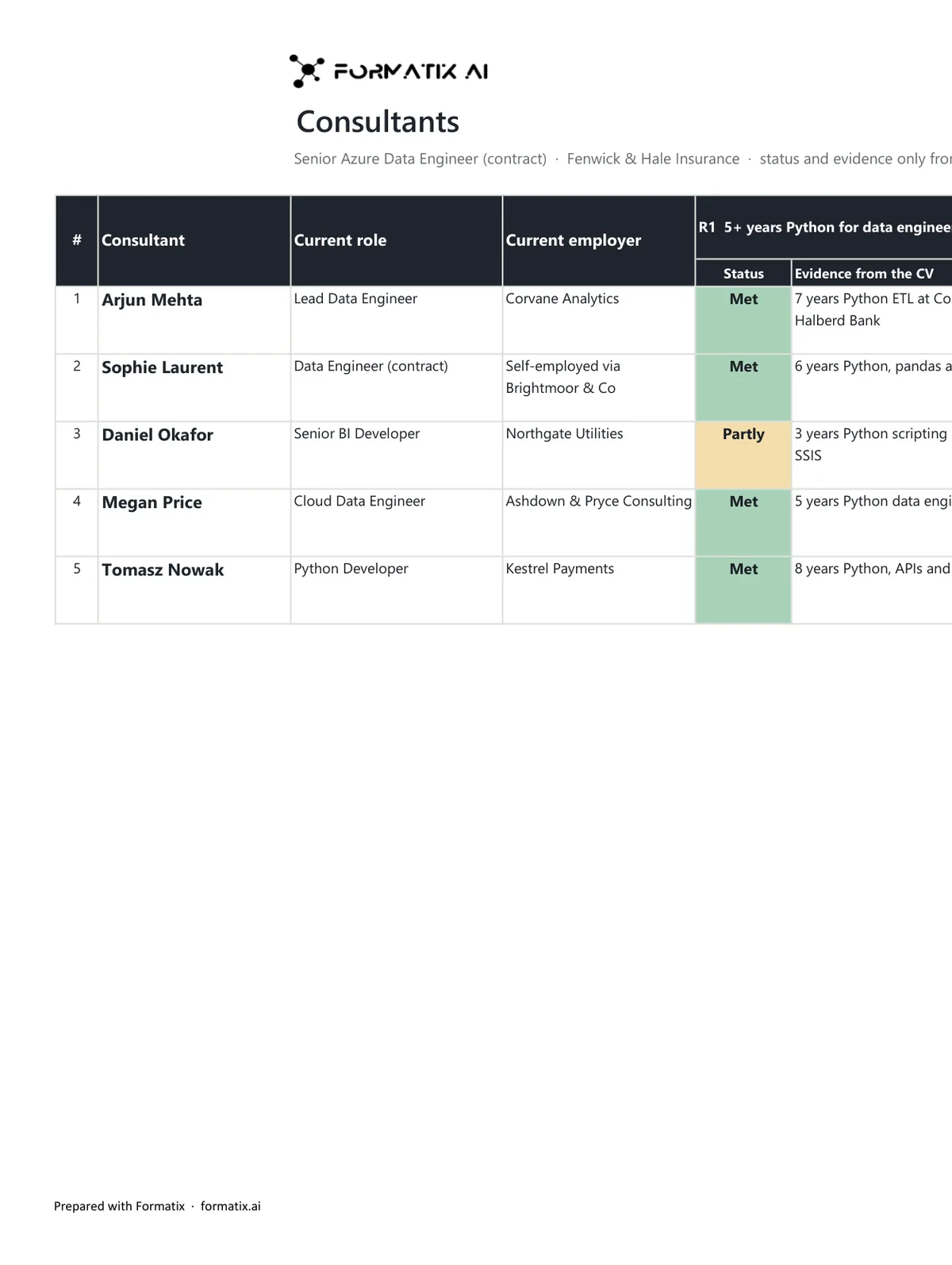
Every page of the example
The example is in Formatix branding with fictional content. When you pick this template, it is rebuilt with your logo, colours and fonts before you use it.
How you use it
- 1
Pick the template, or upload your client's
Choose this template in Studio, or upload your client's mandated format and Formatix builds the template from it. You see a sample before you use it.
- 2
Drop the job description and the CVs
Upload the client's job description or requirement list with each consultant's CV. One credit fills one consultant's column.
- 3
Check and send
The filled workbook appears for checking. Edit anything, then download the editable Excel file.
Download or automate? The free download is a plain file you fill in by hand. In Formatix the template is rebuilt in your brand, with your logo, colours and fonts taken from your website, and filled from a CV or your notes in about a minute. What you keep is the finished document: an editable Word, PowerPoint or Excel file.
Ask for changes in plain words, such as "move the photo to the right" or "add a Languages section", and the template is updated with the rest of its formatting kept. If you already have a document you send clients, upload that instead and Formatix turns it into a template. How Studio builds templates
Questions about this template
- Where do the requirements come from?
- Only from the job description or requirement list you supply, in its own order and wording, up to ten. Formatix never adds, merges, splits or rewords a requirement, and must-have or nice-to-have follows what the job description says.
- When is a requirement marked Met?
- Only when the consultant's CV shows it, with an evidence note that quotes or closely paraphrases the CV. If the CV shows only part of it, the cell is Partly. If the CV does not mention it, the cell is Not stated. A Met that arrives without evidence is shown as "Check: no evidence" and is not counted.
- How many consultants fit?
- Up to six columns, one per consultant, each read separately against the same job description. The matrix flags a consultant whose requirement list came out differently from the one shown.
- Are years of experience compared?
- Only years the CV states or that follow directly from dated roles where the skill is named. Clearance, visa and right to work appear only as the CV states them.
Related templates and pages
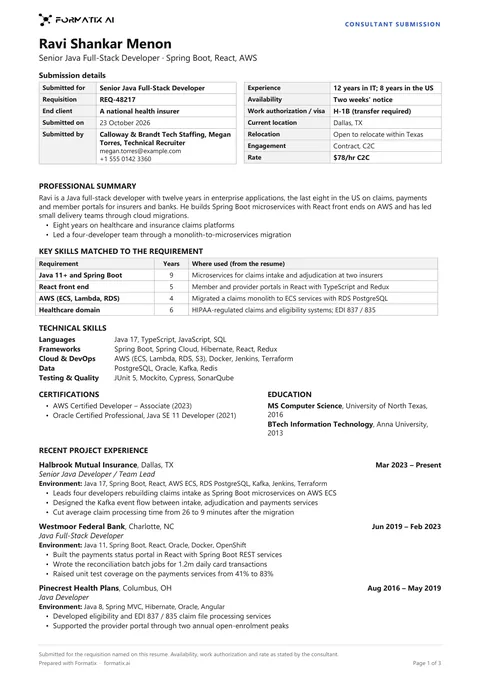 WordIT consultant submission resumeThe one-page resume an IT staffing vendor sends when it submits a consultant to an end client or a prime vendor, in the plain single-column form hiring managers expect: a boxed submission details grid with the requisition, the submitting vendor, availability, work authorization / visa, location and relocation and the rate (each only as stated), the professional summary, the key skills matched to the requirement with years, technical skills by category, certifications and education, and recent project experience with client, role, dates, environment and responsibilities.
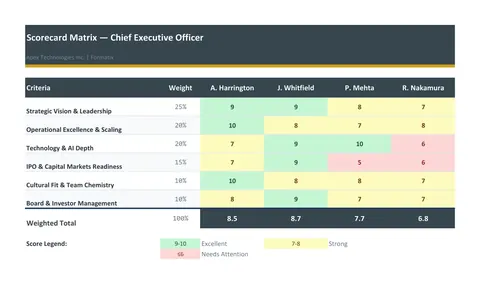 ExcelScorecard matrixA weighted evaluation matrix in Excel: the criteria and their weights down the side, one column per candidate, scores from the consultant, live weighted totals and a ranking.
Use the requirement vs candidate skills matrix in your brand
Give us your website, and the template is rebuilt with your logo, colours and fonts. Your first ten documents are free, with no card, valid for 14 days.
Formatix fills it from the CV for you: see our CV formatting software, or bulk CV formatting for a whole shortlist at once.