Word template · Candidate profiles
Skills-based CV template
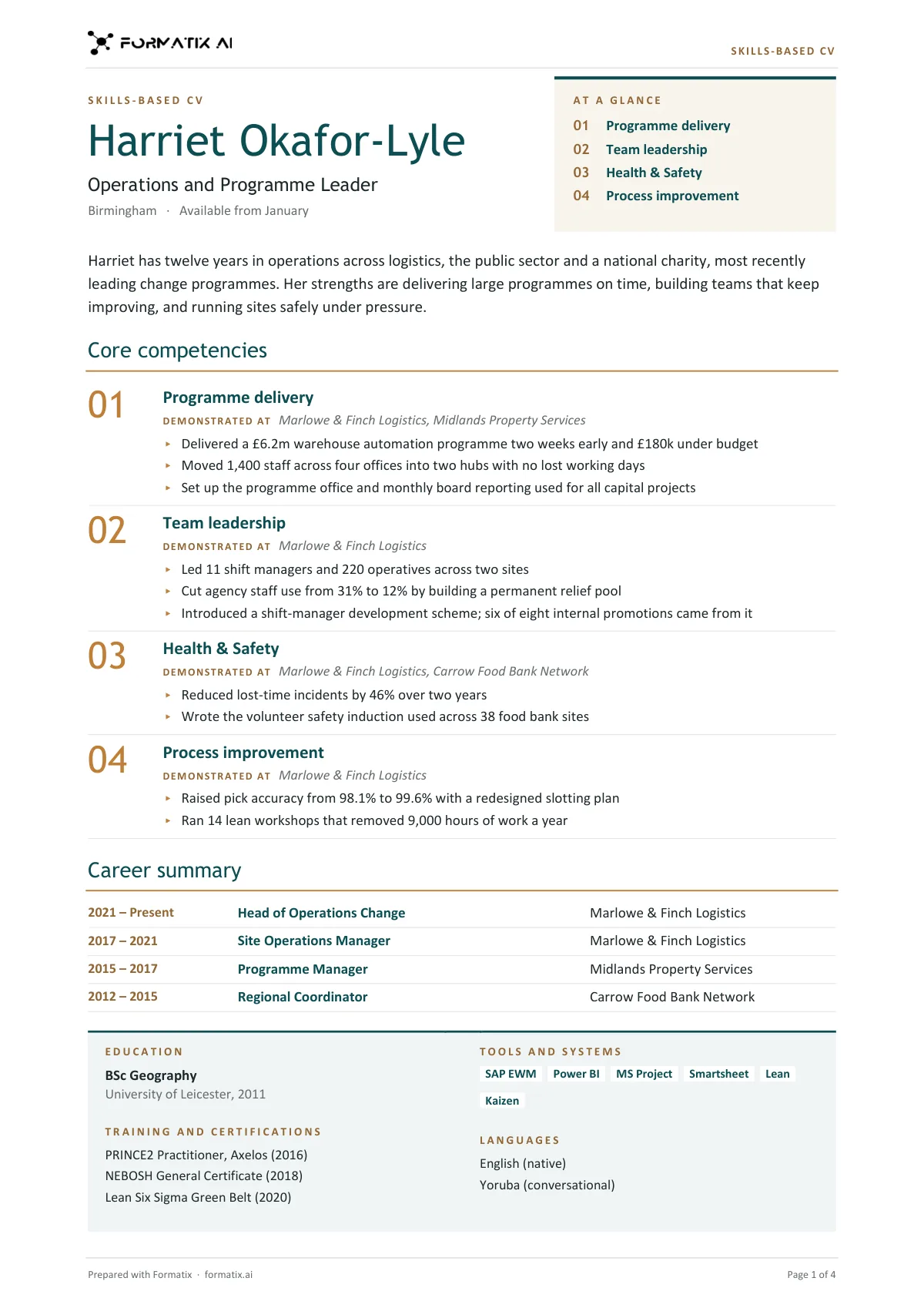
A skills-based CV, also called a functional CV, is organised by what the candidate can do rather than by job. This Word template puts the name and headline beside an "At a glance" panel that indexes the candidate's core competencies, then the profile, then each competency as a numbered block with where it was demonstrated and two to four lines of evidence. The career follows as a one-line-per-role summary (dates, role, organisation), and the CV closes with education, training and certifications, tools and systems, and languages in a tinted grid. Formatix writes it from the CV and your notes and never invents an employer, date, figure or skill.
A list of jobs undersells some candidates: career changers, returners, interim and project people, and anyone whose strengths cut across roles. This layout leads with the competencies and backs each one with evidence from the CV, tied to the employer where it happened. The career is still there, in full, as a short table.
10 free credits, no card needed. One credit fills one document.
Diese Seite auf Deutsch · Cette page en français · Esta página en español · Deze pagina in het Nederlands · Den här sidan på svenska · Denne side på dansk · Denne siden på norsk · Questa pagina in italiano · Esta página em português
What's in the template
A functional CV organised by what the candidate can do: an "At a glance" index of core competencies beside the name, each competency as a numbered block with where it was demonstrated and the evidence, a one-line-per-role career summary, then education, training, tools and languages in a tinted grid. For career changers, returners and project people.
- Name and headline beside an At a glance index
- Profile
- Core competencies: where demonstrated and the evidence
- Career summary, one line per role
- Education, training, tools and languages in a tinted grid
What it's for: Career changers, returners and candidates whose strengths cut across roles.
WordDelivered as an editable Word file, or saved as PDF.
Who uses it
Agencies placing career changers and returners
Strengths first, with the evidence for each.
Interim and project recruiters
Competencies shown across assignments rather than job by job.
Operations and change recruiters
Programme, team and process skills set out clearly.
How you use it
- 1
Pick the template
Open Formatix, choose this template in Studio, and give us your website. We pull your logo, colours and fonts and rebuild the template in your brand. You see a sample before you use it.
- 2
Drop a CV or your notes
Upload the candidate's CV, in any layout or language. For reports that carry your ratings or notes, add them alongside the CV. One credit fills one document.
- 3
Check and send
The filled document appears beside the original for checking. Edit anything in place, then download the Word, PowerPoint or Excel file, or save it as PDF.
Download or automate? The free download is a plain file you fill in by hand. In Formatix the template is rebuilt in your brand, with your logo, colours and fonts taken from your website, and filled from a CV or your notes in about a minute. What you keep is the finished document: an editable Word, PowerPoint or Excel file.
Ask for changes in plain words, such as "move the photo to the right" or "add a Languages section", and the template is updated with the rest of its formatting kept. If you already have a document you send clients, upload that instead and Formatix turns it into a template. How Studio builds templates
Questions about this template
- Where do the competencies come from?
- From what the CV and your notes show the candidate has done, in the candidate's strongest order. Formatix never adds a competency that is merely typical for the role, and every evidence line is something the documents say the candidate did.
- Is the career history still included?
- Yes, as a career summary: every role, most recent first, with dates, job title and organisation on one line each. The detail sits under the competencies.
- How many competencies does it show?
- Three to five, each with two to four evidence lines and the employers or settings where it was demonstrated.
- Is there a photo?
- No. The top of the page has the name, headline, location and availability beside the At a glance panel.
Related templates and pages
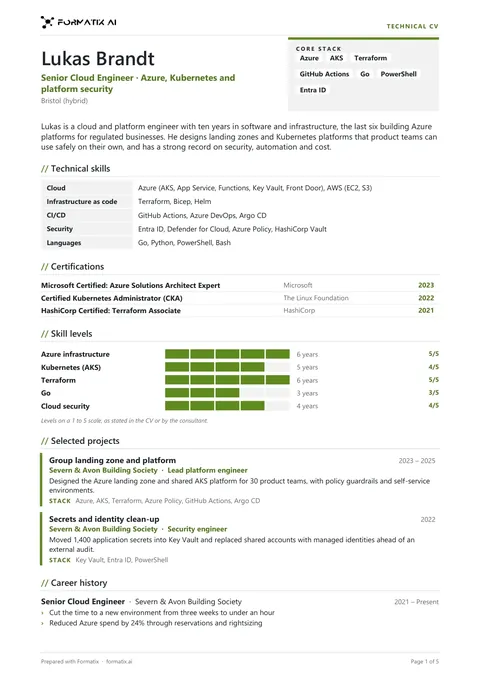 WordTechnical skills CVA technical CV for IT and engineering candidates with the skills up top: core stack chips beside the name, technical skills by category, certifications, skill-level bars only when a level is stated, selected projects, a compact career history and education.
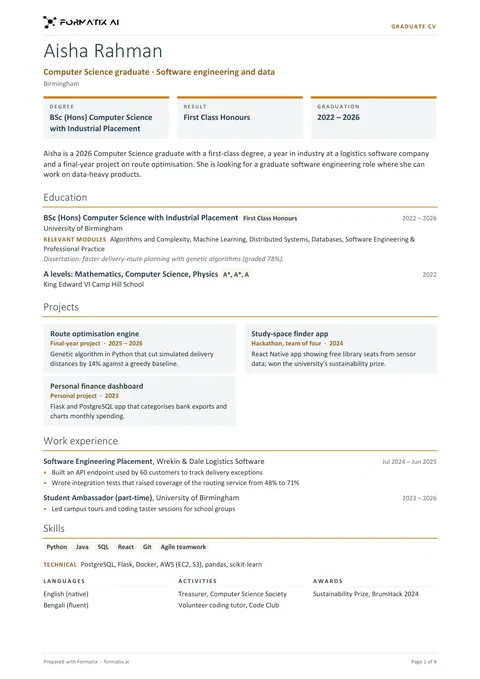 WordGraduate CVA CV for graduates and early-career candidates with education first: degree, result and graduation at a glance, profile, education with grade, modules and dissertation, projects as cards, internships and part-time work, skills, languages, activities and awards.
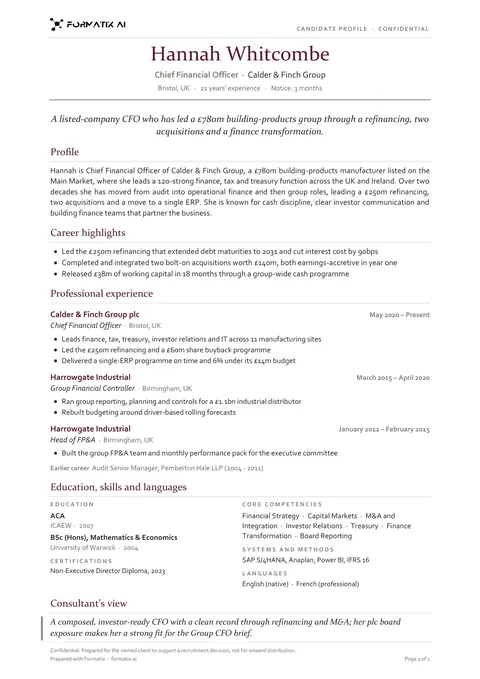 WordCandidate profile (classic)A traditional one-page candidate profile with a clear career history, laid out the way clients expect to read a CV from an agency.
Use the skills-based cv in your brand
Give us your website, and the template is rebuilt with your logo, colours and fonts. Your first ten documents are free, with no card, valid for 14 days.
Formatix fills it from the CV for you: see our CV formatting software, or bulk CV formatting for a whole shortlist at once.