Word template · Reports
Reference report template for candidate references
A reference report records a reference conversation for a client: who the referee is and their relationship to the candidate, the period they worked together, the questions asked and the answers given, any concerns raised, and the consultant's summary. Written the same way for every reference, it can be read quickly and stands up if it is questioned later. This Word template has those sections in the firm's brand, and Formatix fills the candidate and role details so the consultant records only the conversation.
References are taken by phone and written up afterwards, often in an email. A report with the same structure every time is quicker to write, easier for the client to read, and better evidence that the check was done properly.
10 free credits, no card needed. One credit fills one document.
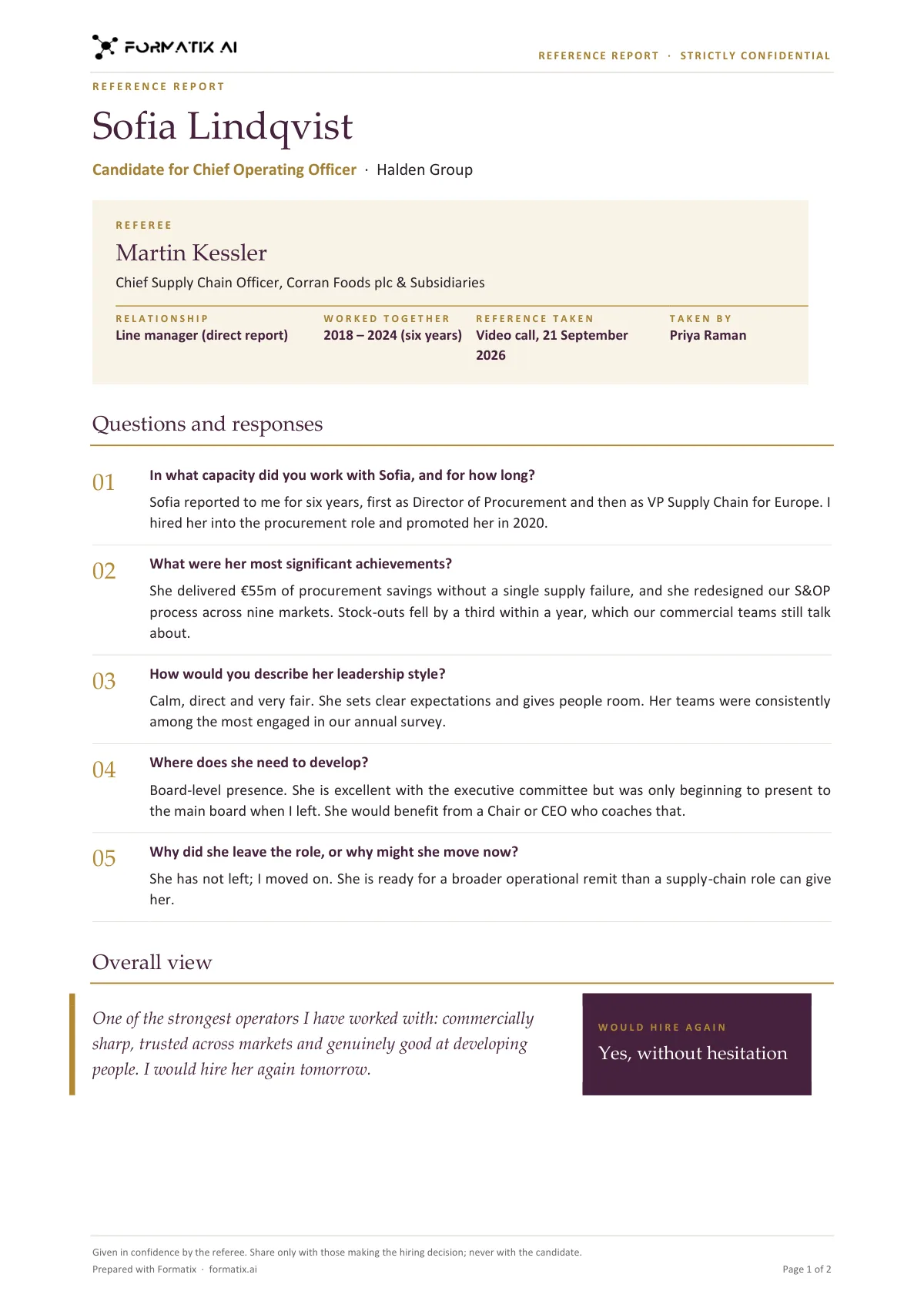
What's in the template
A reference write-up that records who the referee is, how they know the candidate and what they said, question by question.
- Candidate and the role they are being referenced for
- Referee, relationship, years worked together and how the reference was taken
- Your reference questions with the referee's answers
- Overall view in the referee's words
- Would they hire again
What it's for: Passing references to a client in a clear, professional format.
WordDelivered as an editable Word file, or saved as PDF.
Who uses it
Executive search firms
Formal reference reports on finalists, delivered to the client with the assessment report.
Recruitment agencies
A branded reference summary for clients who ask for references before offer.
In-house recruiters
A consistent record for the candidate file and for audit.
How you use it
- 1
Pick the template
Open Formatix, choose this template in Studio, and give us your website. We pull your logo, colours and fonts and rebuild the template in your brand. You see a sample before you use it.
- 2
Drop a CV or your notes
Upload the candidate's CV, in any layout or language. For reports that carry your ratings or notes, add them alongside the CV. One credit fills one document.
- 3
Check and send
The filled document appears beside the original for checking. Edit anything in place, then download the Word, PowerPoint or Excel file, or save it as PDF.
Not a download. This is not a file to download. Formatix builds the template in your brand, with your logo, colours and fonts taken from your website, and fills it from a CV or from the notes you supply. What you keep is the finished document: an editable Word, PowerPoint or Excel file you can send as it is or change in Office.
Ask for changes in plain words, such as "move the photo to the right" or "add a Languages section", and the template is updated with the rest of its formatting kept. If you already have a document you send clients, upload that instead and Formatix turns it into a template. How Studio builds templates
Questions about this template
- What should a reference report include?
- The referee's name, title and organisation; their relationship to the candidate and the dates they overlapped; how the reference was taken; the questions and the answers, in the referee's words where possible; any concerns; and the consultant's summary. This template has each of those sections.
- Can I keep our own reference questions?
- Yes. The question list is a field on the template; keep one version per client or per level.
- Can the referee's answers be entered from notes?
- Yes. Paste the notes and they are placed under the matching questions; you edit the result in Word.
- Is there a version with verification checks?
- Yes, the reference check report in the catalogue, which adds employment verification and performance sections.
- Is this a download?
- No. The template is built in your brand inside Formatix; what you download is the completed report as a Word document or PDF.
Related templates and pages
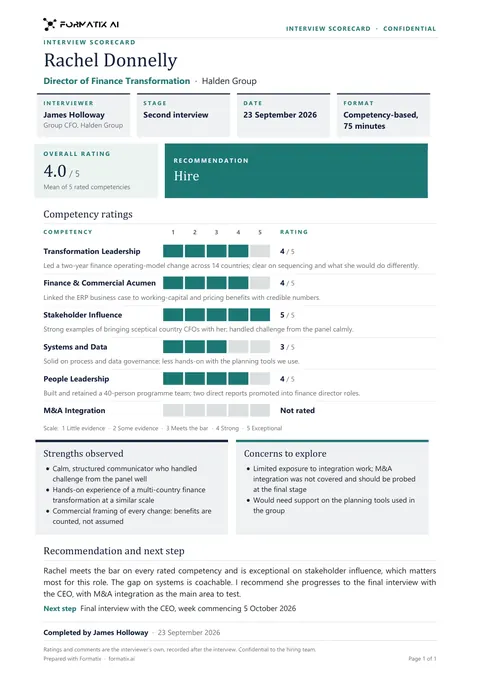 WordInterview scorecardA structured scorecard: ratings against each competency with evidence, strengths and concerns, and a clear recommendation.
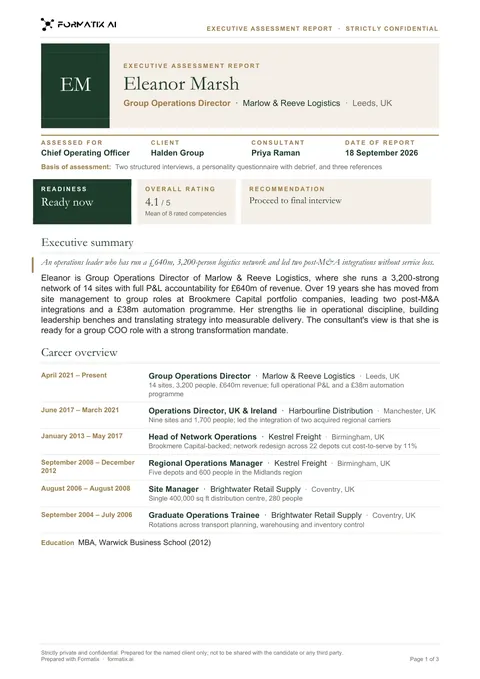 WordExecutive assessment reportA multi-page report on a finalist: executive summary, competency ratings drawn as bars from your scores, career overview and the consultant's view.
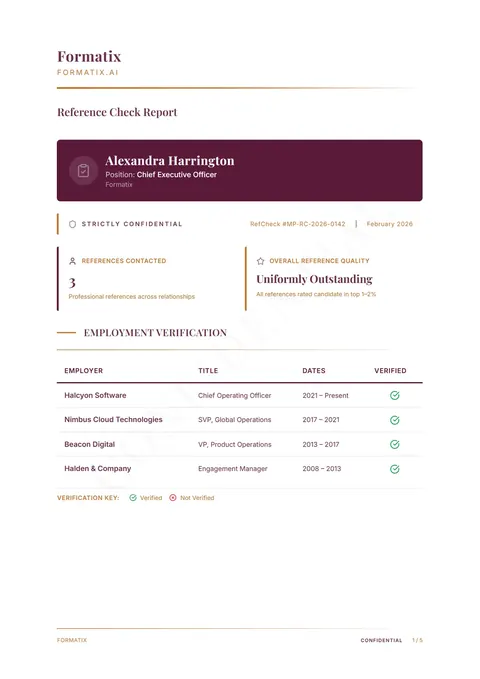 PDFReference check reportA reference verification report with employment checks, interview responses and performance ratings.
Use the reference report in your brand
Give us your website, and the template is rebuilt with your logo, colours and fonts. Your first ten documents are free, with no card and no expiry.