Excel template · Trackers and spreadsheets
Spanish candidate evaluation matrix in Excel (matriz de evaluación)
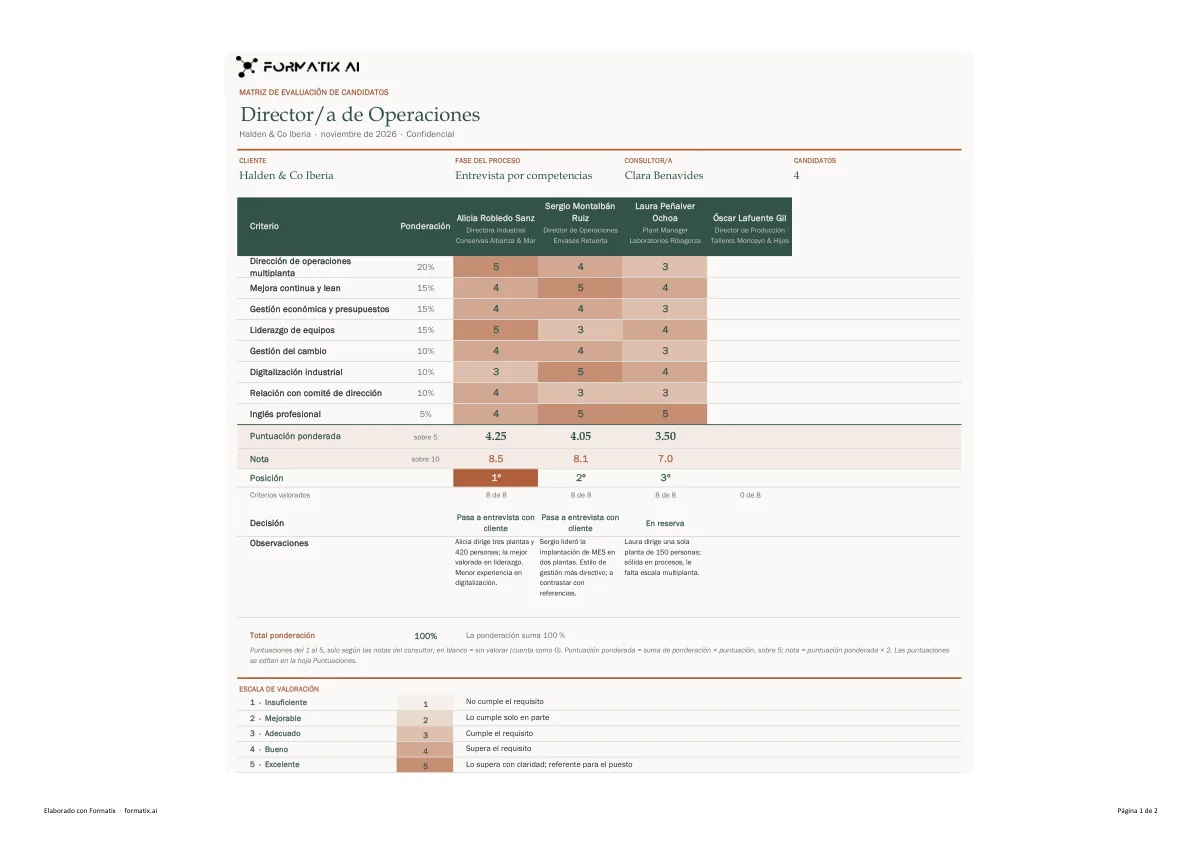
An evaluation matrix compares the finalists of a search on the same criteria. This Excel template is in Spanish. Criteria and their weights run down the side, with one column per candidate holding a 1 to 5 score for each criterion. The sheet calculates the weighted score out of 5, the mark out of 10 and each candidate's rank, and checks that the weights add up to 100 %. Below are a decision row, the consultant's remarks, the stage of the search and the rating scale. Formatix fills it from the CVs and your scoring notes.
The scores are yours, not Formatix's. Every score, weight and decision comes from your notes; a CV on its own scores nobody. A criterion you did not score for a candidate stays empty, and weights that do not add up to 100 % are copied as given and flagged by the sheet.
10 free credits, no card needed. One credit fills one document.
For recruitment and search firms. Formatix formats your candidates' CVs into your firm's template; it is not a tool for writing your own CV.
An editable file with neutral branding and a fictional example candidate, to fill in by hand. Formatix fills it automatically from a CV.
What's in the template
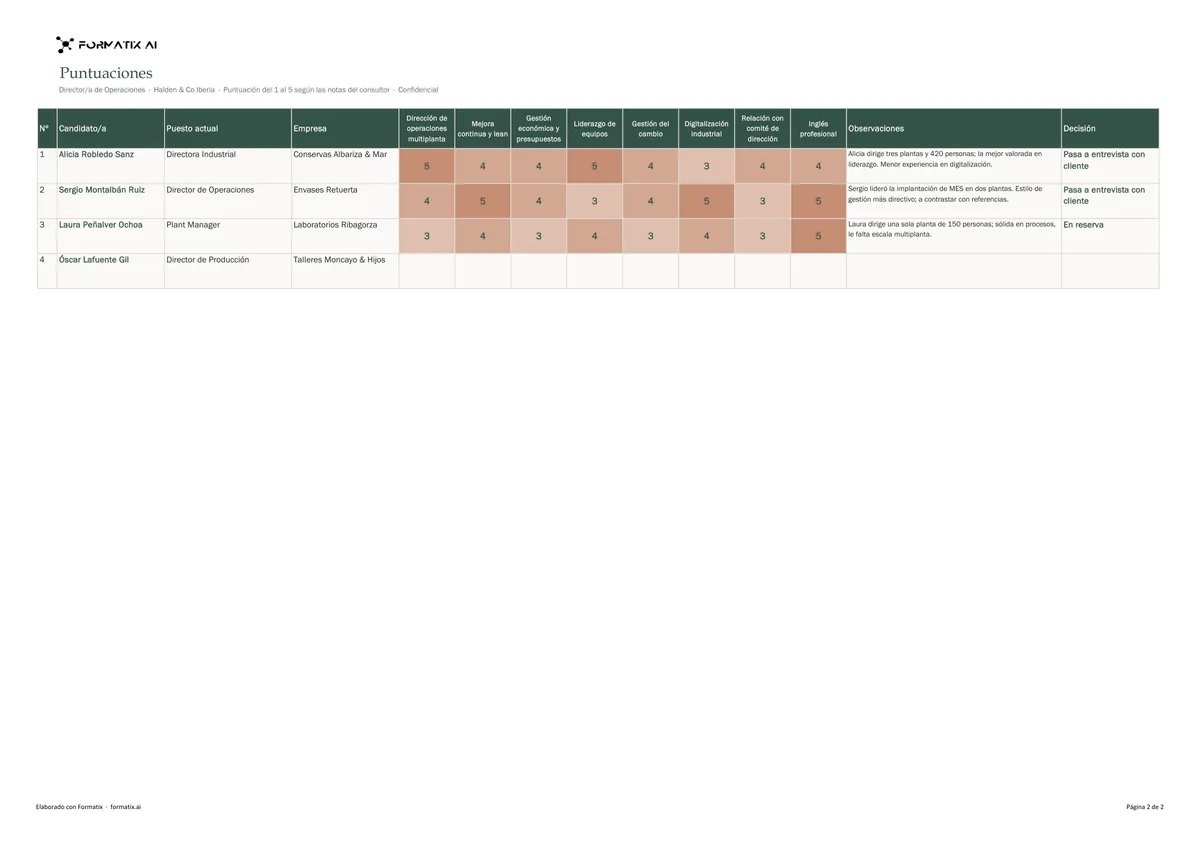
A Spanish weighted candidate evaluation matrix in Excel: criteria and weights down the side, one column per candidate with 1 to 5 scores from the consultant's notes, weighted score, mark out of 10 and rank calculated in the sheet, stage, decision, remarks, a check that the weights add up to 100 % and the rating scale printed on the sheet. Spanish only.
- Role, client, stage, consultant and number of candidates
- Criteria with their weights
- One column per candidate with 1 to 5 scores
- Weighted score, mark out of 10 and rank, calculated in the sheet
- Decision and remarks per candidate
- Weights check (100 %) and rating scale
What it's for: Comparing the finalists of a search in Spain on the same weighted criteria.
ExcelDelivered as an Excel workbook you can edit and share.
Who uses it
Search and selection firms in Spain
One matrix per search to show the client how the finalists compare.
Recruitment teams
The same criteria and scale for every interview on a role.
Every page of the example
The example is in Formatix branding with fictional content. When you pick this template, it is rebuilt with your logo, colours and fonts before you use it.
How you use it
- 1
Pick the template
Open Formatix, choose this template in Studio, and give us your website. We pull your logo, colours and fonts and rebuild the template in your brand. You see a sample before you use it.
- 2
Drop the CVs and your scores
Upload the finalists' CVs with your notes: the criteria, their weights and each candidate's scores and remarks. One credit fills one candidate's column.
- 3
Check and send
The filled matrix appears for checking. Correct anything in place, then download the Excel file.
Download or automate? The free download is a plain file you fill in by hand. In Formatix the template is rebuilt in your brand, with your logo, colours and fonts taken from your website, and filled from a CV or your notes in about a minute. What you keep is the finished document: an editable Word, PowerPoint or Excel file.
Ask for changes in plain words, such as "move the photo to the right" or "add a Languages section", and the template is updated with the rest of its formatting kept. If you already have a document you send clients, upload that instead and Formatix turns it into a template. How Studio builds templates
Questions about this template
- Is the matrix in Spanish?
- Yes: headings, scale and remarks. Company names and job titles stay as written.
- Does Formatix score the candidates?
- No. Every score, weight, remark and decision comes from your notes. Formatix never infers a score from a CV and never converts another scale by guesswork.
- What does the sheet calculate?
- The weighted score out of 5, the mark out of 10 and the rank, with formulas that keep working when you change a score or a weight. It also warns when the weights do not add up to 100 %.
- Can I download this template?
- Yes. A free, editable Excel version with neutral branding and fictional example candidates is on this page, to fill in by hand. To have it rebuilt in your brand and filled automatically, use it in Formatix; you keep an editable Excel file.
- Is there a Spanish version of this page?
- Yes, at /es/plantillas/matriz-de-evaluacion-excel.
Related templates and pages
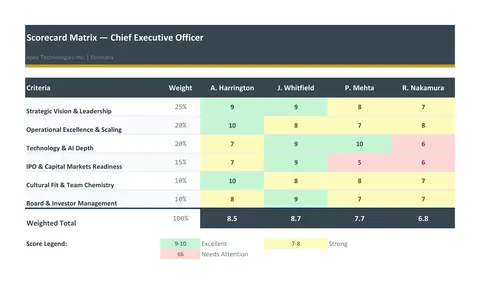 ExcelScorecard matrixA weighted evaluation matrix in Excel: the criteria and their weights down the side, one column per candidate, scores from the consultant, live weighted totals and a ranking.
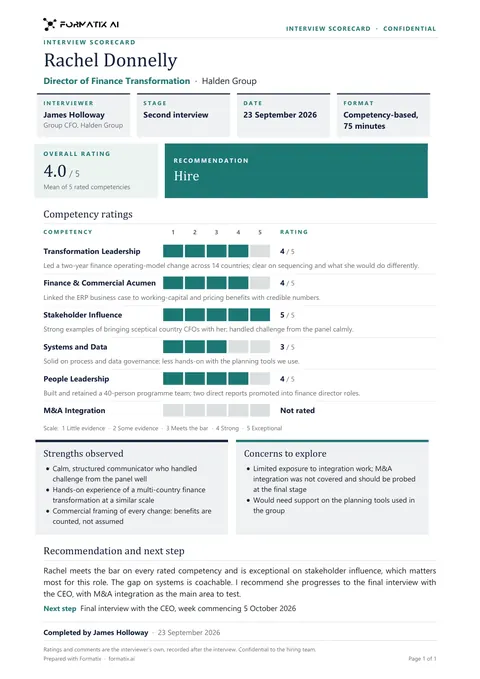 WordInterview scorecardA structured scorecard: ratings against each competency with evidence, strengths and concerns, and a clear recommendation.
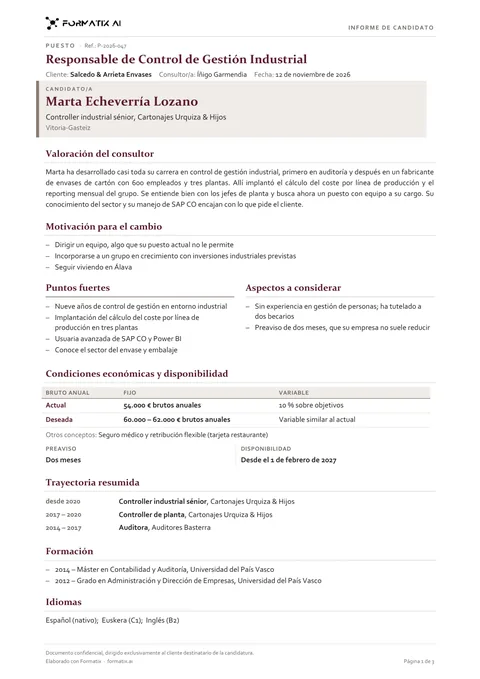 WordSpanish candidate report (informe de candidato)The Spanish informe de candidato a consultora de selección or headhunter sends the client with each finalist, written in Spanish: role, the consultant's assessment, motivation to move, strengths and points to consider from the interview notes, current and expected pay (fixed and variable, gross per year), notice and availability as stated, then a short career, training and languages. Spanish only.
Use the matriz de evaluación de candidatos (spanish weighted evaluation matrix) in your brand
Give us your website, and the template is rebuilt with your logo, colours and fonts. Your first ten documents are free, with no card, valid for 14 days.
Formatix fills it from the CV for you: see our CV formatting software, or bulk CV formatting for a whole shortlist at once.