Excel template · Trackers and spreadsheets
Board collective suitability matrix template (Excel)
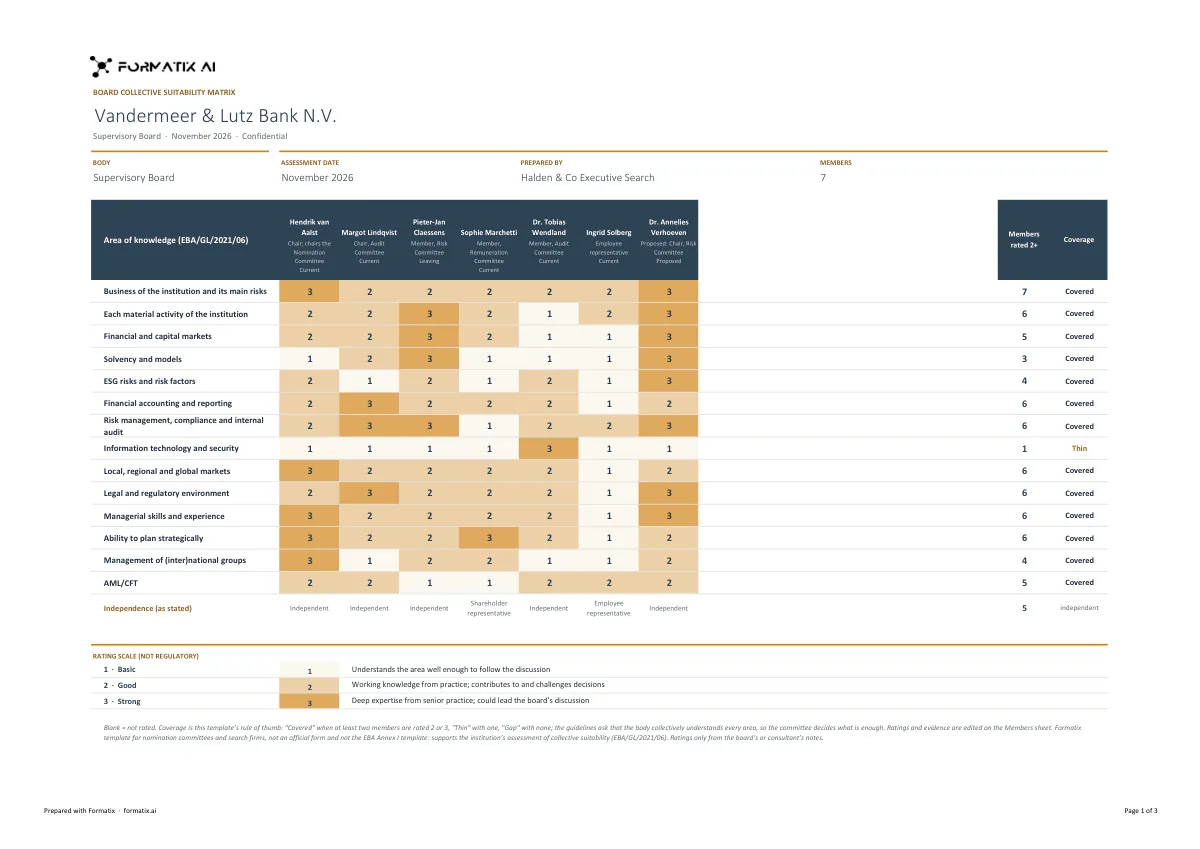
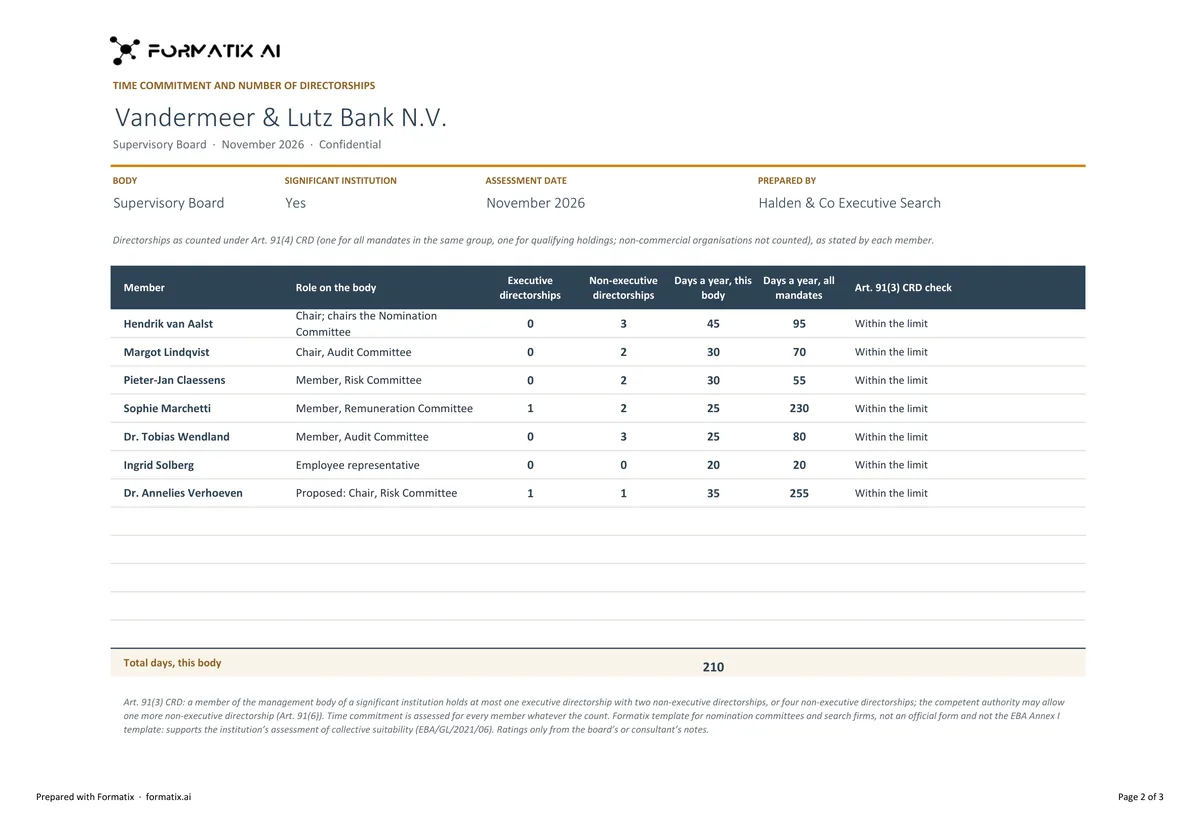
EU supervisors look at a bank's or insurer's board as a whole as well as member by member: together, the board must cover the business, its main risks and the areas the EBA/ESMA guidelines list. This Excel template is the working matrix a nomination committee and its search firm use to plan an appointment. Members are columns, marked current, leaving or proposed; the areas are rows, from the business and its main risks, financial markets, risk management, compliance and audit, IT and security, ESG risks and AML/CFT to strategy and group management. Each member is rated 1 to 3 from your notes, the sheet counts live how many members are rated 2 or 3 in each area, and flags thin coverage. A second sheet lists each member's directorships as counted under CRD Art. 91(4), the days committed and the Art. 91(3) limit check for significant institutions. Formatix fills it from the members' CVs and your notes. It is a working tool, not the EBA's own template.
A brief for a new board member usually starts with the gaps. The matrix shows them: put in the current board and the people leaving, and the areas with fewer than two members rated 2 or above show up straight away. Add the shortlisted candidate as a proposed member and the counts change. The rating scale and the two-member threshold are Formatix choices, written on the sheet; change them to the committee's own.
10 free credits, no card needed. One credit fills one document.
For recruitment and search firms. Formatix formats your candidates' CVs into your firm's template; it is not a tool for writing your own CV.
An editable file with neutral branding and a fictional example candidate, to fill in by hand. Formatix fills it automatically from a CV.
What's in the template
The collective suitability matrix of a bank's or insurer's management body in Excel, for the nomination committee and the search firm planning an appointment the supervisor will assess: current, leaving and proposed members as columns, the areas the EBA/ESMA guidelines ask the body to cover collectively as rows, ratings 1 to 3 from your notes with live counts of members rated 2 or 3 and a coverage flag, independence, and a time commitment sheet with each member's directorships as counted under CRD Art. 91(4) and the Art. 91(3) limit check. A working tool, not the EBA's own template.
- Board members as columns: current, leaving and proposed
- Areas of knowledge the body must cover collectively, as rows
- Ratings 1 to 3 from the notes, with members rated 2+ counted live
- Coverage flag per area
- Independence as stated
- Time commitment sheet: directorships as counted, days committed, Art. 91(3) check
What it's for: Showing a nomination committee which gaps on the board a new appointment fills.
ExcelDelivered as an Excel workbook you can edit and share.
Who uses it
Board practices of search firms
Start a bank or insurer board search from the board's real gaps, and show how each candidate fills them.
Nomination committees and company secretaries
Keep the collective view and the time commitment check in one file.
Every page of the example
The example is in Formatix branding with fictional content. When you pick this template, it is rebuilt with your logo, colours and fonts before you use it.
How you use it
- 1
Pick the template
Open Formatix, choose this template in Studio, and give us your website. We pull your logo, colours and fonts and rebuild the template in your brand. You see a sample before you use it.
- 2
Drop the board CVs and your notes
Upload the CVs of the current members and the candidates with your notes: who is leaving, the ratings agreed with the committee, independence, and each member's mandates and days. One credit fills one document.
- 3
Check and send
The filled workbook appears for checking. Edit any cell, then download the Excel file for the committee.
Download or automate? The free download is a plain file you fill in by hand. In Formatix the template is rebuilt in your brand, with your logo, colours and fonts taken from your website, and filled from a CV or your notes in about a minute. What you keep is the finished document: an editable Word, PowerPoint or Excel file.
Ask for changes in plain words, such as "move the photo to the right" or "add a Languages section", and the template is updated with the rest of its formatting kept. If you already have a document you send clients, upload that instead and Formatix turns it into a template. How Studio builds templates
Questions about this template
- Where do the ratings come from?
- From your notes or the committee's own assessment. Formatix does not rate members from their CVs. A cell with no rating in the notes stays empty.
- Does it apply the Art. 91 counting rules?
- It shows each directorship and how it is counted as your notes state it, then adds up the counted ones and checks them against the limit for significant institutions. The counting of each mandate comes from you.
- Is this the EBA's suitability matrix?
- No. It follows the collective areas of the EBA/ESMA guidelines, but it is a Formatix working tool. The supervisor's own forms and templates still apply.
- Can I download this template?
- Yes. A free, editable Excel version with neutral branding and a fictional example board is on this page, to fill in by hand. To have it rebuilt in your brand and filled automatically, use it in Formatix; you keep an editable Excel file.
Related templates and pages
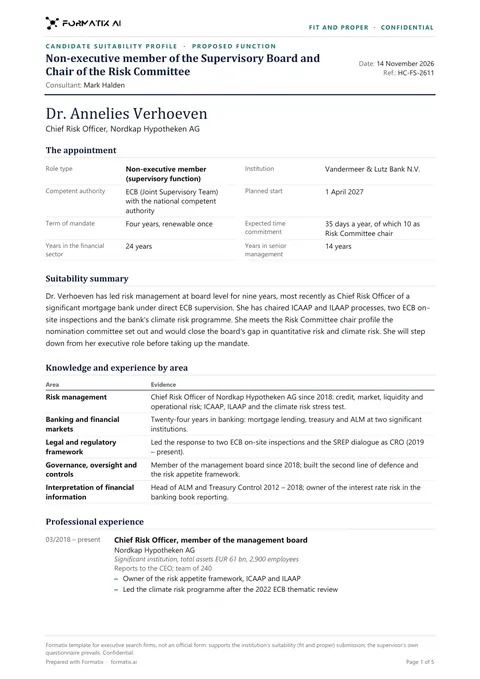 WordFit and proper board profile (EU banks)The suitability profile an executive search firm prepares when it places a board member, executive or non-executive, or a key function holder such as a CFO, CRO or head of compliance at an EU bank or investment firm, so the institution can complete the supervisor's fit and proper questionnaire. In the order of the EBA/ESMA suitability guidelines and the ECB questionnaire: the appointment, the consultant's summary, knowledge and experience by area with evidence, career with the nature and size of each organisation, education, then reputation, conflicts of interest, time commitment and mandates, independence of mind, collective suitability and open points, all from your notes only. Supports the questionnaire, never replaces it.
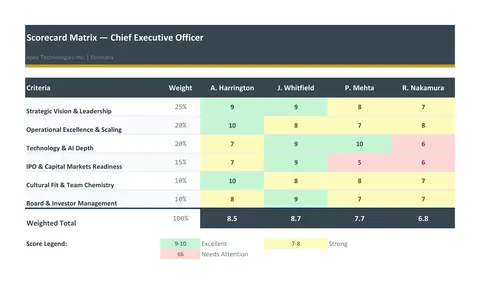 ExcelScorecard matrixA weighted evaluation matrix in Excel: the criteria and their weights down the side, one column per candidate, scores from the consultant, live weighted totals and a ranking.
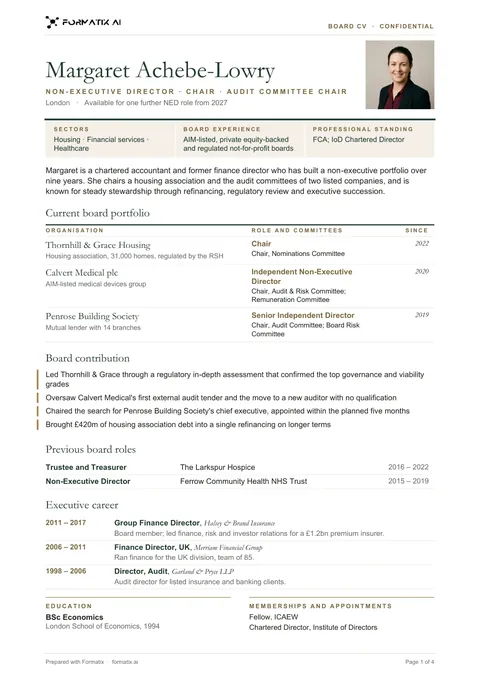 WordBoard and NED CVA board CV for non-executive directors, chairs and trustees: the board roles beside the photo or initials, three board credentials (sectors, board experience, professional standing, as stated), the current board portfolio with committees and start dates, board contribution, previous board roles, the executive career condensed to one line of scope per role, education and memberships.
Use the board collective suitability matrix (excel) in your brand
Give us your website, and the template is rebuilt with your logo, colours and fonts. Your first ten documents are free, with no card, valid for 14 days.
Formatix fills it from the CV for you: see our CV formatting software, or bulk CV formatting for a whole shortlist at once.