Word template · Reports
Right to work check record template
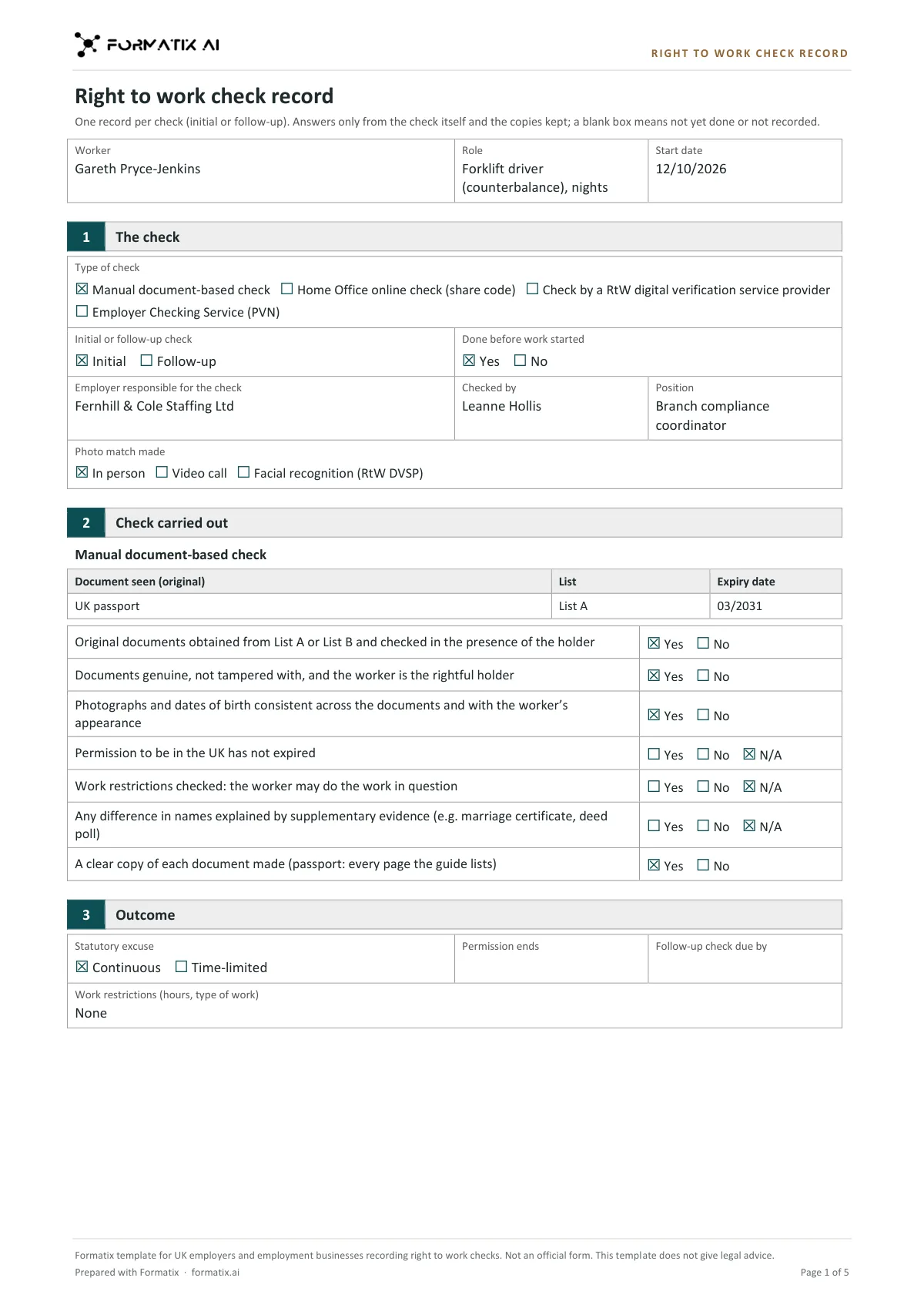
A right to work check record is the note an employer or employment business keeps of how and when it checked that a worker can work in the UK, alongside the copies of the documents or the online profile. This Word template records one check, set out on the Home Office "Right to work checks: an employer's guide" (updated 1 October 2026): the type of check (manual document check, Home Office online check with a share code, a digital verification service provider, or a Positive Verification Notice from the Employer Checking Service); whether it is an initial or follow-up check; who made it and how the photo was matched; the steps for that type of check; the outcome, with any permission end date, follow-up date and work restrictions; and the date the check was made. Formatix fills it from the check record and your notes. It is a Formatix template, not an official form, and it does not give legal advice.
Right to work checks are done quickly, often on a phone or a video call, and the written record is what gets missed. This template fills from what you have: copies of the documents, the online profile page, a provider's output or your notes. It never treats a CV line such as "full UK right to work" or a nationality as a check, and anything missing for this check goes on a Still needed list.
10 free credits, no card needed. One credit fills one document.
An editable file with neutral branding and a fictional example candidate, to fill in by hand. Formatix fills it automatically from a CV.
What's in the template
A record of one right to work check, laid out on the Home Office employer's guide (updated 1 October 2026): manual document check, Home Office online check with a share code, a digital verification service provider, or the Employer Checking Service. It records who did the check and how, the steps taken, the outcome, any follow-up date and the date the check was made. Nothing is assumed from a CV or nationality. Not an official form and does not give legal advice.
- Worker, job title and start date
- The check: type, initial or follow-up, who did it, how the photo was matched
- Manual check: documents seen (List A or B) and the check steps
- Online check (share code), digital provider or Employer Checking Service
- Outcome: continuous or time-limited, permission end date, follow-up due
- Date the check was made, and Still needed to complete it
What it's for: Recording how and when a right to work check was made.
WordDelivered as an editable Word file, or saved as PDF.
Who uses it
Employment businesses and temp desks
A consistent record for every worker, whichever kind of check was made.
Compliance teams
Follow-up dates and time-limited permission set out where they cannot be missed.
Event, hospitality and industrial agencies
A quick record for high-volume starters, filled from the check you already made.
How you use it
- 1
Pick the template
Open Formatix, choose this template in Studio, and give us your website. We pull your logo, colours and fonts and rebuild the template in your brand. You see a sample before you use it.
- 2
Drop the check record
Upload the worker's CV with the record of the check: document copies, the online profile page, the provider's output or a Positive Verification Notice, and your notes. One credit fills one document.
- 3
Check and keep
The filled record appears beside the original for checking. Complete anything on the Still needed list, then download the Word file and keep it with the copies.
Download or automate? The free download is a plain file you fill in by hand. In Formatix the template is rebuilt in your brand, with your logo, colours and fonts taken from your website, and filled from a CV or your notes in about a minute. What you keep is the finished document: an editable Word, PowerPoint or Excel file.
Ask for changes in plain words, such as "move the photo to the right" or "add a Languages section", and the template is updated with the rest of its formatting kept. If you already have a document you send clients, upload that instead and Formatix turns it into a template. How Studio builds templates
Questions about this template
- Is this the Home Office form?
- No. The Home Office does not publish a record form. This template follows the steps in its employer's guide (updated 1 October 2026), and its footer says it is not an official form and does not give legal advice. Keep the document copies or online profile the guide asks for alongside it.
- Will it assume a right to work from the CV?
- No. A CV statement, a nationality, a name or a previous job is never treated as a check. If no check is recorded, the check fields stay empty and "Right to work check" goes on the Still needed list.
- Does it work out the follow-up date?
- No. The permission end date and the date the follow-up check is due are copied only as recorded. The template never calculates them.
- Which details are left off?
- Date of birth, passport or BRP number, National Insurance number, home address and immigration history are never written on the record. They are on the copies you keep.
Related templates and pages
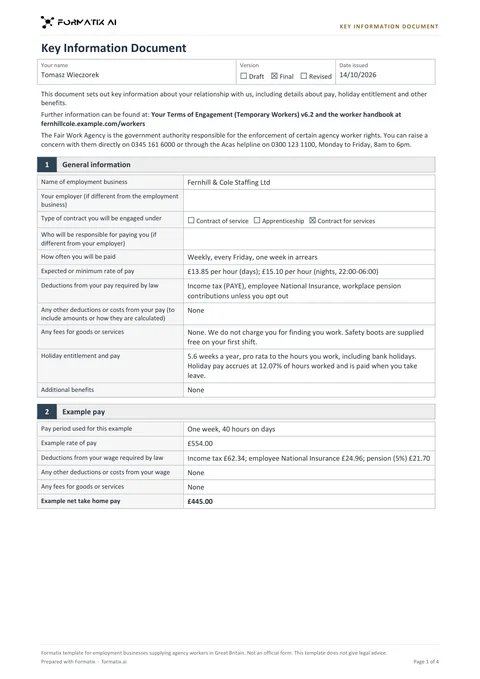 WordKey Information DocumentThe Key Information Document an employment business gives an agency worker before terms are agreed (regulation 13A of the Conduct Regulations 2003), with PAYE, umbrella company and limited company versions and the example pay for one pay period. Rows follow the GOV.UK example KIDs (updated 7 April 2026). Pay, deductions, fees and every figure come only from the agency's terms; nothing is calculated. Not an official form and does not give legal advice.
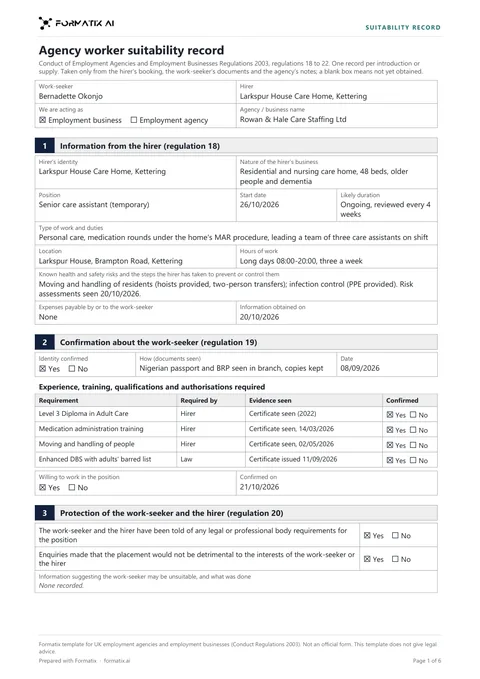 WordAgency worker suitability recordA record of the checks an employment agency or employment business makes before it introduces or supplies a work-seeker, set out by regulations 18 to 22 of the Conduct Regulations 2003: what the hirer told you, identity, the qualifications and authorisations the role needs, willingness to do the work, protection steps, references for work with vulnerable people, and what was passed to the hirer and the worker. Yes and No only as your file says. Not an official form and does not give legal advice.
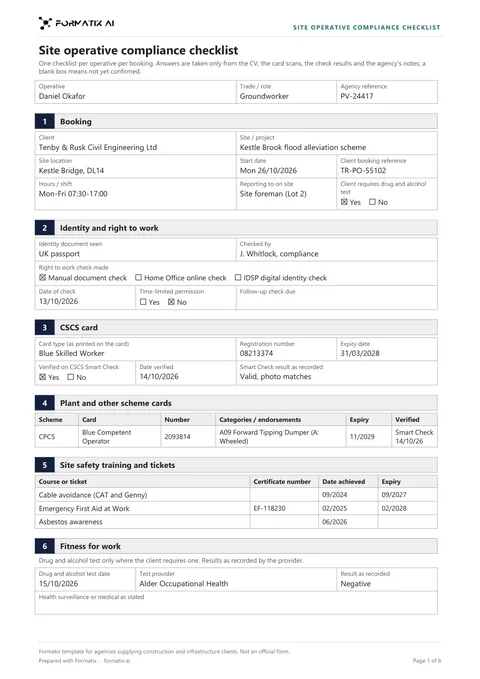 WordSite operative compliance checklistThe checklist an agency completes before an operative starts on a construction or infrastructure site: the booking, identity and right to work (manual, online or digital identity check), the CSCS card with its CSCS Smart Check result, CPCS or NPORS plant cards, SMSTS, SSSTS and other tickets, a drug and alcohol test where the client asks for one, site induction and PPE, references, and a list of what is still needed. Ticks and dates only as the documents give them. Not an official form.
Use the right to work check record in your brand
Give us your website, and the template is rebuilt with your logo, colours and fonts. Your first ten documents are free, with no card, valid for 14 days.
Formatix fills it from the CV for you: see our CV formatting software, or bulk CV formatting for a whole shortlist at once.