Word template · Reports
Site operative compliance checklist template
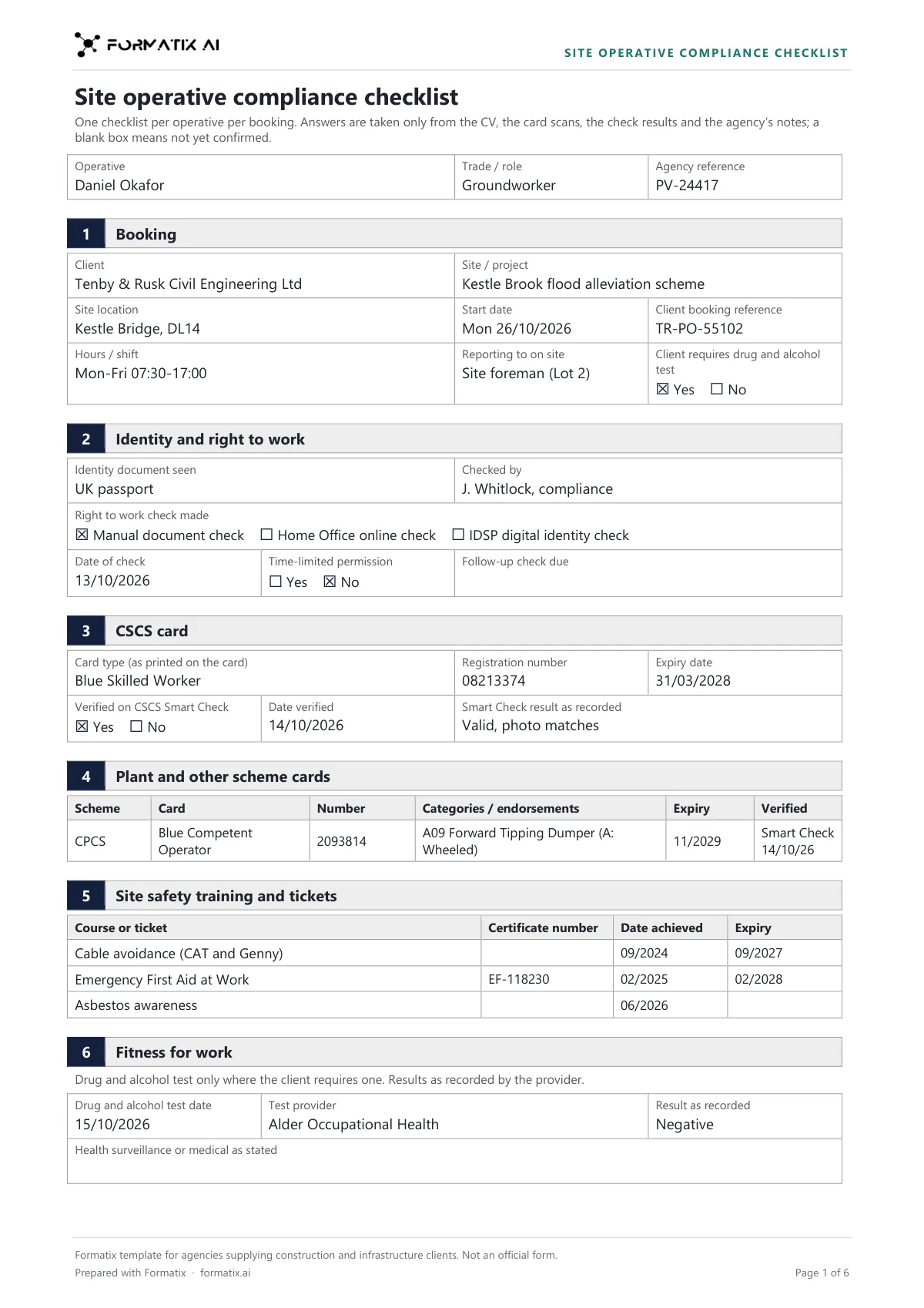
A site operative compliance checklist is the record a labour agency completes before an operative starts on a construction or infrastructure site, showing the checks behind the booking. This Word template sets them out in your brand: the booking (client, site, start date, shift pattern and who the operative reports to, and whether the client requires a drug and alcohol test); identity and right to work (manual, online with a share code, or a digital identity check, with the date, who checked and any follow-up date); the CSCS card with the date and result of the CSCS Smart Check; CPCS or NPORS plant cards with categories; SMSTS, SSSTS and other tickets with certificate numbers and expiry; the drug and alcohol test and health surveillance as recorded; site induction and PPE; references; and a Still needed list. Formatix fills it from the operative's documents and your notes. It is a Formatix template, not an official form.
A photo of a card in a WhatsApp chat is not a Smart Check, and a CV that says "all tickets in date" is not a ticket. This checklist fills only from what the documents show: a check is ticked when your record says it was done, a test result is never assumed, and every expired card or missing check is listed at the end so the start does not go ahead with a gap.
10 free credits, no card needed. One credit fills one document.
An editable file with neutral branding and a fictional example candidate, to fill in by hand. Formatix fills it automatically from a CV.
What's in the template
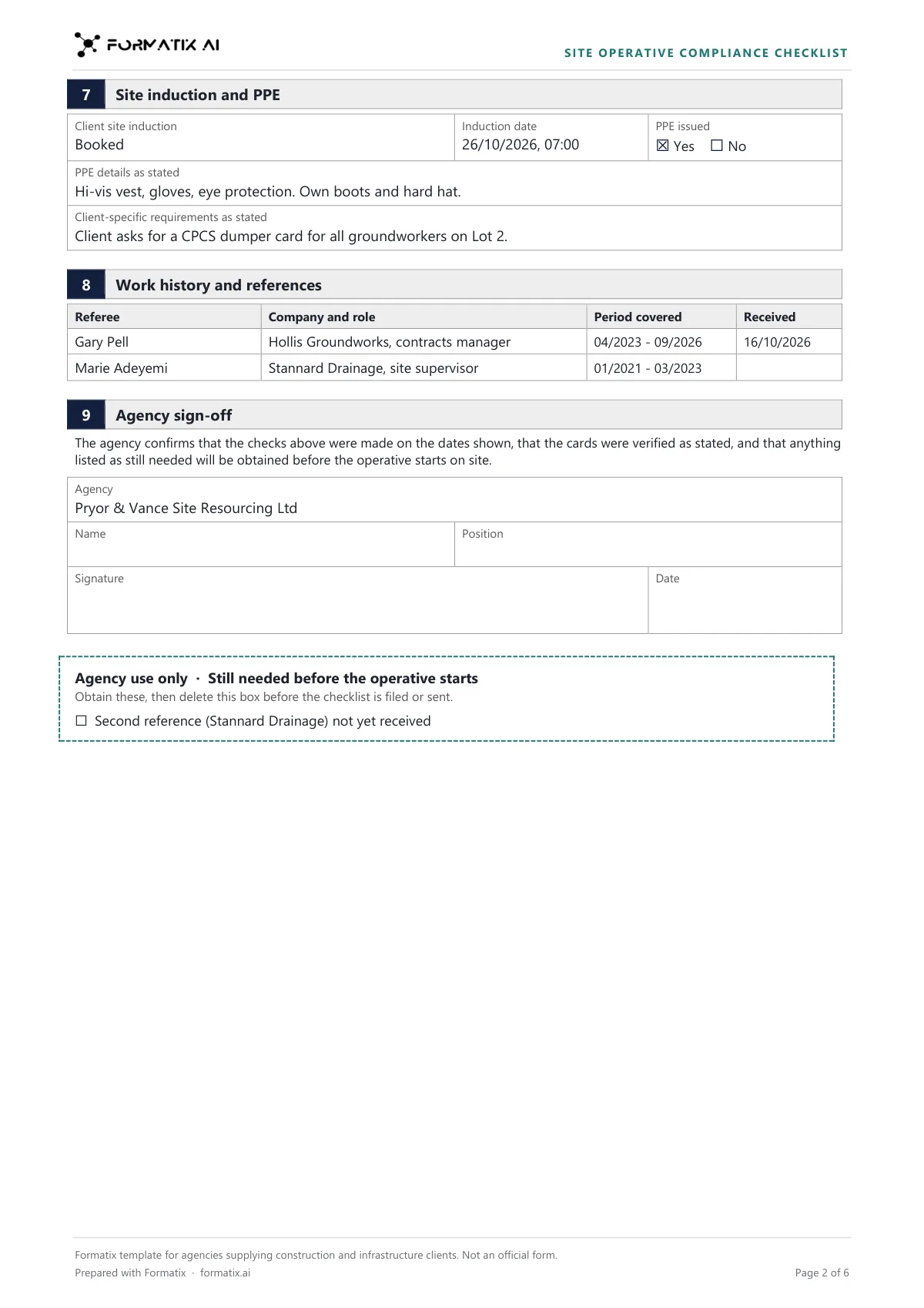
The checklist an agency completes before an operative starts on a construction or infrastructure site: the booking, identity and right to work (manual, online or digital identity check), the CSCS card with its CSCS Smart Check result, CPCS or NPORS plant cards, SMSTS, SSSTS and other tickets, a drug and alcohol test where the client asks for one, site induction and PPE, references, and a list of what is still needed. Ticks and dates only as the documents give them. Not an official form.
- Booking: client, site, start date, shift pattern, who they report to
- Identity and right to work: type of check, date, who checked, follow-up date
- CSCS card with the Smart Check date and result
- Plant cards and site safety tickets with numbers and expiry
- Drug and alcohol test, health surveillance, site induction and PPE
- References and Still needed before the operative starts
What it's for: Checking an operative's cards and documents before their first shift on a site.
WordDelivered as an editable Word file, or saved as PDF.
Who uses it
Labour agencies supplying main contractors
One checklist per operative and booking, ready for the client's compliance team.
Rail, highways and civils desks
Drug and alcohol testing, induction and plant cards in the same record.
Compliance coordinators
Expired cards and missing checks listed before the operative's first shift.
Every page of the example
The example is in Formatix branding with fictional content. When you pick this template, it is rebuilt with your logo, colours and fonts before you use it.
How you use it
- 1
Pick the template
Open Formatix, choose this template in Studio, and give us your website. We pull your logo, colours and fonts and rebuild the template in your brand. You see a sample before you use it.
- 2
Drop the operative's documents
Upload the CV with card scans, the Smart Check result, the right to work record, any drug and alcohol test result, reference replies and the booking. One credit fills one document.
- 3
Check, chase and keep
The filled checklist appears beside the originals for checking. Obtain the items on the Still needed list, then download the Word file for the client and your records.
Download or automate? The free download is a plain file you fill in by hand. In Formatix the template is rebuilt in your brand, with your logo, colours and fonts taken from your website, and filled from a CV or your notes in about a minute. What you keep is the finished document: an editable Word, PowerPoint or Excel file.
Ask for changes in plain words, such as "move the photo to the right" or "add a Languages section", and the template is updated with the rest of its formatting kept. If you already have a document you send clients, upload that instead and Formatix turns it into a template. How Studio builds templates
Questions about this template
- Will it tick the CSCS check from a photo of the card?
- No. The Smart Check row is marked Yes only when your notes record a CSCS Smart Check of this card, through the app, the website or an integration, with its date and result. A photo of the card is not a Smart Check.
- Does it assume a negative drug and alcohol test?
- No. The test date, provider and result are filled only as recorded. Whether the client requires a test comes from the booking notes.
- How are expired cards handled?
- A card or ticket is marked Expired only when the documents say so or its stated expiry date is earlier than the check date in your notes. Each expired card is named on the Still needed list with its expiry date.
- Does Formatix carry out the right to work check?
- No. It copies the type of check, the date, who made it and any follow-up date from your record. The follow-up date is never worked out.
- Is this an official contractor form?
- No. It is a Formatix template, and its footer says it is not an official form. If your client gives you its own pre-start checklist, upload that and Formatix builds the template from it.
Related templates and pages
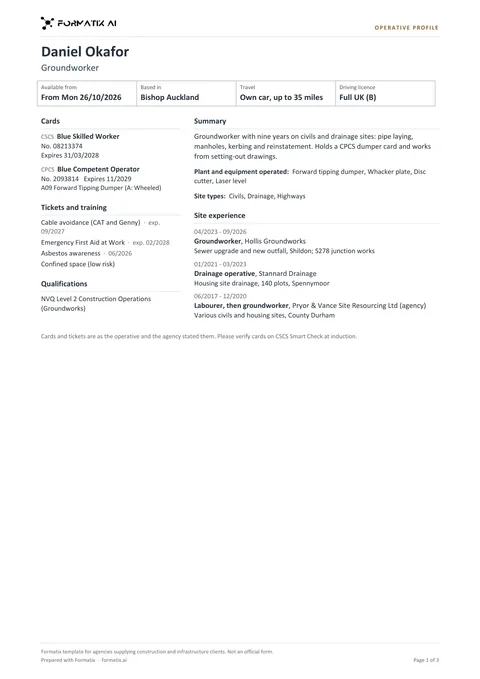 WordConstruction operative profileThe profile a labour agency sends a construction or civils client with an operative: trade, start date, base, travel and driving licence across the top, then the cards a site manager asks about (CSCS card type, number and expiry; CPCS or NPORS plant cards with their categories), tickets and training, qualifications, plant operated and recent site experience. Cards, categories and expiry dates only as printed or stated; a card is marked Expired only when a stated date has passed. Two pages at most. Not an official form.
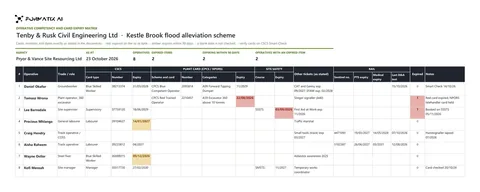 ExcelOperative competency and card expiry matrixAn Excel matrix of the operatives on a client site or framework, one row each: CSCS card type, number and expiry, CPCS or NPORS plant card with categories, SMSTS or SSSTS, other tickets, and for rail work the Sentinel number, PTS and medical expiry and the date of the last drug and alcohol test. An expiry turns red once it has passed and amber within 90 days of the as-at date, only where a full date was given, with live counts at the top. Not an official form.
Use the site operative compliance checklist in your brand
Give us your website, and the template is rebuilt with your logo, colours and fonts. Your first ten documents are free, with no card, valid for 14 days.
Formatix fills it from the CV for you: see our CV formatting software, or bulk CV formatting for a whole shortlist at once.