Word template · Shortlists
Shortlist report template for executive search
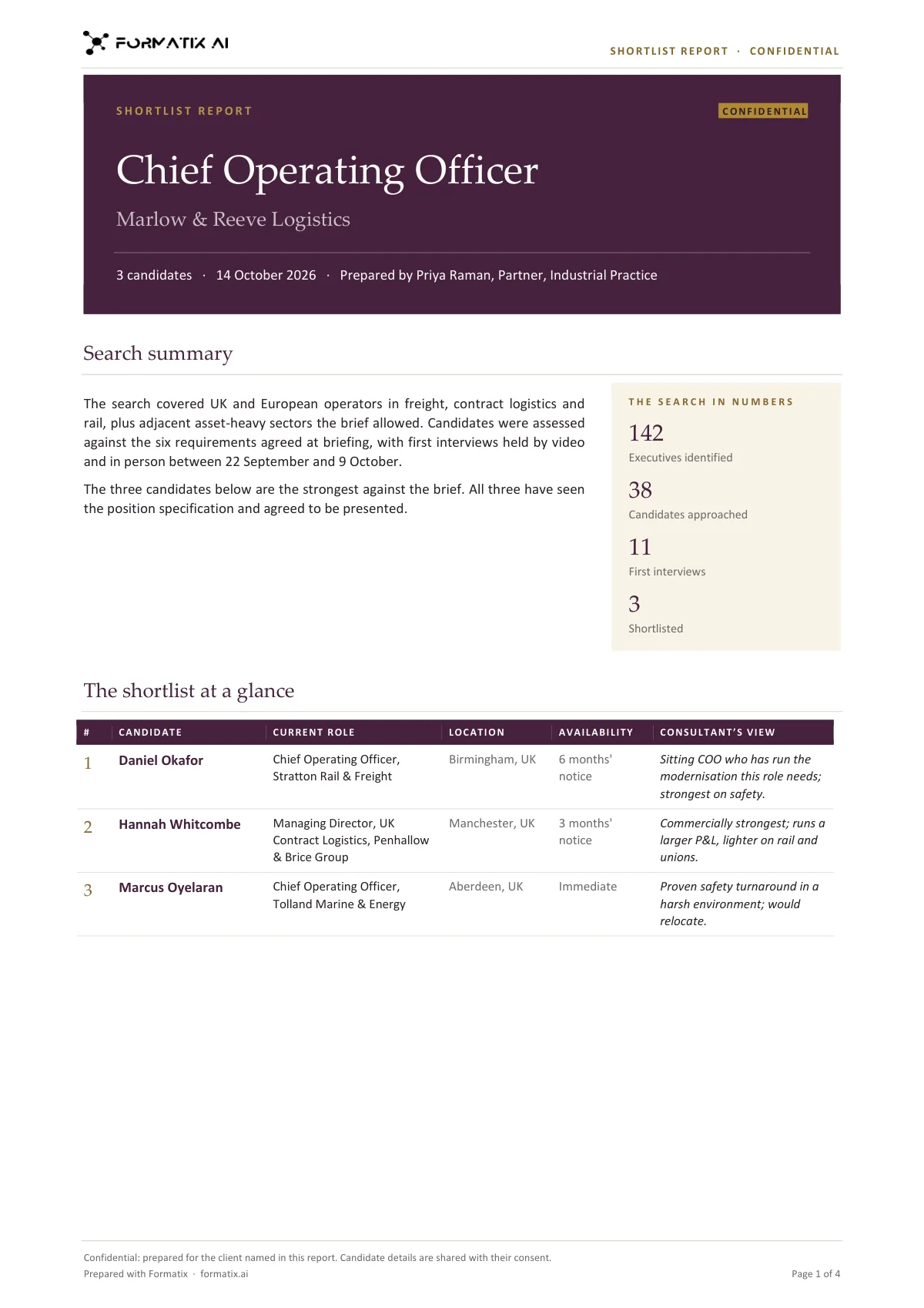
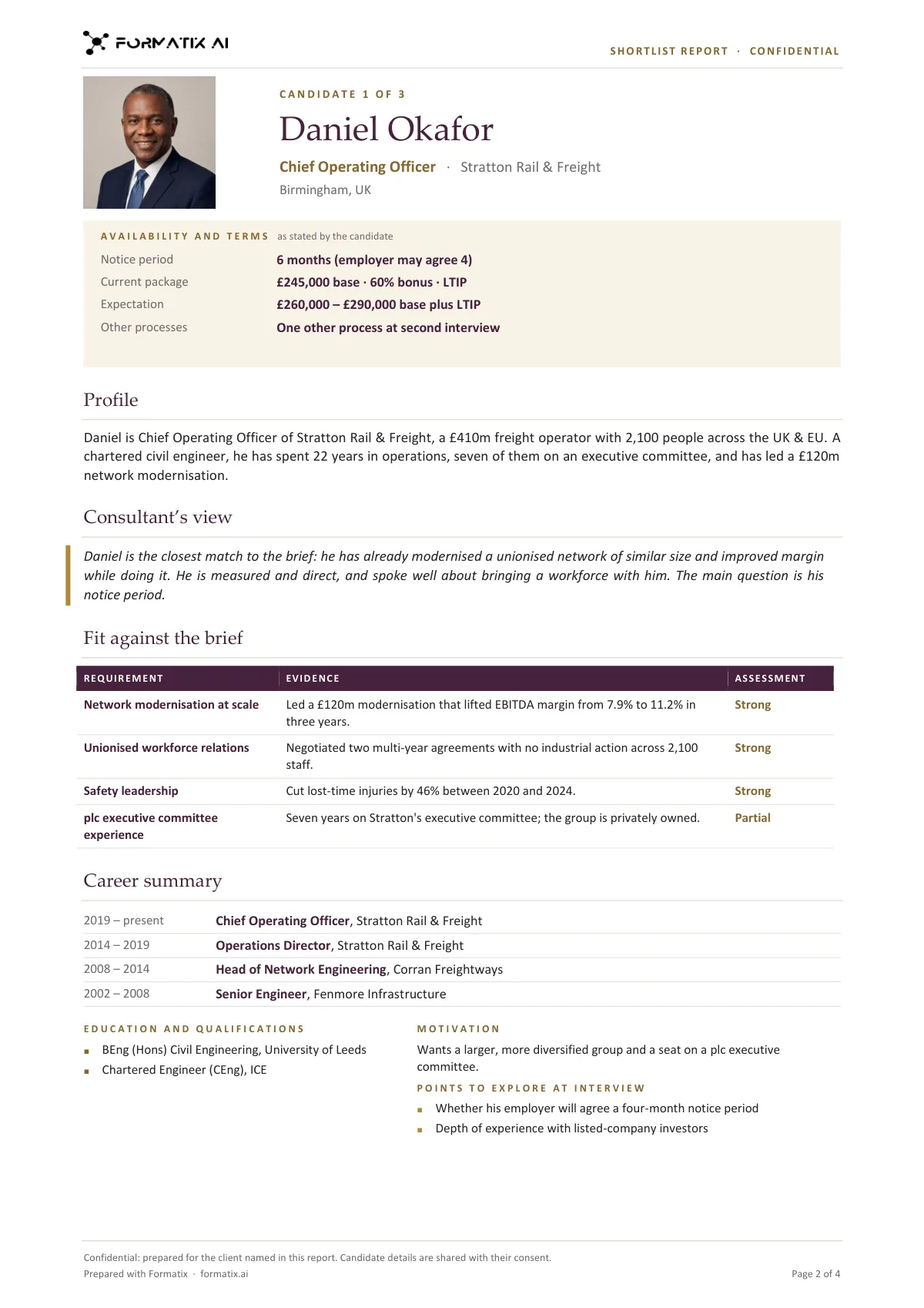
A shortlist report is the document a search firm sends the client before shortlist interviews. This Word template opens with a cover in the firm's brand (role, client, date and the consultant), a search summary beside the search in numbers, and the shortlist at a glance: one row per candidate with current role, location, availability and the consultant's one-line view. Each candidate then gets one page: photo or initials, availability and terms as stated, a factual profile, the consultant's view, fit against the brief (requirement, evidence and assessment), career summary, education, motivation and points to explore at interview. Formatix fills each page from the candidate's CV and the consultant's notes.
Most retained searches end in a Word document, not a deck: it is what the client prints, annotates and takes into the interview room. Putting one together usually means copying from six CVs and a set of interview notes into a house template late at night. This template is built for that moment. The assessment stays the consultant's: fit ratings, the view and the points to explore come only from your notes.
10 free credits, no card needed. One credit fills one document.
An editable file with neutral branding and a fictional example candidate, to fill in by hand. Formatix fills it automatically from a CV.
Diese Seite auf Deutsch · Cette page en français · Esta página en español · Deze pagina in het Nederlands · Den här sidan på svenska · Denne side på dansk · Denne siden på norsk · Questa pagina in italiano · Esta página em português
What's in the template
The Word shortlist report for a client: a cover, the search summary and numbers, a shortlist-at-a-glance table, then one page per candidate with availability and terms, profile, the consultant’s view, fit against the brief, career summary, education and points to explore at interview.
- Cover with role, client, date and consultant
- Search summary and the search in numbers, as stated
- The shortlist at a glance: one row per candidate
- Per candidate: availability and terms, profile and the consultant’s view
- Fit against the brief: requirement, evidence, assessment
- Career summary, education, motivation and points to explore
What it's for: Sending the client the shortlist before interviews, one page per candidate.
WordDelivered as an editable Word file, or saved as PDF.
Who uses it
Retained executive search firms
The shortlist document that goes to the client before interviews, one page per candidate.
Specialist recruiters on senior roles
A more formal shortlist than a CV pack, with the brief and the evidence side by side.
In-house executive talent teams
Presenting an internal and external slate to a hiring executive or a board committee.
Every page of the example
The example is in Formatix branding with fictional content. When you pick this template, it is rebuilt with your logo, colours and fonts before you use it.
How you use it
- 1
Pick the template
Open Formatix, choose this template in Studio, and give us your website. We pull your logo, colours and fonts and rebuild the template in your brand. You see a sample before you use it.
- 2
Drop the CVs and your notes
Upload each shortlisted candidate's CV with your interview notes, the brief and the candidate's stated availability and package. One credit fills one document.
- 3
Check and send
The filled document appears beside the original for checking. Edit anything in place, then download the Word file, or save it as PDF.
Download or automate? The free download is a plain file you fill in by hand. In Formatix the template is rebuilt in your brand, with your logo, colours and fonts taken from your website, and filled from a CV or your notes in about a minute. What you keep is the finished document: an editable Word, PowerPoint or Excel file.
Ask for changes in plain words, such as "move the photo to the right" or "add a Languages section", and the template is updated with the rest of its formatting kept. If you already have a document you send clients, upload that instead and Formatix turns it into a template. How Studio builds templates
Questions about this template
- What is in a shortlist report?
- A cover with the role, the client, the date and who prepared it; a search summary and, where your notes state them, the numbers behind it such as executives identified, candidates approached and first interviews; a table of the shortlist at a glance; then one page per candidate with availability and terms, profile, the consultant's view, fit against the brief, career summary, education, motivation and points to explore at interview.
- Where do the fit ratings come from?
- From your notes only. Each requirement in the brief can be marked Strong, Good, Partial or Gap when your interview notes judge it; without a judgement in the notes the evidence from the CV is shown and the assessment is left blank. The CV alone never produces a rating.
- Are salary and notice shown?
- Only as the candidate or consultant stated them in the notes, under availability and terms. Nothing is inferred from a job title, and the search numbers are never estimated.
- How is it different from the shortlist deck?
- The shortlist deck is a PowerPoint that compares candidates side by side on slides, for presenting in a meeting. The shortlist report is a Word document with a full page per candidate, for reading and annotating before interviews. Many firms send the report and present the deck.
- Can I download this template?
- Yes. A free, editable Word version with neutral branding and three fictional example candidates is on this page, to fill in by hand. To have it rebuilt in your brand and filled automatically from CVs and your notes, use it in Formatix; what you keep is an editable Word file.
Related templates and pages
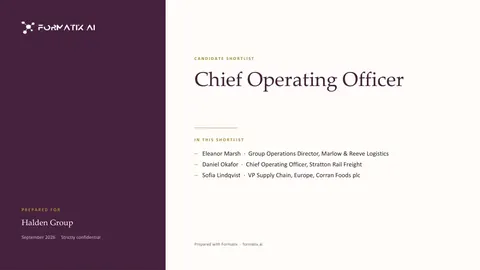 PowerPointShortlist deckA PowerPoint deck that opens with the shortlist, then shows the candidates side by side with fit against the brief.
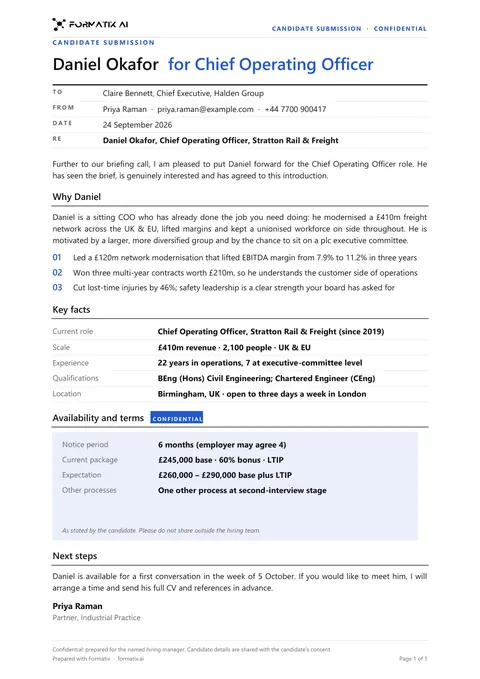 WordClient submittalA cover document that puts a candidate forward to a client: why they fit the brief, key facts, terms and next steps.
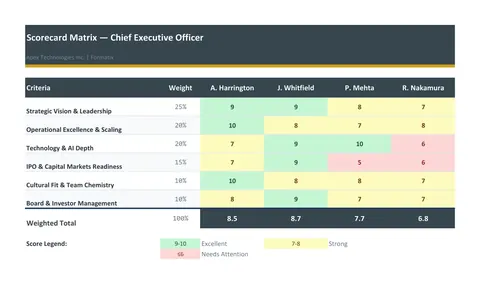 ExcelScorecard matrixA weighted evaluation matrix in Excel: the criteria and their weights down the side, one column per candidate, scores from the consultant, live weighted totals and a ranking.
Use the shortlist report in your brand
Give us your website, and the template is rebuilt with your logo, colours and fonts. Your first ten documents are free, with no card, valid for 14 days.
Formatix fills it from the CV for you: see our CV formatting software, or bulk CV formatting for a whole shortlist at once.