Word template · Reports
NHS non-clinical agency assignment checklist template
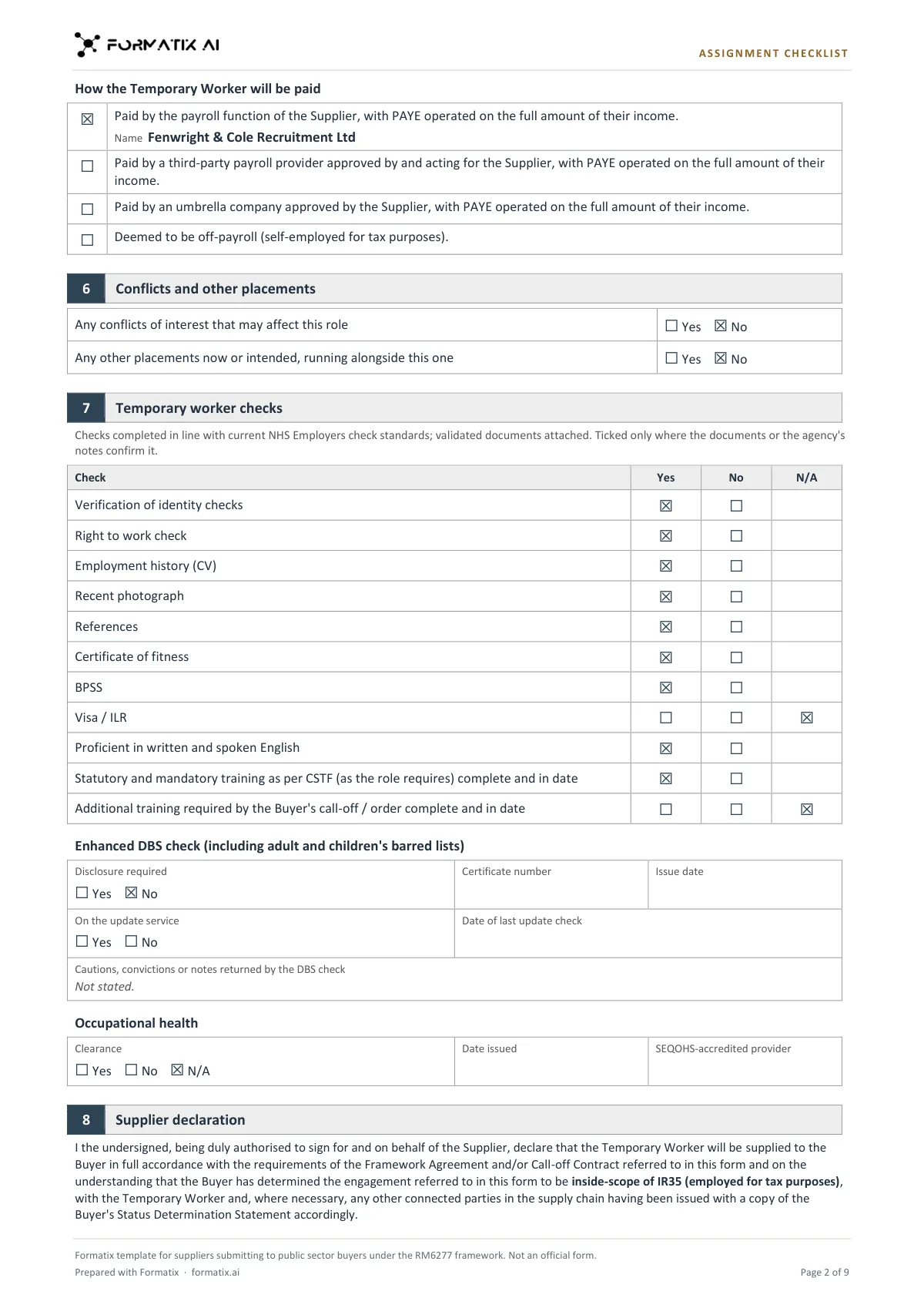
A non-clinical temporary worker assignment checklist is the form a supplier completes for every booking of an administrative, corporate, IT, legal, scientific or estates worker under the RM6277 Non-Clinical Temporary and Fixed Term Staff framework, which NHS, local government and central government buyers use. This Word template follows its structure in the agency's own brand: the Buyer's IR35 status determination statement; contractual details; the requirement (role, band or grade, working pattern, dates, reason for the booking); the worker; the hourly charge rate and supplier fee; the PAYE route; conflicts and other placements; the validated documents and checks; the DBS check; occupational health; the Buyer's additional requirements; the supplier declaration; and a Still needed list. Formatix fills it from the worker's CV, the booking and your compliance notes. Ticks, rates and dates appear only where those documents state them. It is a Formatix template, not an official form.
The non-clinical checklist has the same shape as the clinical one, without the registration and training sections. It goes with every booking, and its facts come from the CV, the Buyer's order, the payroll arrangement and the compliance file. This template puts them on one form and lists what is still missing, so nothing is ticked on the strength of what is usual for the role.
10 free credits, no card needed. One credit fills one document.
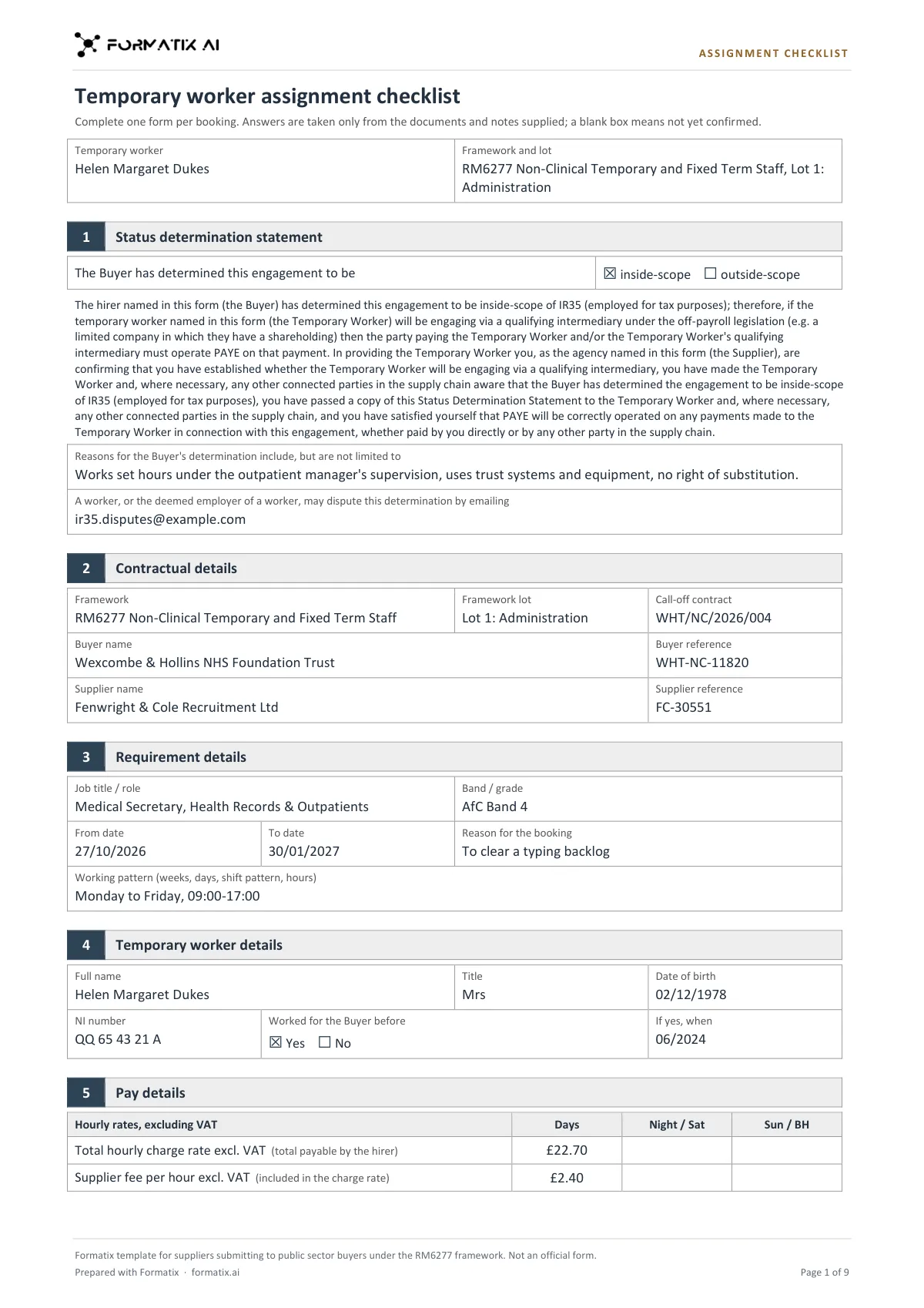
What's in the template
The temporary worker assignment checklist a supplier completes for every booking of an administrative, corporate, IT, legal, scientific or estates worker under the RM6277 Non-Clinical Staffing framework: the Buyer's IR35 status determination, contractual and booking details, the worker, charge rate and supplier fee, PAYE route, conflicts, validated documents, DBS, occupational health, the supplier declaration and what is still needed. Ticks only as the documents confirm. Structure based on the RM6277 assignment checklist (Open Government Licence v3.0). Not an official form.
- The Buyer's IR35 status determination, only as stated
- Contractual details and the requirement
- Temporary worker details
- Charge rate and supplier fee, PAYE route, conflicts and other placements
- Validated documents, DBS and occupational health
- Supplier declaration (signature left blank) and Still needed
What it's for: Every non-clinical booking with a public sector buyer under RM6277.
WordDelivered as an editable Word file, or saved as PDF.
Who uses it
Office, admin and corporate staffing agencies
A checklist per booking for medical secretaries, administrators and corporate roles.
IT, legal, scientific and estates suppliers
The same form for every non-clinical lot, filled from the CV and your records.
Compliance teams
The checks your records confirm, and a list of what to obtain before the booking starts.
Every page of the example
The example is in Formatix branding with fictional content. When you pick this template, it is rebuilt with your logo, colours and fonts before you use it.
How you use it
- 1
Pick the template
Open Formatix, choose this template in Studio, and give us your website. We pull your logo, colours and fonts and rebuild the template in your brand. You see a sample before you use it.
- 2
Drop the CV and your records
Upload the worker's CV with the Buyer's booking or order and your compliance notes: DBS and occupational health records, the agreed rates and the pay route. One credit fills one document.
- 3
Check, chase and send
The filled document appears beside the original for checking. Get the items on the Still needed list from the worker or the Buyer, remove that box, then download the Word file.
Download or automate? The free download is a plain file you fill in by hand. In Formatix the template is rebuilt in your brand, with your logo, colours and fonts taken from your website, and filled from a CV or your notes in about a minute. What you keep is the finished document: an editable Word, PowerPoint or Excel file.
Ask for changes in plain words, such as "move the photo to the right" or "add a Languages section", and the template is updated with the rest of its formatting kept. If you already have a document you send clients, upload that instead and Formatix turns it into a template. How Studio builds templates
Questions about this template
- Is this the official RM6277 form?
- No. It is a Formatix template for suppliers submitting to public sector buyers under the RM6277 framework, and its footer says it is not an official form. The structure follows the RM6277 assignment checklist, published under the Open Government Licence v3.0. It carries no NHS, framework or government logo. Check the version your buyer asks for before you submit.
- How is it different from the clinical checklist?
- It has no professional registration, qualifications or mandatory training sections, which the clinical (RM6281) checklist adds. Everything else, from the IR35 determination to the supplier declaration, follows the same structure.
- Does Formatix decide the IR35 status?
- No. Inside or outside IR35 is ticked only when the Buyer's order or your notes state the Buyer's determination. It is never worked out from the pay route.
- Will it tick a check that is not in our records?
- No. A check is ticked Yes only when your notes confirm it was completed and the validated document is held. Anything not confirmed stays unticked and goes on the Still needed list.
Related templates and pages
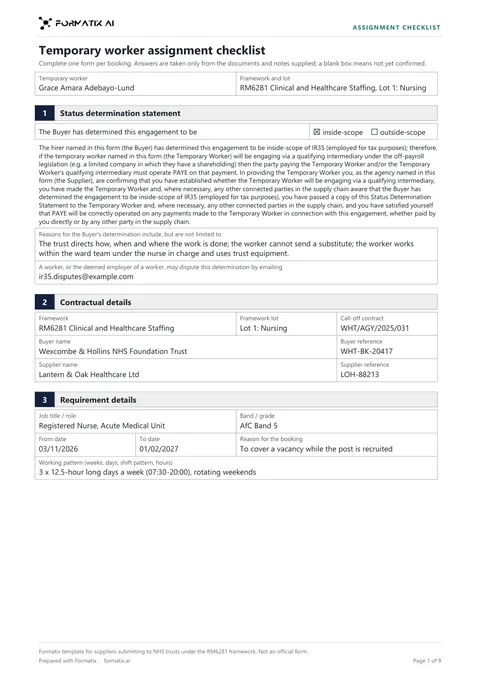 WordNHS clinical agency assignment checklistThe temporary worker assignment checklist a supplier completes for every booking with an NHS trust under the RM6281 Clinical and Healthcare Staffing framework: the Buyer's IR35 status determination, contractual and booking details, the worker, registration and qualifications, mandatory training, charge rate and supplier fee, PAYE route, conflicts, validated documents, enhanced DBS, occupational health, the supplier declaration and what is still needed. Ticks only as the documents confirm. Structure based on the RM6281 assignment checklist (Open Government Licence v3.0). Not an official form.
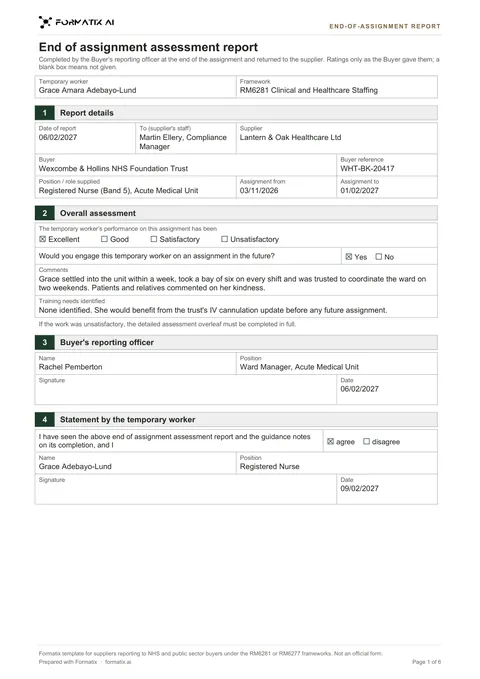 WordEnd-of-assignment reportThe end of assignment assessment report a Buyer completes on a temporary worker, for suppliers on the RM6281 clinical and RM6277 non-clinical staffing frameworks: report details, overall performance, whether the Buyer would engage the worker again, comments and training needs, the reporting officer, the worker's statement and the detailed assessment of fourteen criteria, plus what is still needed from the Buyer. Ratings only as the Buyer gave them. Structure based on the RM6281 and RM6277 end of assignment reports (Open Government Licence v3.0). Not an official form.
Use the nhs non-clinical agency assignment checklist in your brand
Give us your website, and the template is rebuilt with your logo, colours and fonts. Your first ten documents are free, with no card, valid for 14 days.
Formatix fills it from the CV for you: see our CV formatting software, or bulk CV formatting for a whole shortlist at once.