Word template · Reports
Locum doctor application form template
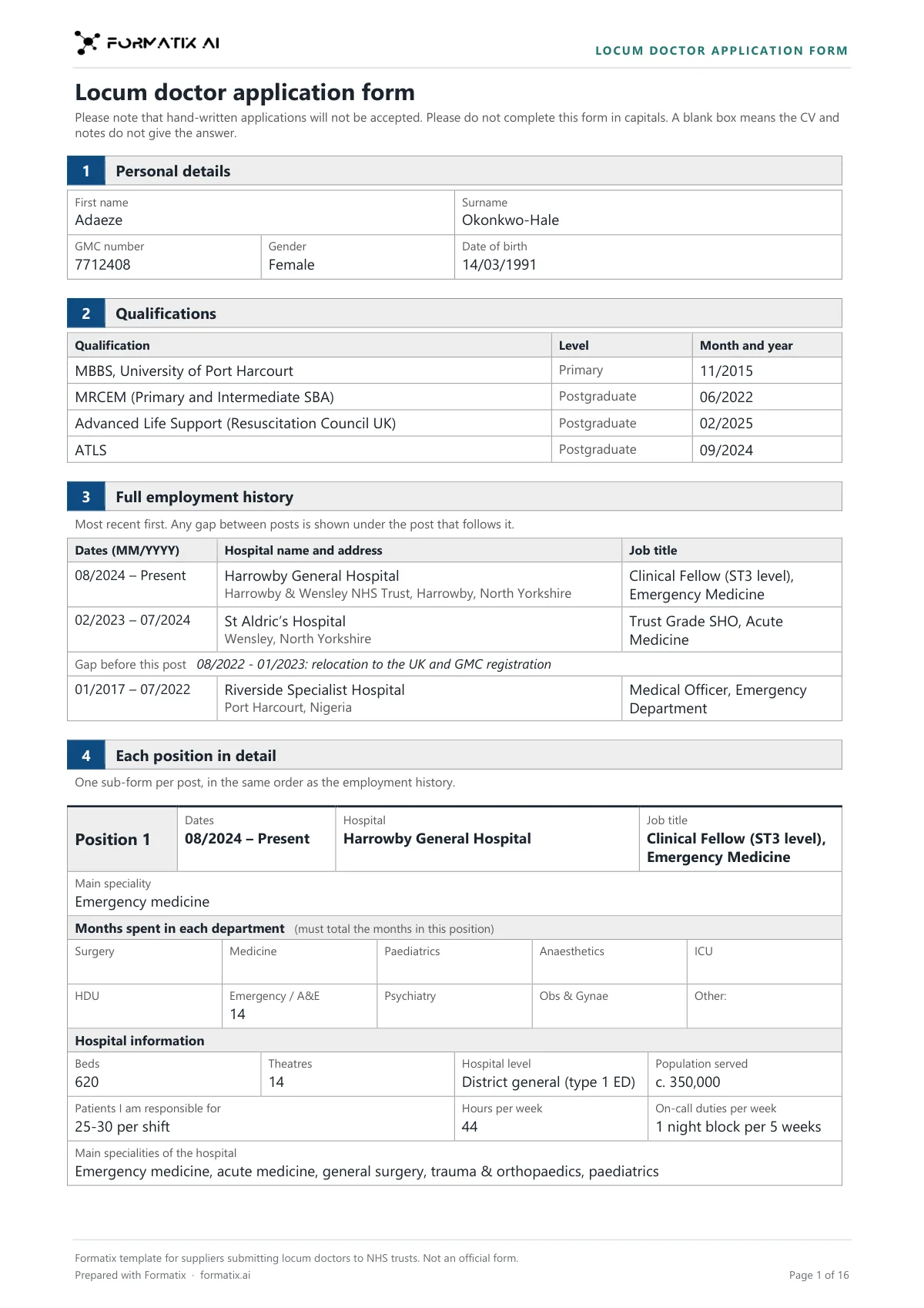
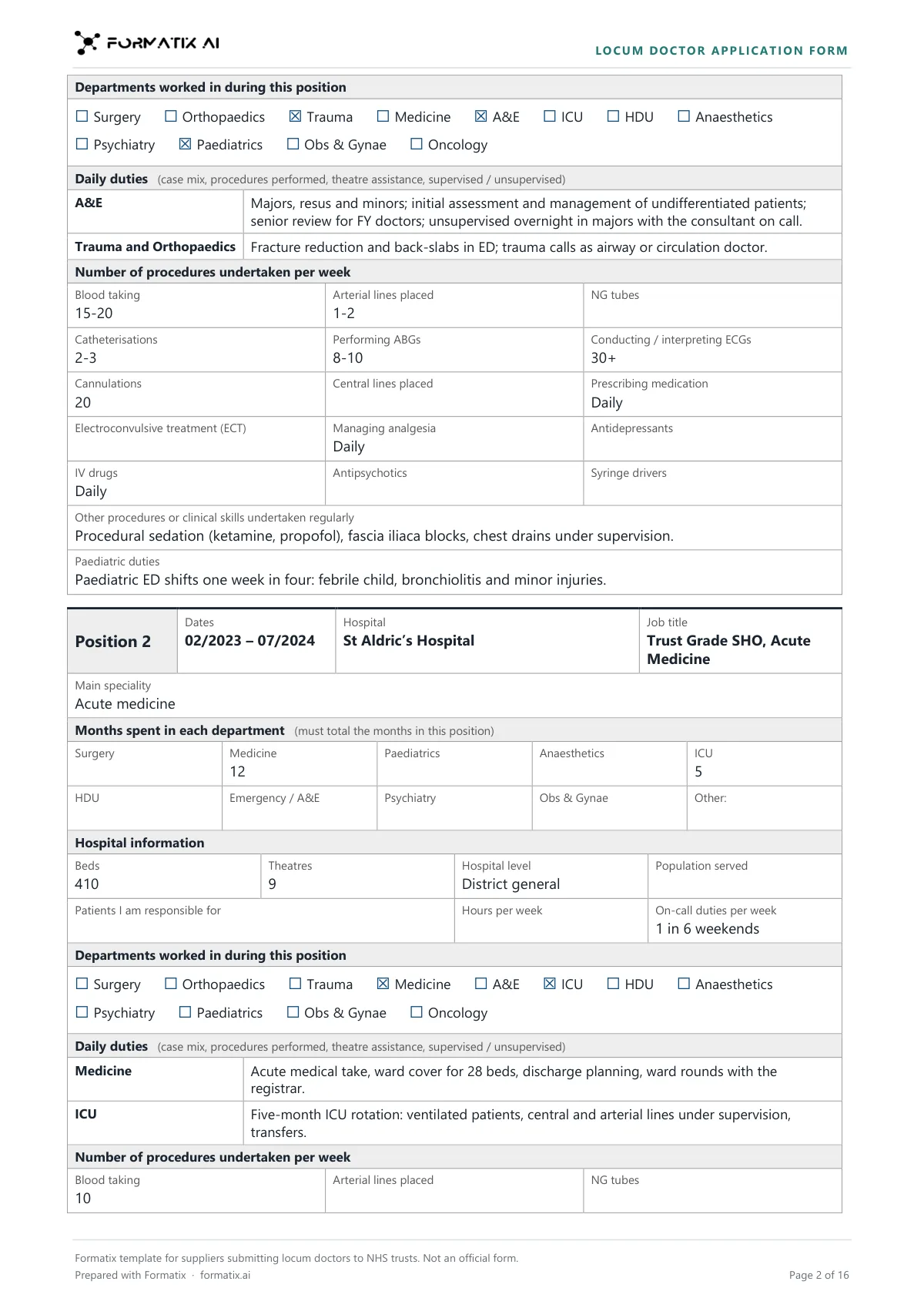
A locum doctor application form is the detailed form a locum agency completes for a doctor before submitting them to an NHS trust. This Word template sets it out in the agency's brand: personal details and GMC number; qualifications with month and year; the full employment history, most recent first, with any gap between posts and the reason given; then each post in detail (main specialty, months in each department, hospital information such as beds, theatres and on-calls, the departments worked in, daily duties and procedures per week); career totals for each procedure; the self-declaration procedures checklist; the consolidated summary of experience; and a Still needed list of what to ask the doctor for. Formatix fills it from the doctor's CV and your notes. Ticks, dates and numbers appear only where those documents state them; anything else stays blank. It is a Formatix template, not an official form.
Filling in a locum application form by hand means going through a doctor's CV post by post, copying hospitals, dates, months per department and procedure counts into the right boxes, then chasing the doctor for what is missing. This template does the copying and keeps the gaps visible: nothing is estimated from a grade, a rota or the length of a post, and every box the documents do not answer ends up on the Still needed list.
10 free credits, no card needed. One credit fills one document.
What's in the template
The detailed application form a locum agency completes for a doctor before submitting them to an NHS trust: GMC number and qualifications, full employment history with gaps explained, each post in detail (months per department, hospital information, departments worked, daily duties, procedures per week), career totals per procedure, the self-declaration procedures checklist, the consolidated summary of experience and a list of what is still needed. Ticks and numbers only as stated. Not an official form.
- Personal details, GMC number and qualifications with month and year
- Full employment history, with any gap and its reason as stated
- Each post: months per department, hospital information, departments worked, daily duties, procedures per week
- Practical experience: career totals per procedure, as stated
- Self-declaration procedures checklist and consolidated summary of experience
- Still needed before submission
What it's for: Putting a locum doctor forward to a trust with every post and procedure set out.
WordDelivered as an editable Word file, or saved as PDF.
Who uses it
Locum and medical staffing agencies
One consistent application form for every doctor you put forward, in your own brand.
Compliance teams
A form that shows at a glance what the doctor has given you and what you still have to ask for.
Medical recruitment consultants
Less re-keying from the CV, so more time on the doctor and the booking.
Every page of the example
The example is in Formatix branding with fictional content. When you pick this template, it is rebuilt with your logo, colours and fonts before you use it.
How you use it
- 1
Pick the template
Open Formatix, choose this template in Studio, and give us your website. We pull your logo, colours and fonts and rebuild the template in your brand. You see a sample before you use it.
- 2
Drop the CV and your notes
Upload the doctor's CV with any notes you have: a call with the doctor, a previous application form, a logbook summary or an email. One credit fills one document.
- 3
Check, chase and send
The filled form appears beside the original for checking. Ask the doctor for the items on the Still needed list, remove that box, then download the Word file.
Download or automate? The free download is a plain file you fill in by hand. In Formatix the template is rebuilt in your brand, with your logo, colours and fonts taken from your website, and filled from a CV or your notes in about a minute. What you keep is the finished document: an editable Word, PowerPoint or Excel file.
Ask for changes in plain words, such as "move the photo to the right" or "add a Languages section", and the template is updated with the rest of its formatting kept. If you already have a document you send clients, upload that instead and Formatix turns it into a template. How Studio builds templates
Questions about this template
- Is this an official NHS form?
- No. It is a Formatix template for suppliers submitting locum doctors to NHS trusts, and its footer says it is not an official form. It carries no NHS logo. If a trust or client gives you its own form, upload that and Formatix builds the template from it.
- Will it tick a procedure the doctor has not declared?
- No. A procedure in the self-declaration checklist is ticked only when the doctor declares competence in it, in the CV, a skills list, a previous form or your notes. Desirable procedures are marked Competent or Exposed only as declared. A box is never ticked because a procedure is usual for the grade or specialty, and a blank box is never turned into a No.
- What happens when the CV does not give months or procedure numbers?
- Those boxes stay blank. Numbers are copied exactly as written, such as "c. 200", and are never estimated from a job length, a grade or a rota, or worked out from a total. The consolidated summary adds up months only when every post it draws on states them. What is missing goes on the Still needed list.
- How are gaps between posts shown?
- Under the post that follows the gap, with the doctor's explanation only as they gave it. A gap of more than a month with no explanation is printed with the dates and "reason not stated", and the explanation is added to the Still needed list.
- Does Formatix check the doctor's GMC registration?
- No. It copies the GMC number and qualifications from the documents you give it. Checking them stays with your compliance team.
Related templates and pages
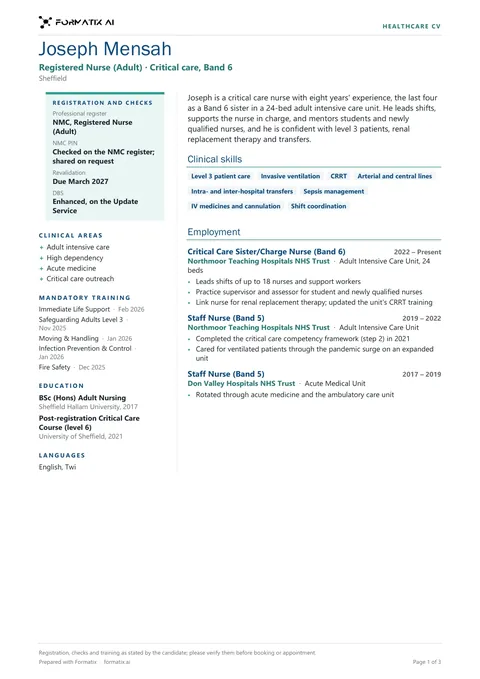 WordHealthcare CVAn agency CV for nurses, allied health professionals and doctors: a registration card (register, PIN or number, revalidation, DBS, only as stated), clinical areas, mandatory training with dates, education and languages beside the profile, clinical skills, employment by trust and unit, and rotations or placements.
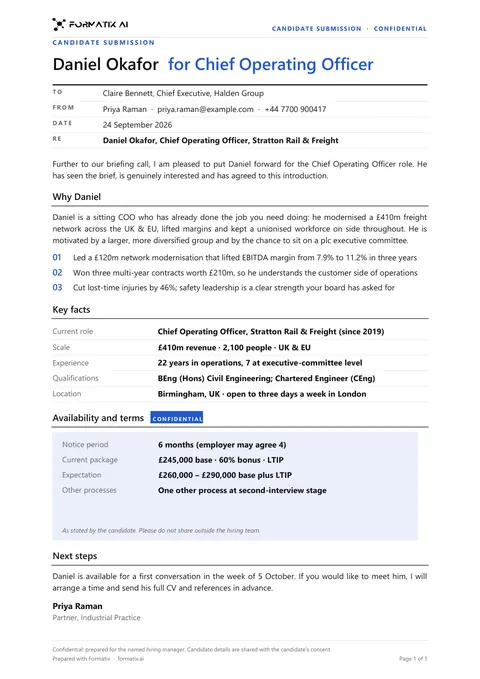 WordClient submittalA cover document that puts a candidate forward to a client: why they fit the brief, key facts, terms and next steps.
Use the locum doctor application form in your brand
Give us your website, and the template is rebuilt with your logo, colours and fonts. Your first ten documents are free, with no card, valid for 14 days.
Formatix fills it from the CV for you: see our CV formatting software, or bulk CV formatting for a whole shortlist at once.