Word template · Reports
Candidate report template for recruiters
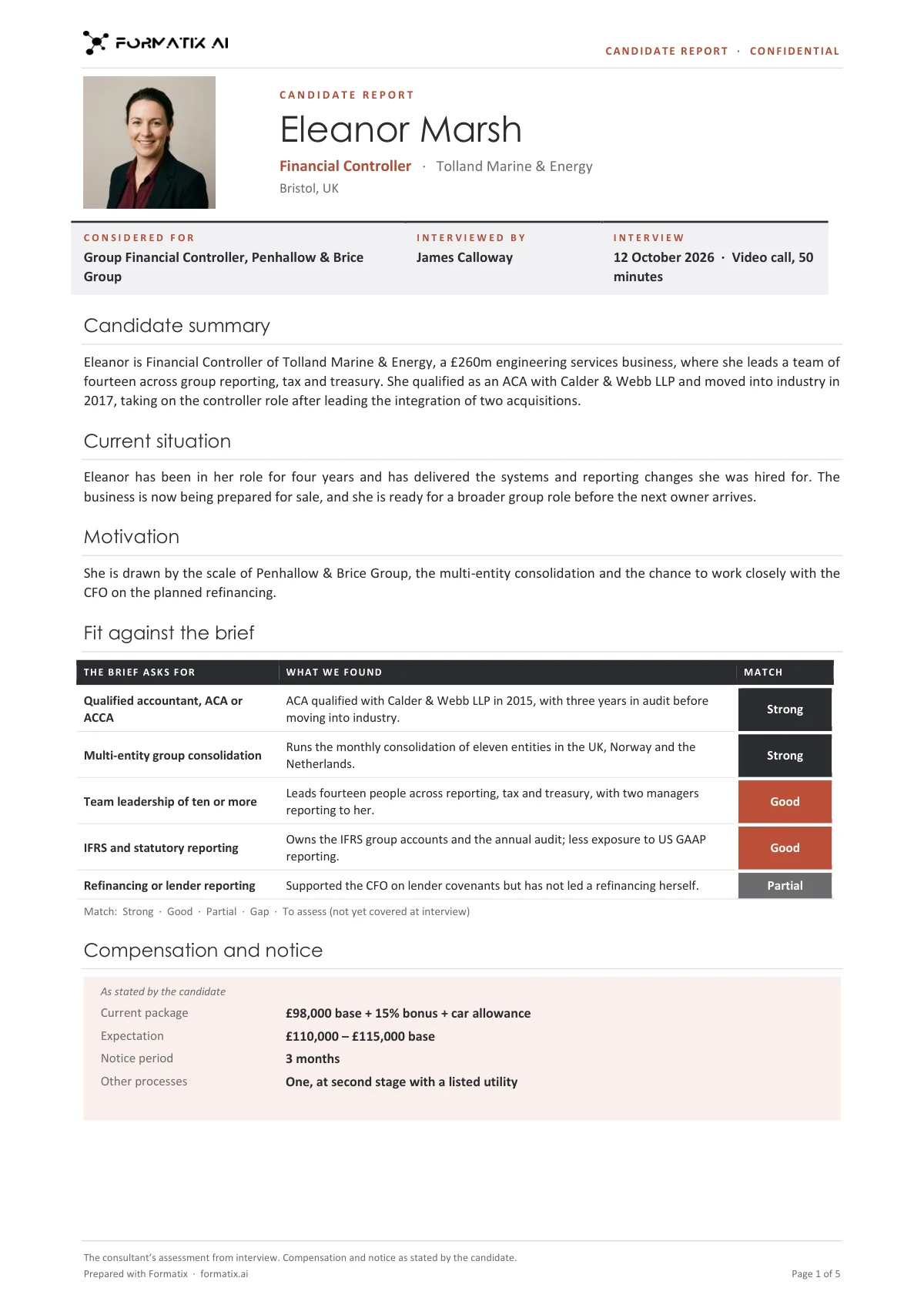
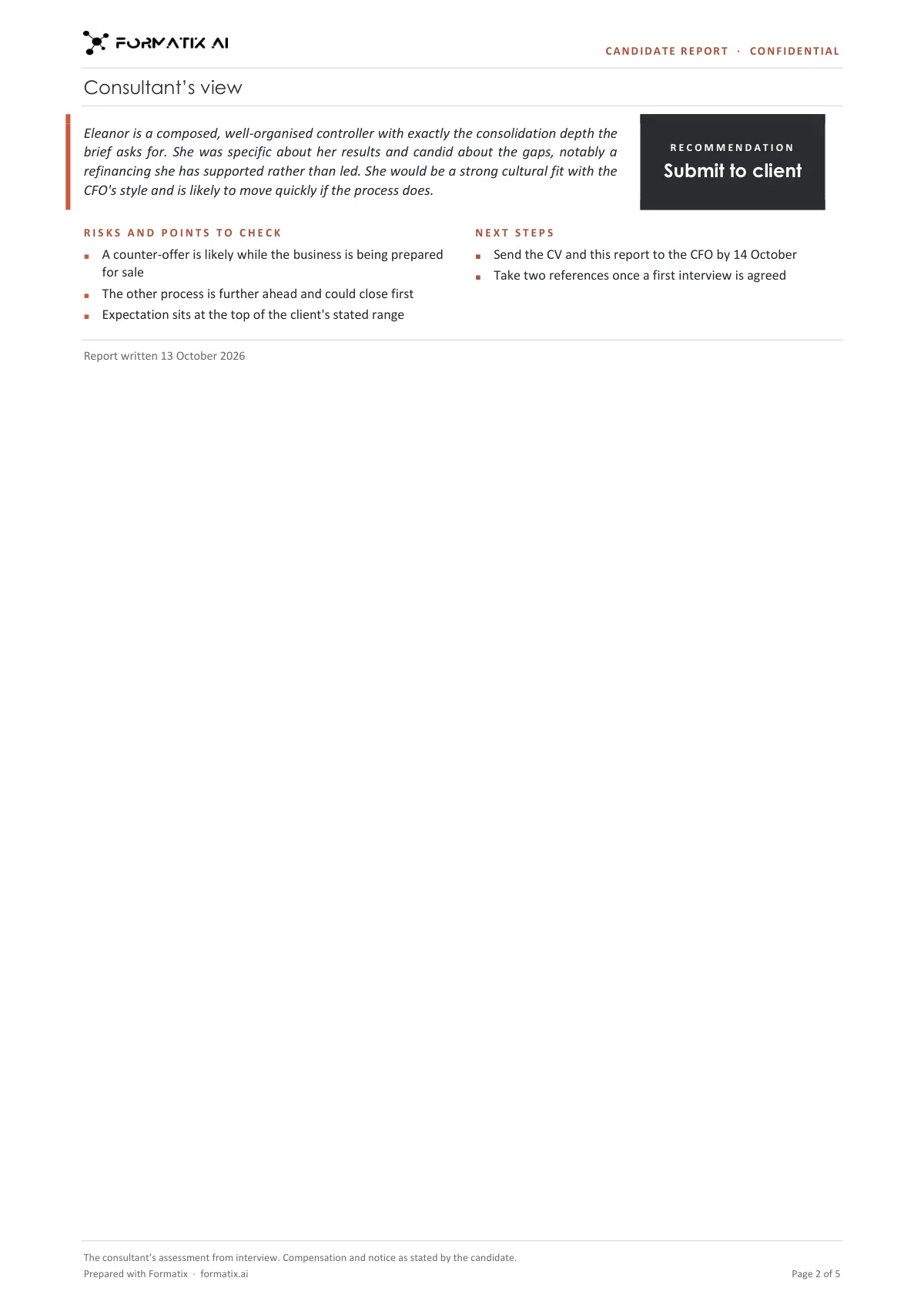
A candidate report is the consultant's write-up after a first interview or screening call: what the candidate does now, why they would move, how they match the brief and what the consultant thinks. This Word template sets it out on one or two pages per candidate in the firm's brand: photo or initials, name, current role and location; the role they are considered for, who interviewed them and when; a candidate summary; current situation; motivation; fit against the brief, with what the brief asks for, what the consultant found and a Strong, Good, Partial or Gap match; compensation and notice as the candidate stated them; the consultant's view beside a Submit to client, Hold or Do not submit recommendation; risks and points to check; and next steps. Formatix writes it from the CV and your interview notes.
After every screening call a recruiter writes up the same things: the candidate's situation, their motivation, the package and notice, and a view. Usually that write-up lives in the ATS notes field and never looks the same twice. This template gives it a consistent shape that can go to the client or stay on file, and the assessment always stays yours: the CV alone never produces a view, a match or a recommendation.
10 free credits, no card needed. One credit fills one document.
An editable file with neutral branding and a fictional example candidate, to fill in by hand. Formatix fills it automatically from a CV.
Diese Seite auf Deutsch · Cette page en français · Esta página en español · Deze pagina in het Nederlands · Den här sidan på svenska · Denne side på dansk · Denne siden på norsk · Questa pagina in italiano · Esta página em português
What's in the template
The consultant’s write-up after a first interview or screening call, one to two pages per candidate: candidate summary, current situation, motivation, fit against the brief, compensation and notice as stated, the consultant’s view with a recommendation, risks and next steps.
- Photo or initials, name, current role and location
- Role considered for, who interviewed and when
- Candidate summary, current situation and motivation
- Fit against the brief: what it asks for, what we found, Strong / Good / Partial / Gap
- Compensation and notice as stated
- Consultant’s view, recommendation, risks and next steps
What it's for: Writing up a first interview or screening call for the file or the client.
WordDelivered as an editable Word file, or saved as PDF.
Who uses it
Agency recruiters
A write-up after each screening call that can go to the client with the CV.
Executive search consultants
First-interview notes for the file and the client team, with fit against the brief and the risks to manage.
Delivery and resourcing teams
A consistent record when several consultants interview for the same role.
Every page of the example
The example is in Formatix branding with fictional content. When you pick this template, it is rebuilt with your logo, colours and fonts before you use it.
How you use it
- 1
Pick the template
Open Formatix, choose this template in Studio, and give us your website. We pull your logo, colours and fonts and rebuild the template in your brand. You see a sample before you use it.
- 2
Drop the CV and your notes
Upload the candidate's CV with your notes from the interview or screening call: the brief, what they said about their situation, package and notice, and your view. One credit fills one document.
- 3
Check and send
The filled document appears beside the original for checking. Edit anything in place, then download the Word file, or save it as PDF.
Download or automate? The free download is a plain file you fill in by hand. In Formatix the template is rebuilt in your brand, with your logo, colours and fonts taken from your website, and filled from a CV or your notes in about a minute. What you keep is the finished document: an editable Word, PowerPoint or Excel file.
Ask for changes in plain words, such as "move the photo to the right" or "add a Languages section", and the template is updated with the rest of its formatting kept. If you already have a document you send clients, upload that instead and Formatix turns it into a template. How Studio builds templates
Questions about this template
- What goes into a candidate report?
- A short factual summary of the candidate's career, their current situation and reasons for moving, their motivation for the role, how they match each requirement of the brief, the compensation and notice they stated, the consultant's overall view and recommendation, the risks to check (a counter-offer, another process, relocation) and the next steps.
- Where does the assessment come from?
- Only from your notes. The match against each requirement, the view, the recommendation and the risks are written only when your interview notes contain them. With no notes, the report still shows the CV summary and the requirements with the CV evidence, marked "To assess".
- Are salary and notice included?
- Only as the candidate stated them: current package, expectation, notice period, availability and other processes. Nothing is inferred from a job title or the market.
- How is it different from a candidate profile?
- A candidate profile reformats a CV into a client-ready document and carries no assessment. The candidate report is your write-up of the interview: situation, motivation, fit, package and your view. It is also lighter than the executive assessment report, which adds competency and working-style scales for retained assessments.
- Can I download this template?
- Yes. A free, editable Word version with neutral branding and three fictional example candidates is on this page, to fill in by hand. To have it rebuilt in your brand and written automatically from CVs and your notes, use it in Formatix; what you keep is an editable Word file.
Related templates and pages
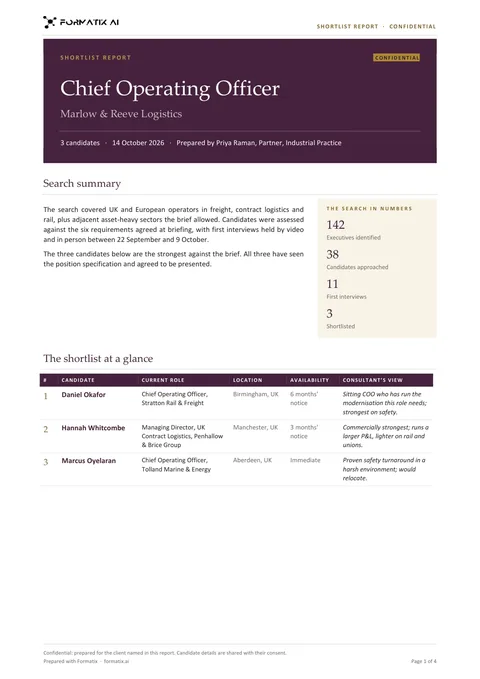 WordShortlist reportThe Word shortlist report for a client: a cover, the search summary and numbers, a shortlist-at-a-glance table, then one page per candidate with availability and terms, profile, the consultant’s view, fit against the brief, career summary, education and points to explore at interview.
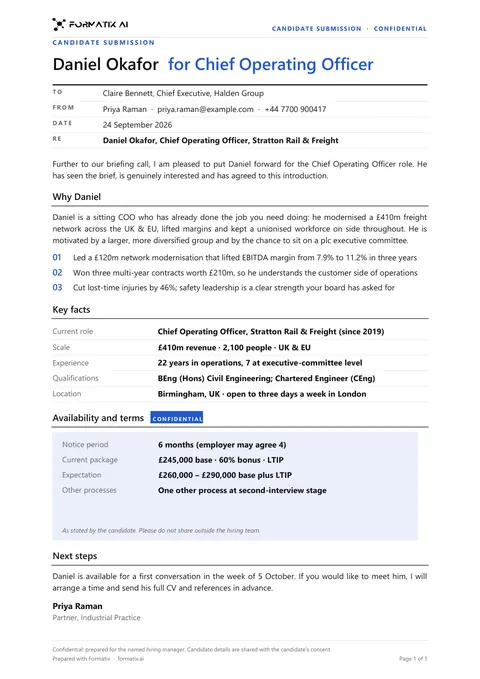 WordClient submittalA cover document that puts a candidate forward to a client: why they fit the brief, key facts, terms and next steps.
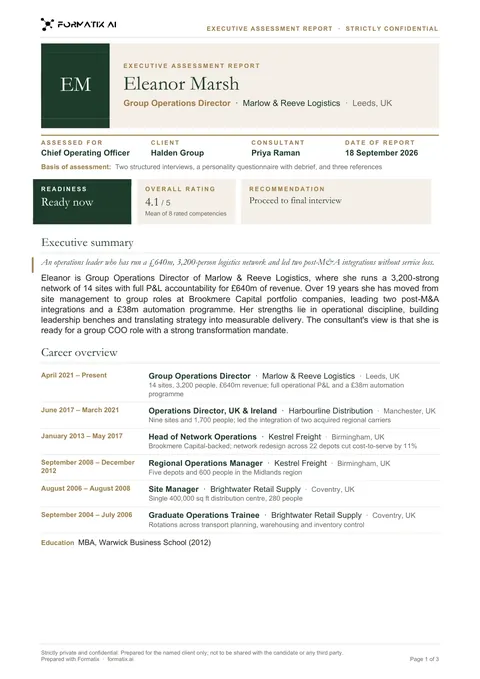 WordExecutive assessment reportA multi-page report on a finalist: executive summary, competency ratings drawn as bars from your scores, career overview and the consultant's view.
Use the candidate report in your brand
Give us your website, and the template is rebuilt with your logo, colours and fonts. Your first ten documents are free, with no card, valid for 14 days.
Formatix fills it from the CV for you: see our CV formatting software, or bulk CV formatting for a whole shortlist at once.