Word template · Candidate profiles
Two-column CV template with a sidebar
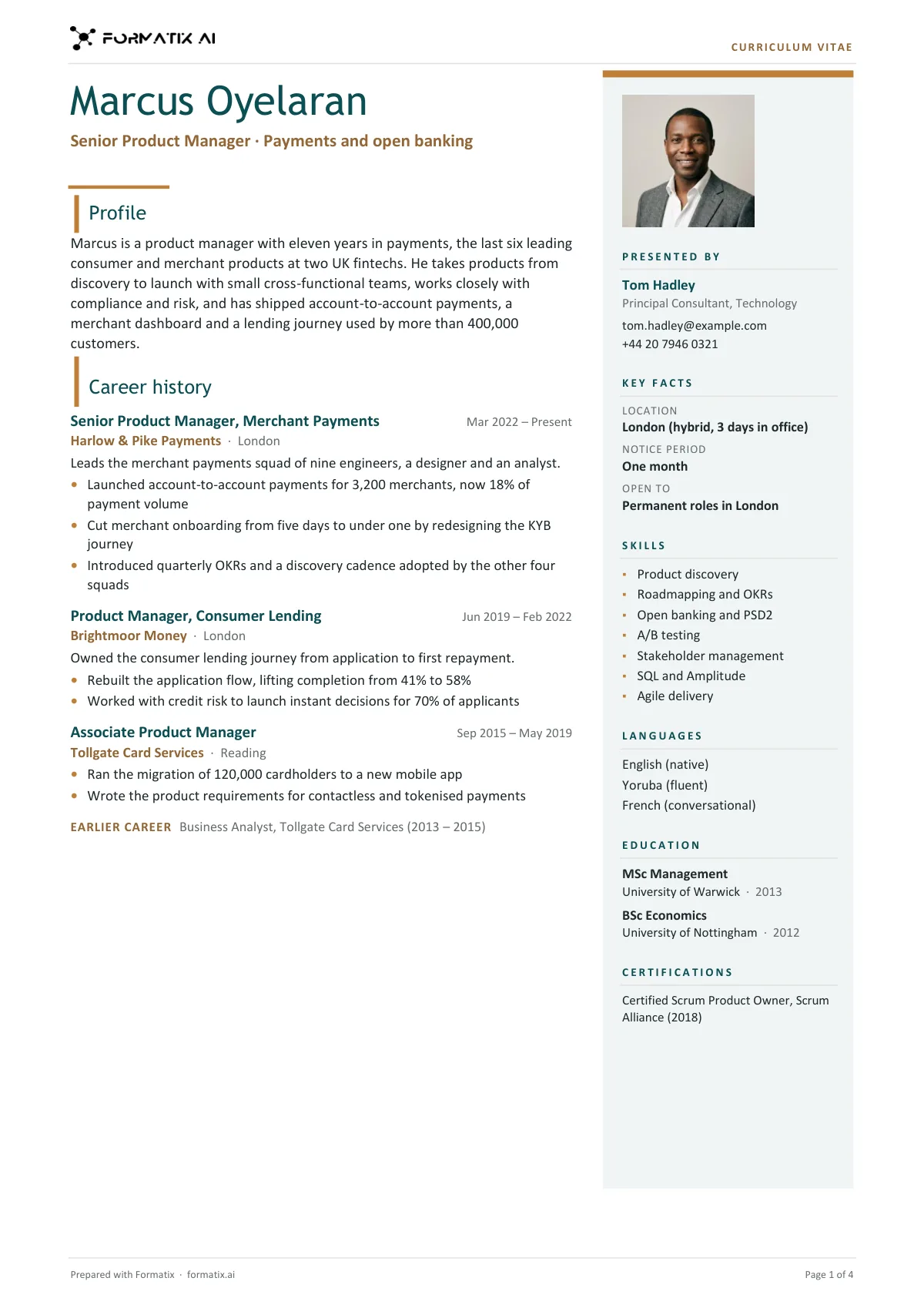
A two-column CV puts the candidate's career history in a wide main column and the facts a client scans, such as skills, languages, education and certifications, in a narrow sidebar beside it. This Word template is the agency version: the name, headline and profile at the top of the main column, then the career role by role with achievements; on the right a tinted sidebar with the candidate's photo (initials when the CV has none), the consultant presenting them, key facts as stated, skills, languages, education and certifications. The candidate's own contact details never appear. Formatix writes it from the CV in your agency's brand.
Clients skim. A sidebar gives them location, notice, skills and qualifications at a glance while the main column tells the career story, so a two-column CV is one of the most requested agency formats. This one keeps the agency's header and footer, so it still reads as your document.
10 free credits, no card needed. One credit fills one document.
An editable file with neutral branding and a fictional example candidate, to fill in by hand. Formatix fills it automatically from a CV.
Diese Seite auf Deutsch · Cette page en français · Esta página en español · Deze pagina in het Nederlands · Den här sidan på svenska · Denne side på dansk · Denne siden på norsk · Questa pagina in italiano · Esta página em português
What's in the template
An agency CV in two columns: name, profile and career history in the main column, and a tinted sidebar on the right with the photo or initials, the consultant presenting the candidate, key facts, skills, languages, education and certifications.
- Name, headline and profile
- Career history with achievements, then earlier career
- Sidebar: photo or initials, presented by, key facts as stated
- Skills, languages, education and certifications in the sidebar
What it's for: Candidate submissions that should look designed but stay easy to scan.
WordDelivered as an editable Word file, or saved as PDF.
Who uses it
Agencies that want a designed look
A layout that looks considered on screen and in print, with your colours in the sidebar.
Consultants submitting by email
The facts a hiring manager checks first sit in one narrow column, readable on a phone.
Firms that sometimes use photos
The photo sits at the top of the sidebar; without one the candidate's initials take its place.
How to lay out a two-column CV
A two-column CV works when each column has one job: the main column tells the career story and the sidebar holds the facts.
What goes where
| Main column | Sidebar | |
|---|---|---|
| Purpose | The career story | Facts to scan |
| Contents | Name, headline, profile, roles and achievements | Photo, contact, key facts, skills, languages, education |
| Width | About two thirds | About one third |
| Length | Grows with the career | Stays short |
Mistakes to avoid
- Putting the career history in the narrow column, where long job titles wrap badly.
- Leaving the candidate's own phone and email on a CV that goes to a client.
- Rating skills with bars nobody stated; list the skills instead.
- A sidebar so full it runs longer than the career.
How you use it
- 1
Pick the template
Open Formatix, choose this template in Studio, and give us your website. We pull your logo, colours and fonts and rebuild the template in your brand. You see a sample before you use it.
- 2
Drop a CV or your notes
Upload the candidate's CV, in any layout or language. For reports that carry your ratings or notes, add them alongside the CV. One credit fills one document.
- 3
Check and send
The filled document appears beside the original for checking. Edit anything in place, then download the Word, PowerPoint or Excel file, or save it as PDF.
Download or automate? The free download is a plain file you fill in by hand. In Formatix the template is rebuilt in your brand, with your logo, colours and fonts taken from your website, and filled from a CV or your notes in about a minute. What you keep is the finished document: an editable Word, PowerPoint or Excel file.
Ask for changes in plain words, such as "move the photo to the right" or "add a Languages section", and the template is updated with the rest of its formatting kept. If you already have a document you send clients, upload that instead and Formatix turns it into a template. How Studio builds templates
Questions about this template
- What goes in the sidebar?
- The photo or initials, who is presenting the candidate with their contact details, key facts such as location, notice period and what the candidate is open to (only as stated), skills, languages, education and certifications. Each block disappears when the CV has nothing for it.
- Does it include the candidate's phone or email?
- No. The only contact details are the consultant's, from your notes, so the client comes back to you.
- What if the career runs over one page?
- It continues onto page two and the sidebar colour runs down that page too, so the layout stays even. A typical CV fits one page.
- How is it different from the modern candidate profile?
- The modern profile has a dark full-height panel on the left with the logo in it. This layout keeps your normal header, puts a light tinted sidebar on the right and leads with the career.
- Will it use my brand colours?
- Yes. Formatix takes your logo, colours and fonts from your website or brand kit and rebuilds the layout around them; you check a sample before the first CV.
- Can I download this template?
- Yes. A free, editable Word version with neutral branding and three fictional example candidates is on this page, to fill in by hand. To have it rebuilt in your brand and written automatically from CVs, use it in Formatix; what you keep is an editable Word file.
Related templates and pages
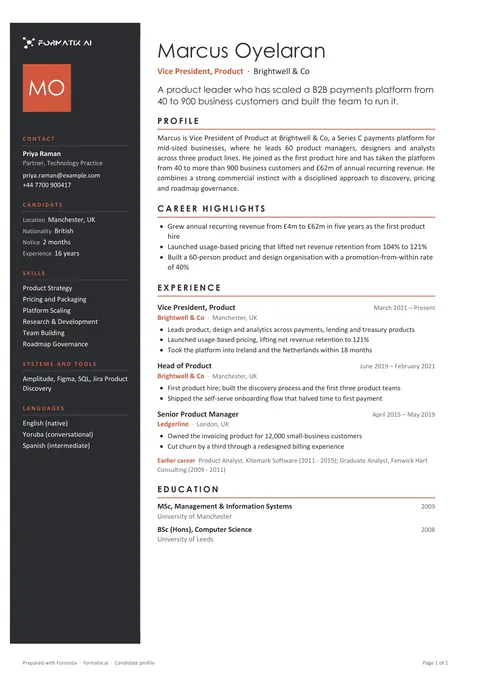 WordCandidate profile (modern)A contemporary profile with a coloured side panel for contact details, key facts and skills, and room for a photo, for firms that want the document to look designed.
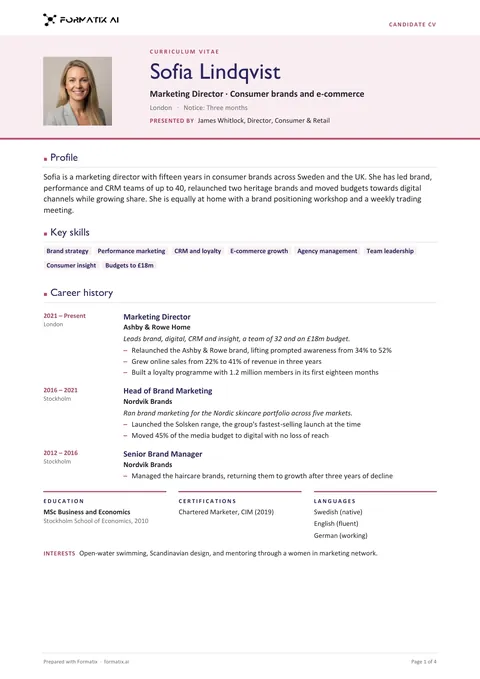 WordCV with photo headerA CV that opens with a large tinted header band across the page: the candidate's photo (initials when the CV has none), name, headline, location and notice, then profile, key skills, career history, education, certifications, languages and interests in one column.
Use the two-column cv with sidebar in your brand
Give us your website, and the template is rebuilt with your logo, colours and fonts. Your first ten documents are free, with no card, valid for 14 days.
Formatix fills it from the CV for you: see our CV formatting software, or bulk CV formatting for a whole shortlist at once.