Word template · Candidate profiles
Timeline CV template
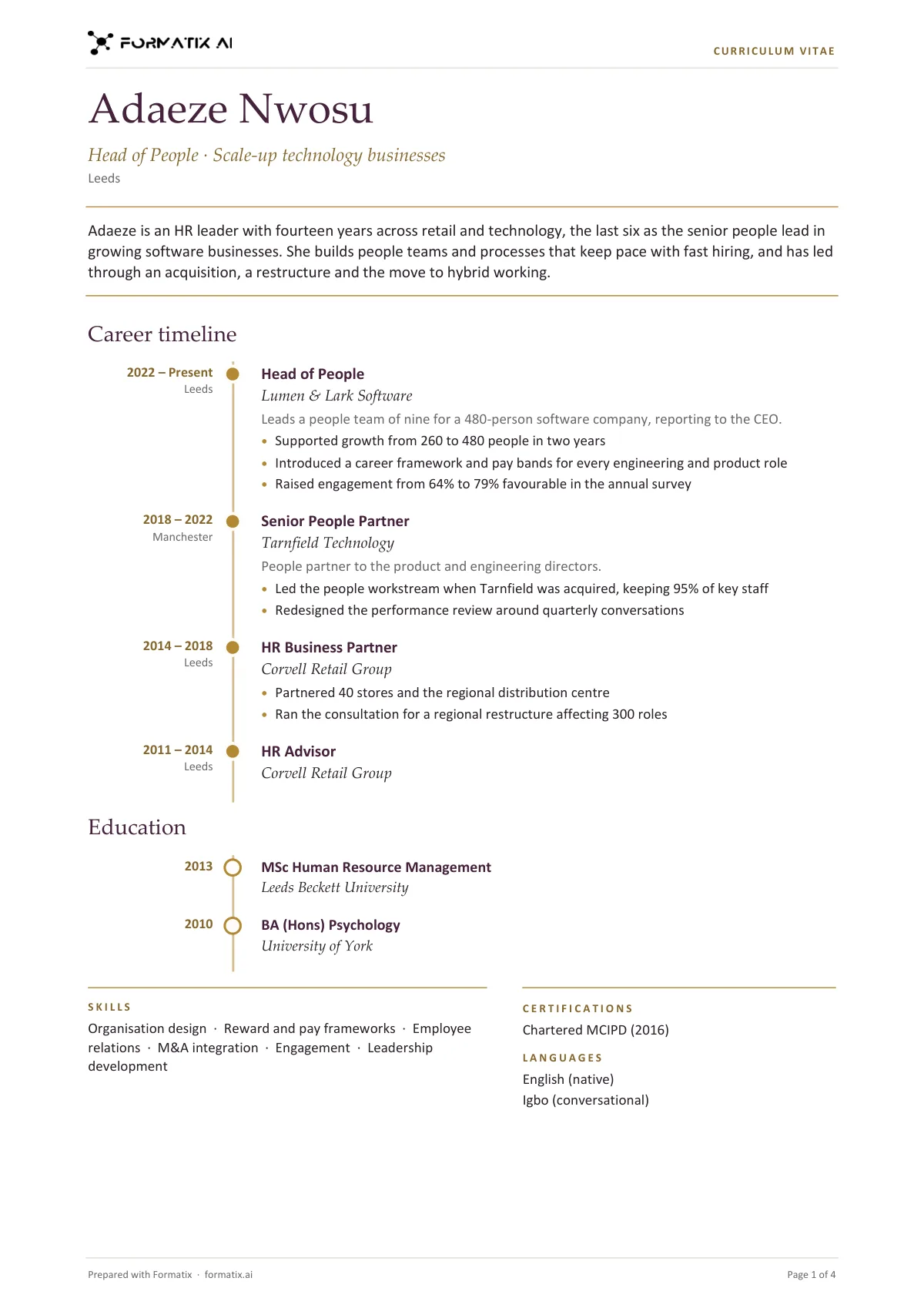
A timeline CV shows the career as a line through time: the dates of each role sit to the left of a vertical rail, and each role hangs off the rail at a dot with its title, employer, scope and achievements. This Word template adds the name, headline and profile at the top and puts education on the same rail with open dots, followed by skills, certifications and languages. The dates appear exactly as the CV gives them; a gap is never filled in. Formatix writes it from the CV in your agency's brand.
Clients read a career for progression and for gaps. A timeline makes both obvious at a glance, which suits candidates with a clear upward path and saves the client working it out from a list.
10 free credits, no card needed. One credit fills one document.
An editable file with neutral branding and a fictional example candidate, to fill in by hand. Formatix fills it automatically from a CV.
Diese Seite auf Deutsch · Cette page en français · Esta página en español · Deze pagina in het Nederlands · Den här sidan på svenska · Denne side på dansk · Denne siden på norsk · Questa pagina in italiano · Esta página em português
What's in the template
A CV whose career runs down a vertical timeline: dates and place beside a continuous accent rail, each role at a dot with title, employer, scope and achievements, education on the same rail, then skills, certifications and languages.
- Name, headline and profile between two rules
- Career timeline: dates and place, then role, employer, scope and achievements
- Education on the same rail
- Skills, certifications and languages
What it's for: Showing a career as a clear progression through time.
WordDelivered as an editable Word file, or saved as PDF.
Who uses it
Candidates with a clear career path
Promotions and moves read as a progression down the page.
HR, finance and operations recruiters
Roles where tenure and steady progression matter to the client.
Agencies wanting a distinctive layout
A recognisable design that still fills from any CV.
How you use it
- 1
Pick the template
Open Formatix, choose this template in Studio, and give us your website. We pull your logo, colours and fonts and rebuild the template in your brand. You see a sample before you use it.
- 2
Drop a CV or your notes
Upload the candidate's CV, in any layout or language. For reports that carry your ratings or notes, add them alongside the CV. One credit fills one document.
- 3
Check and send
The filled document appears beside the original for checking. Edit anything in place, then download the Word, PowerPoint or Excel file, or save it as PDF.
Download or automate? The free download is a plain file you fill in by hand. In Formatix the template is rebuilt in your brand, with your logo, colours and fonts taken from your website, and filled from a CV or your notes in about a minute. What you keep is the finished document: an editable Word, PowerPoint or Excel file.
Ask for changes in plain words, such as "move the photo to the right" or "add a Languages section", and the template is updated with the rest of its formatting kept. If you already have a document you send clients, upload that instead and Formatix turns it into a template. How Studio builds templates
Questions about this template
- How is the timeline drawn?
- The rail is part of the Word table, so it never breaks across a role, and each role has a dot on the rail level with its title. It stays editable in Word.
- What if the CV has gaps?
- The dates appear exactly as the CV gives them. Formatix never fills a gap or guesses a missing month or year.
- Is education on the timeline?
- Yes, on the same rail with open dots, after the career.
- How long is it?
- One page for a typical CV and two for a long career.
- Can I download this template?
- Yes. A free, editable Word version with neutral branding and three fictional example candidates is on this page, to fill in by hand. To have it rebuilt in your brand and written automatically from CVs, use it in Formatix; what you keep is an editable Word file.
Related templates and pages
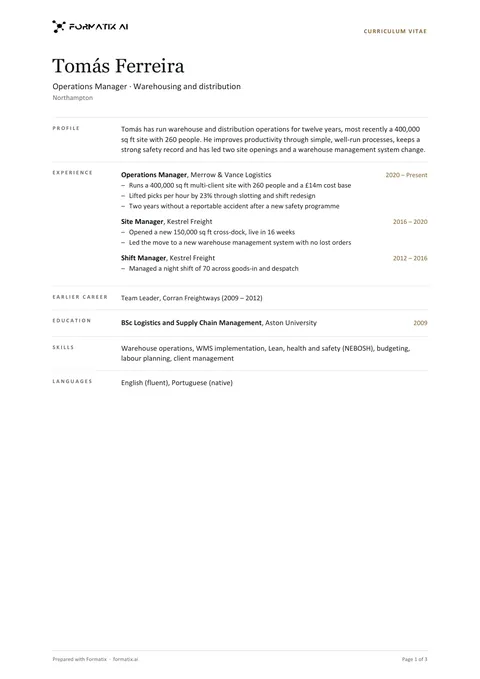 WordMinimal one-page CVA strict one-page CV with generous white space and no colour blocks: name, headline and location, then a ruled grid with small labels on the left for profile, experience, earlier career, education, skills and languages.
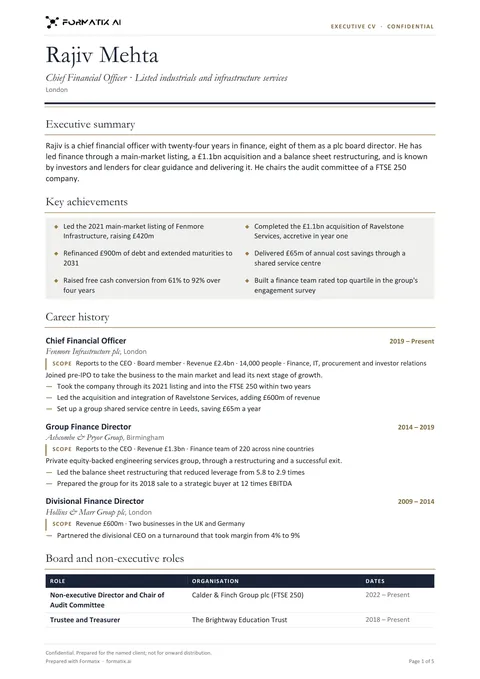 WordExecutive CV (two pages)A board-ready executive CV held to two pages: executive summary, key achievements, career history with the scope of every role (reporting line, P&L or budget, team, as stated), board and non-executive roles, education, memberships and languages.
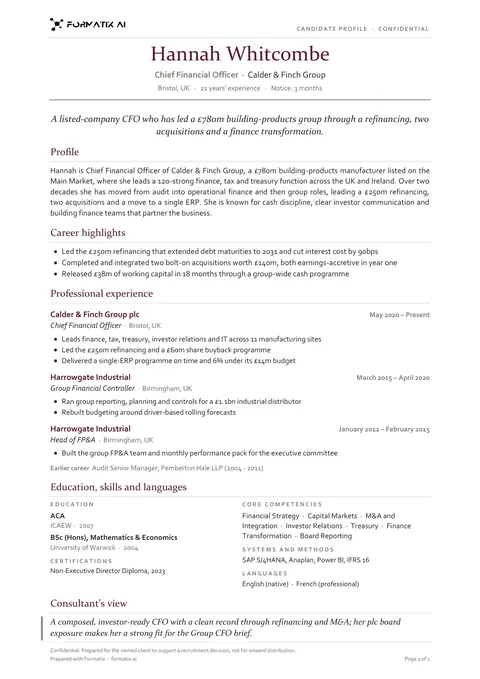 WordCandidate profile (classic)A traditional one-page candidate profile with a clear career history, laid out the way clients expect to read a CV from an agency.
Use the timeline cv in your brand
Give us your website, and the template is rebuilt with your logo, colours and fonts. Your first ten documents are free, with no card, valid for 14 days.
Formatix fills it from the CV for you: see our CV formatting software, or bulk CV formatting for a whole shortlist at once.