Word template · Expert networks
Expert network profile template
An expert network profile is the short, client-facing summary of an expert a network proposes for a client's question: a headline, the expert's name or an expert ID, years of experience and location, current and former roles with dates, companies, sectors and geographies, the topics the expert can speak to, a relevant-experience summary and compliance notes such as cooling-off periods. This Word template gives every expert on a shortlist the same layout, and Formatix fills it from each expert's CV or LinkedIn export and your screening notes.
Shortlists go out fast and are compared side by side. One template, filled the same way every time, keeps them readable and consistent whichever associate prepared them.
10 free credits, no card needed. One credit fills one document.
An editable file with neutral branding and a fictional example candidate, to fill in by hand. Formatix fills it automatically from a CV.
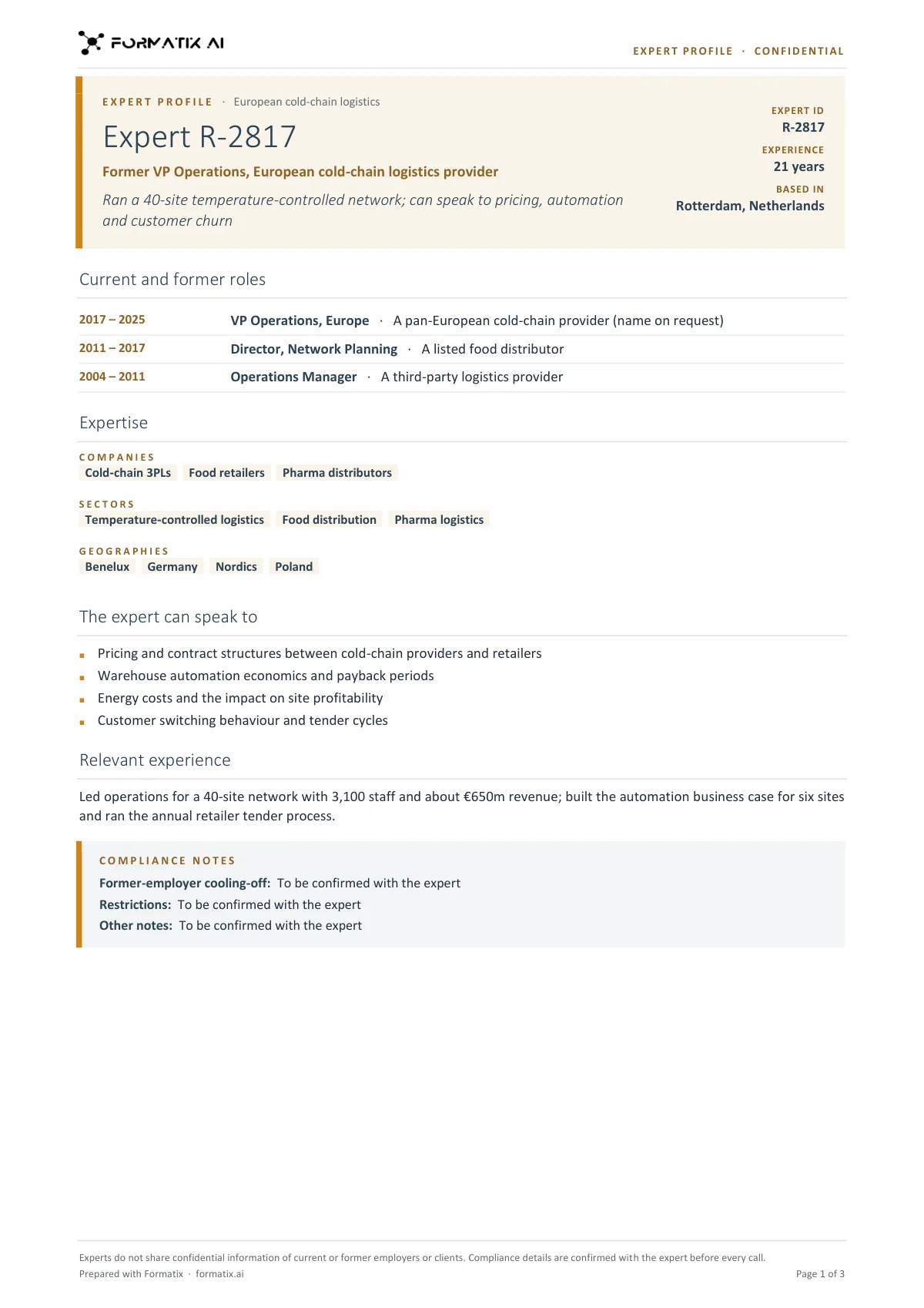
What's in the template
The expert profile an expert network sends before a call, named or anonymised: current and former roles with dates, companies, sectors and geographies, the topics the expert can speak to, a relevant-experience summary and compliance notes (cooling-off, restrictions) left as placeholders unless stated.
- Headline, expert ID or name, years of experience and location
- Current and former roles with dates (employers can be described rather than named)
- Companies, sectors and geographies
- Topics the expert can speak to
- Relevant experience summary
- Compliance notes (cooling-off, restrictions) left as placeholders unless stated
What it's for: Sending a client an expert profile before a call, named or anonymised with an expert ID.
WordDelivered as an editable Word file, or saved as PDF.
Who uses it
Research associates
Profiles for a whole shortlist in minutes, relevant roles first.
Client service teams
A consistent shortlist format clients learn to read quickly.
Compliance teams
Every profile in the same structure, easy to check before it is sent.
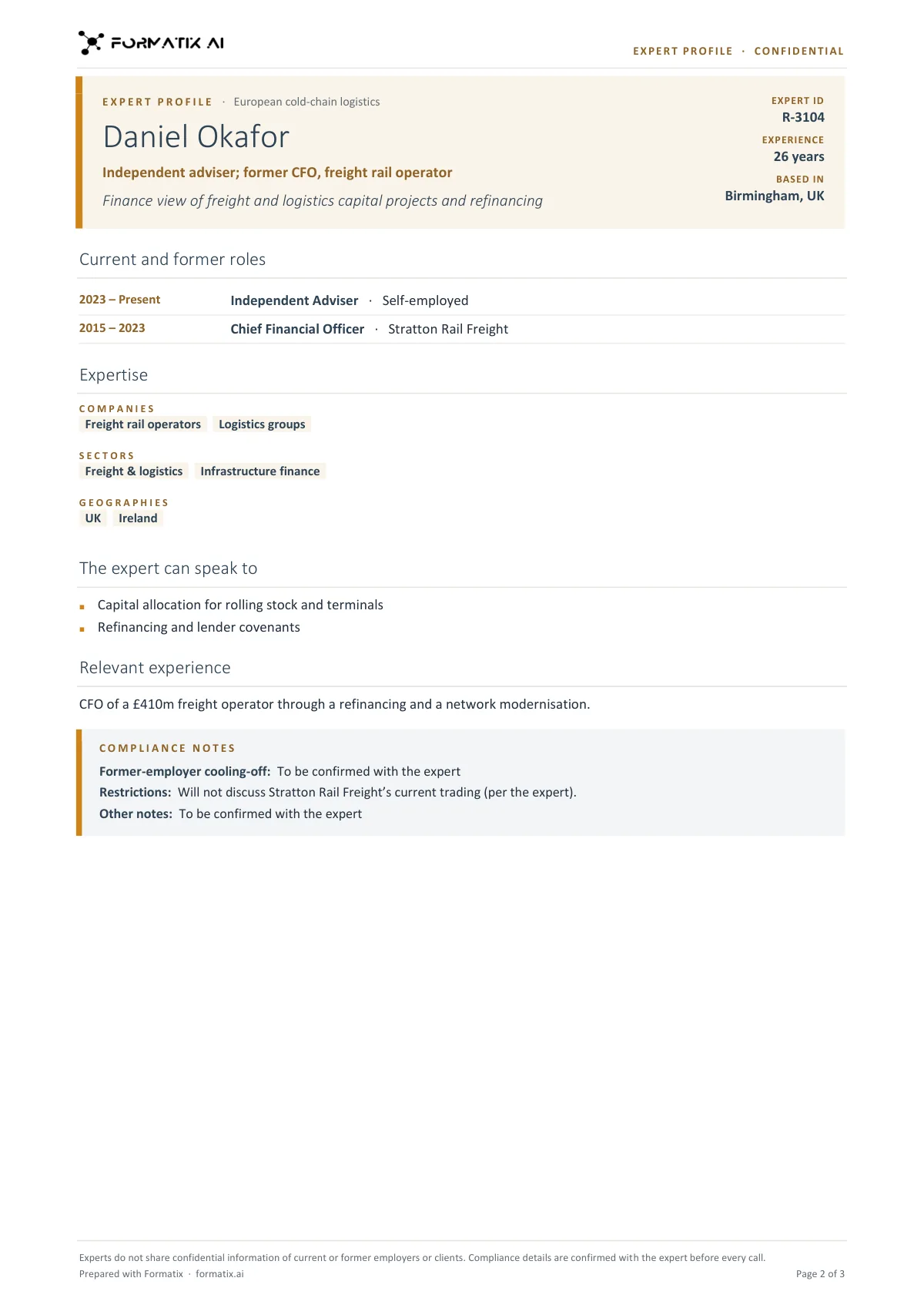
Every page of the example
The example is in Formatix branding with fictional content. When you pick this template, it is rebuilt with your logo, colours and fonts before you use it.
How you use it
- 1
Pick the template or upload your own
Choose this template in Studio and give us your website, or upload the profile format you already send. You see a filled sample first.
- 2
Add CVs, LinkedIn exports and notes
Upload each expert's source document with a note on the client's question and the roles to lead with. One credit formats one profile.
- 3
Check and send
Review each profile beside the source, then download editable Word files or save them as PDF.
Download or automate? The free download is a plain file you fill in by hand. In Formatix the template is rebuilt in your brand, with your logo, colours and fonts taken from your website, and filled from a CV or your notes in about a minute. What you keep is the finished document: an editable Word, PowerPoint or Excel file.
Ask for changes in plain words, such as "move the photo to the right" or "add a Languages section", and the template is updated with the rest of its formatting kept. If you already have a document you send clients, upload that instead and Formatix turns it into a template. How Studio builds templates
Questions about this template
- Can it work from LinkedIn exports?
- Yes. It reads LinkedIn PDF exports, CVs and bios in more than 40 languages.
- Does it verify the expert's background?
- No. It formats what the source documents and your notes say; verification and conflict checks stay with your team.
- Can a shortlist be one document?
- Yes. Upload the experts together for one profile each or one combined document.
Related templates and pages
Use the expert network profile in your brand
Give us your website, and the template is rebuilt with your logo, colours and fonts. Your first ten documents are free, with no card, valid for 14 days.